Algo Trade (Live Trading)
Algo Trade executes your strategy with real money through your connected broker. When your conditions fire, real orders are placed automatically.
Before you deploy - prerequisites
- Broker connected - link your broker account to AlgoTest and complete the broker's algo trading requirements, including VEE setup where the broker requires it.
- Execution settings configured - set up execution settings for this strategy (quantity, order types, auto square-off).
- Forward tested - strongly recommended: validate on live data without money first.
- Broker login - for NSE/BSE brokers, you must log in to your broker via AlgoTest every trading day. Delta Exchange (crypto) does not require daily login.
The 920/AlgoTrade page is for time based strategies only. Your signal strategy deploys from Saved Signals, and once deployed it just needs to be in the Listening state. Activating a 920 strategy on top of a signal strategy can cause confusion or duplicate execution. See the FAQ.
Deploy live
-
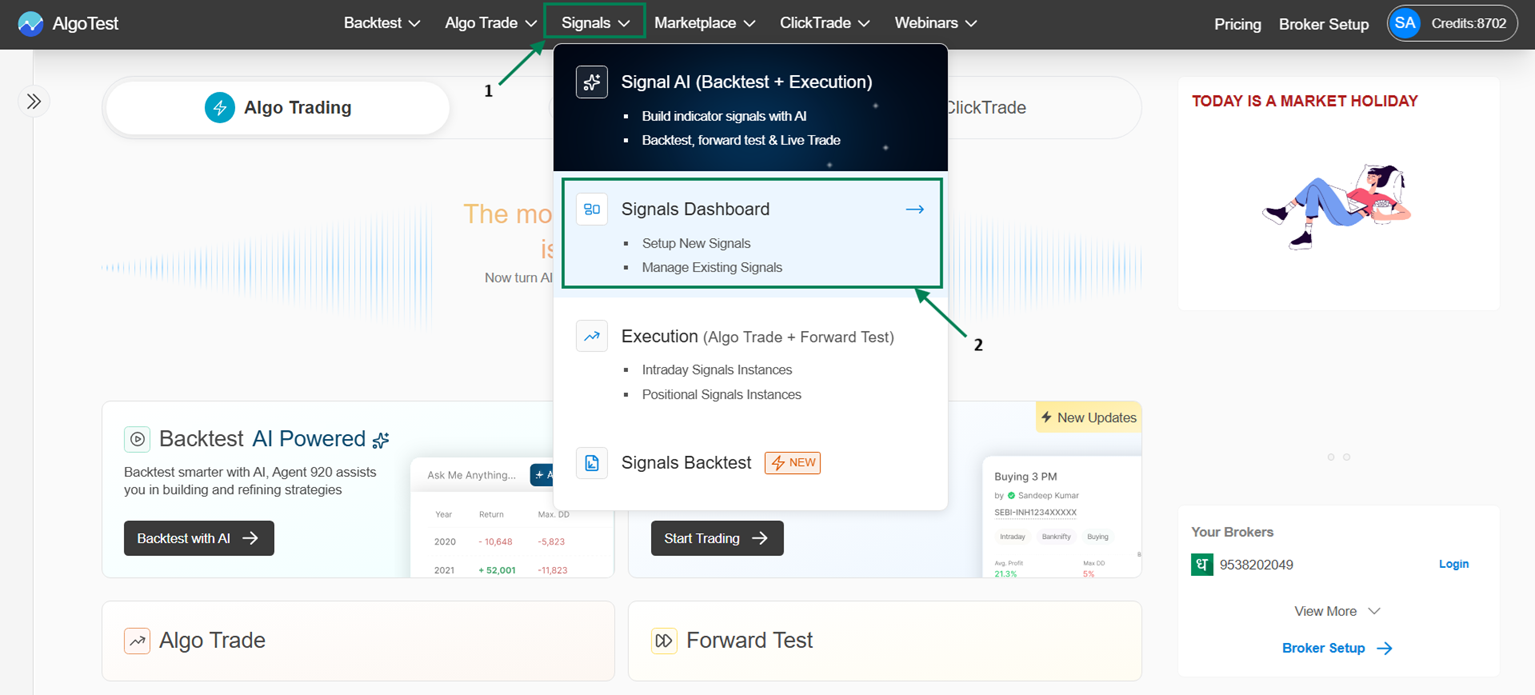
Go to Signal → Signal Dashboard → Signals AI → Saved Signals.
-
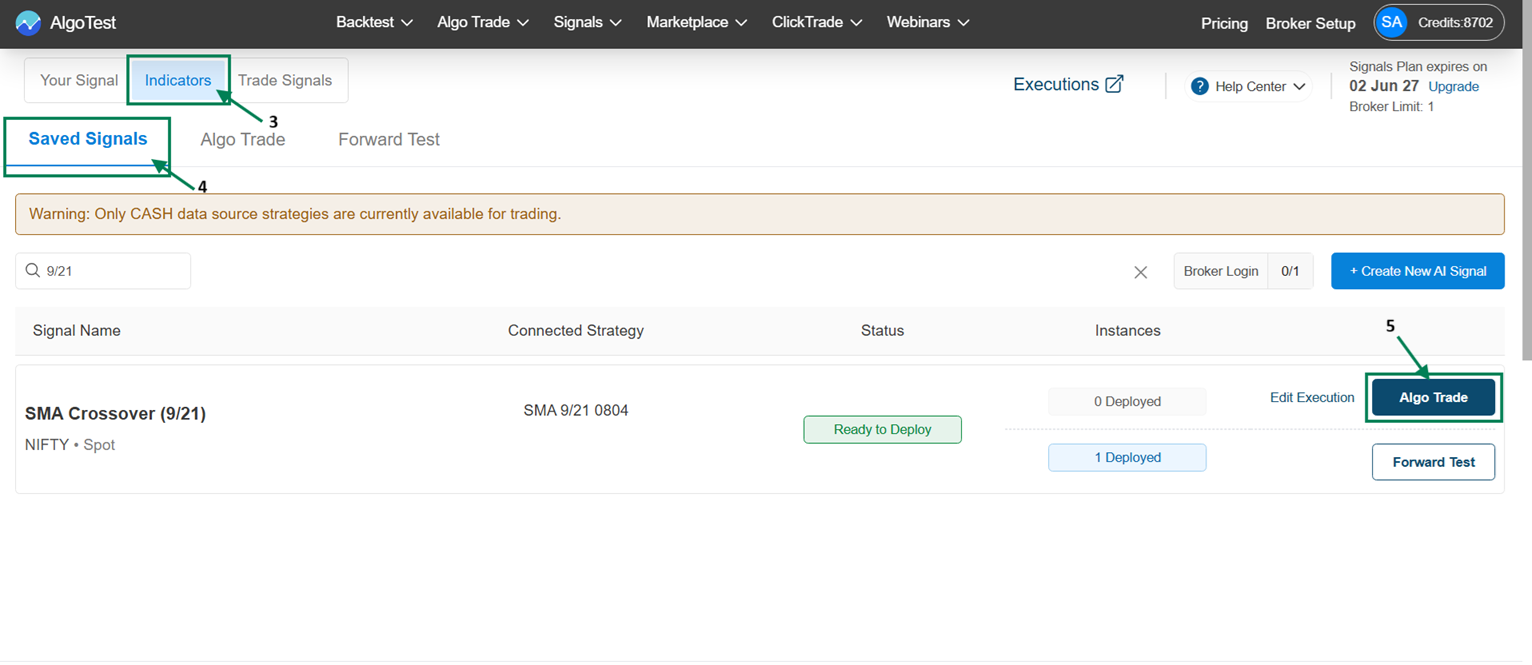
On your Signal, click Algo Trade, connect/confirm your broker, and click Deploy.
-
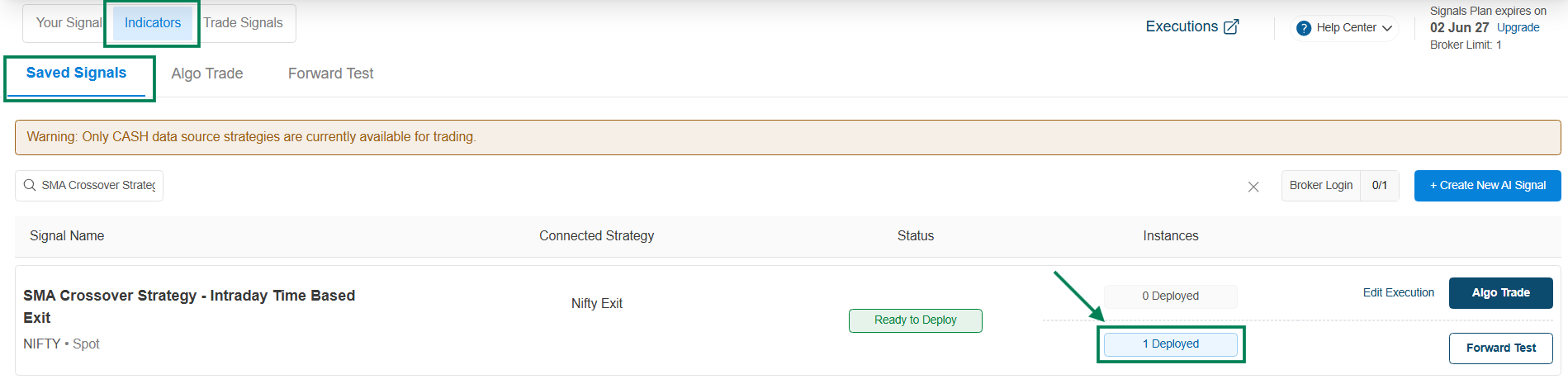
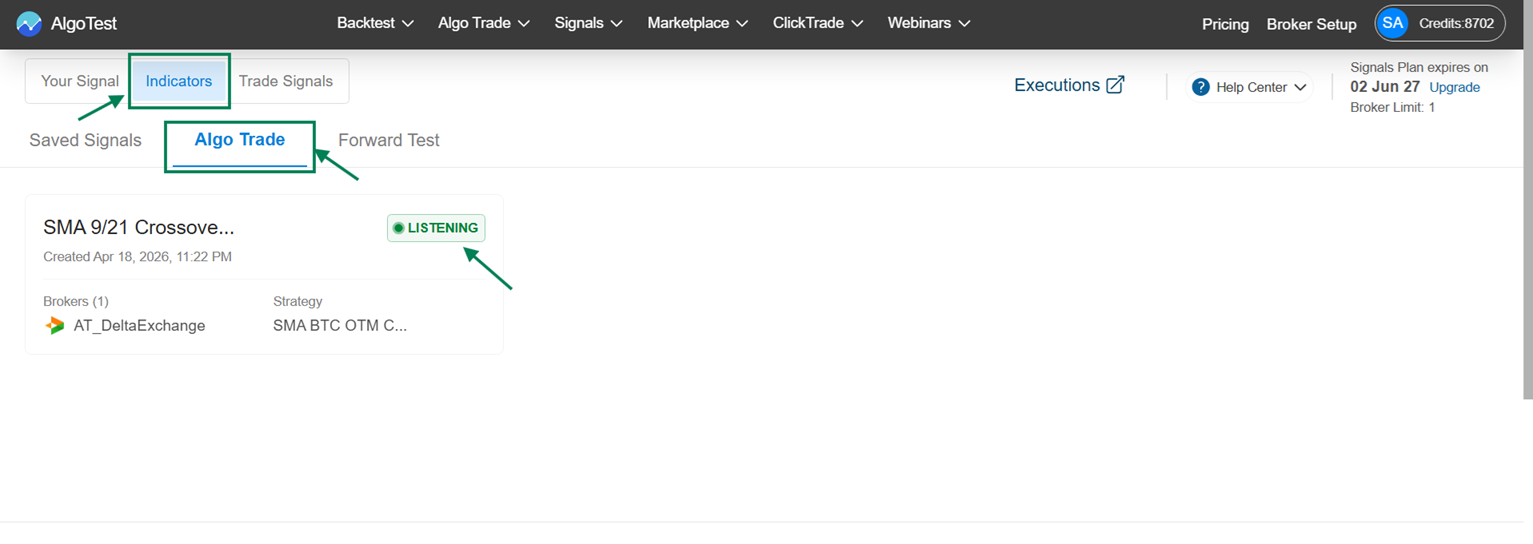
The instance shows 1 Deployed, and the signal runs under Signals AI → Algo Trade in the Listening state.
Managing a live signal
Click the signal to access controls and executed order details.
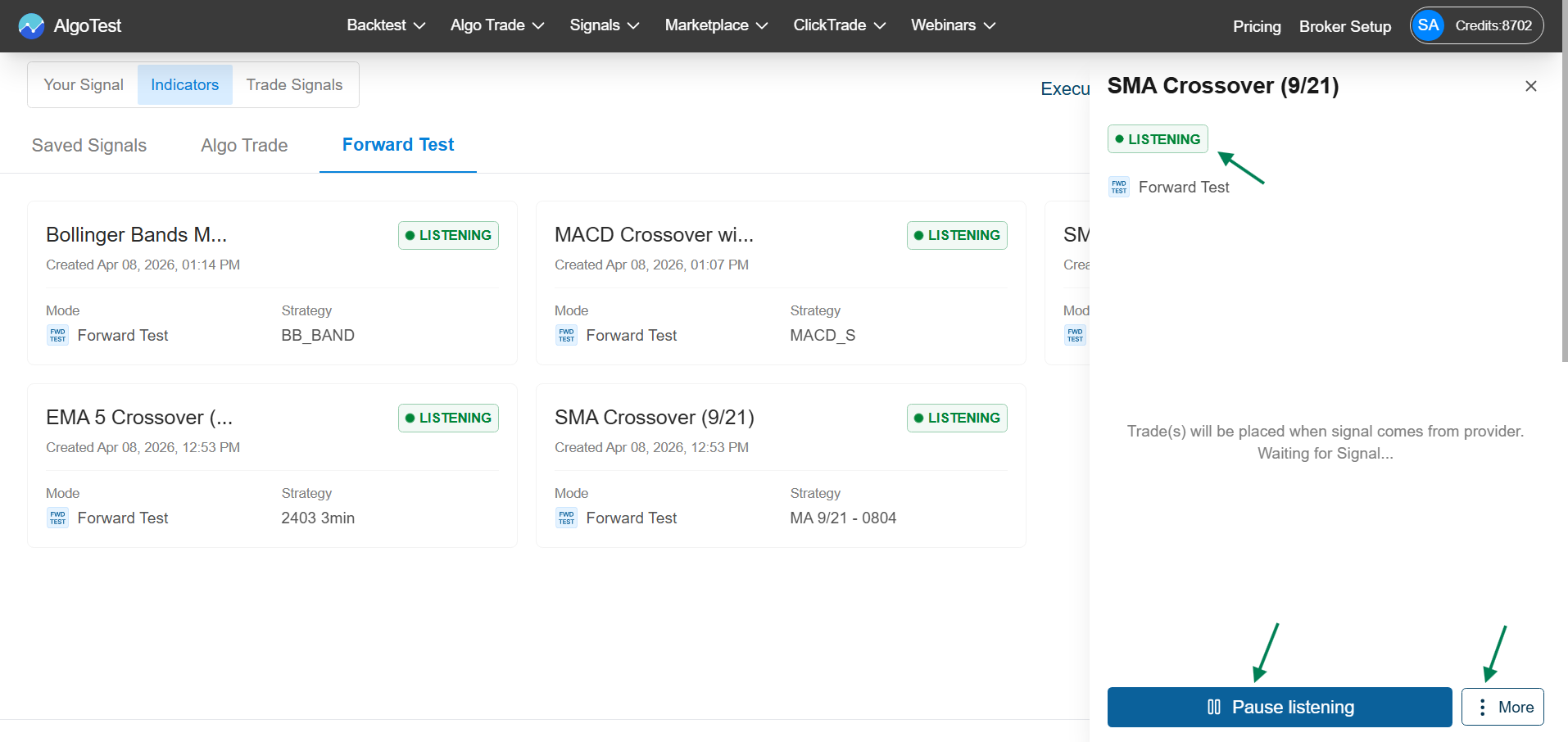
| Control | What it does |
|---|---|
| Pause Listening | Temporarily stops monitoring - no new entries or exits are taken |
| Start Listening | Resumes monitoring |
| Debug (under More) | Copies the signal's debug details for troubleshooting |
| Logs (under More) | Shows all activity and signal related logs |
| Delete (under More) | Stops and removes this live deployment |
Pausing stops new entries & exits - check your open positions separately and square off manually if needed.
If something goes wrong
Missing executions, unexpected entries, or errors → Debug a Strategy walks you through collecting the details support needs.