Forward Test (Paper Trading)
A Forward Test runs your strategy on live market data without real capital - trades are simulated, not sent to a broker. It's the essential step between a good backtest and live deployment: it shows how your signals behaves on data it has never seen.
No margin or broker connection is required.
Deploy a forward test
-
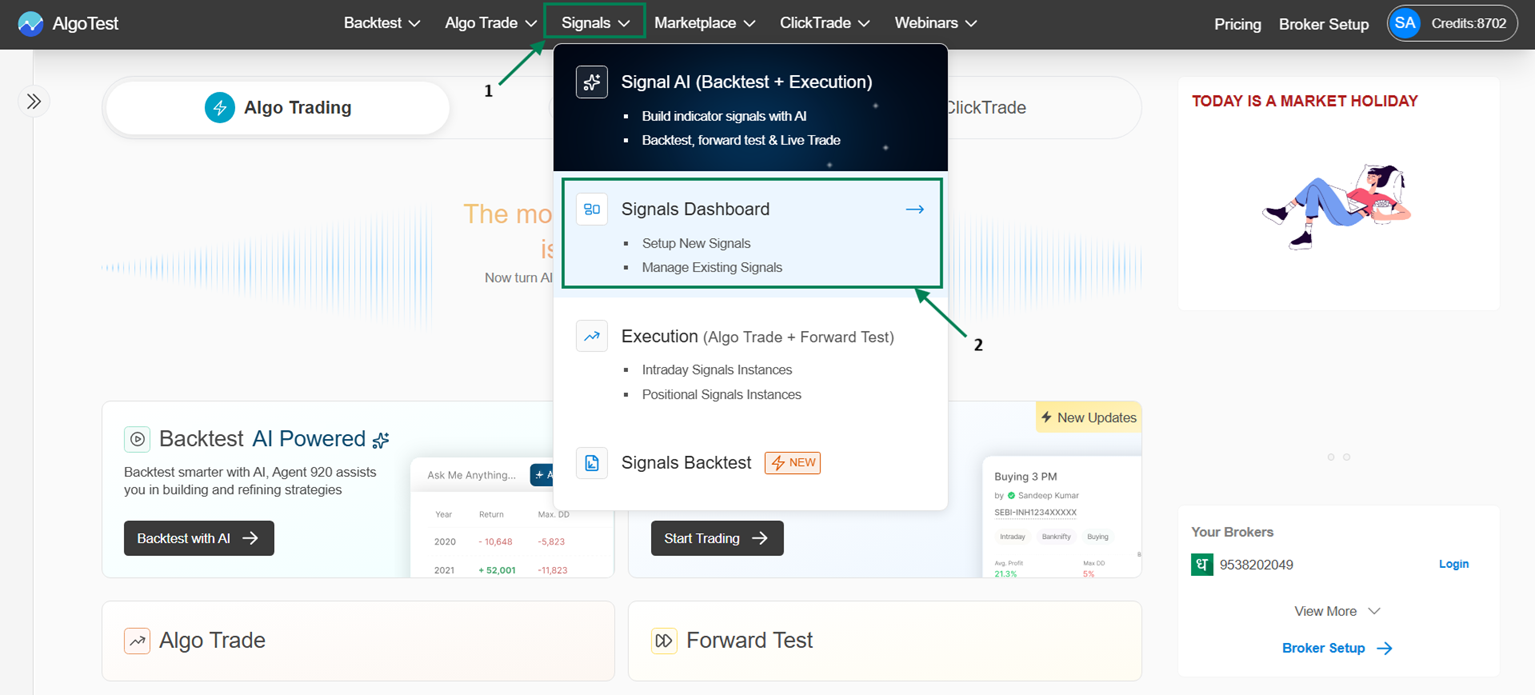
Go to Signal → Signal Dashboard → Signals AI → Saved Signals.
-
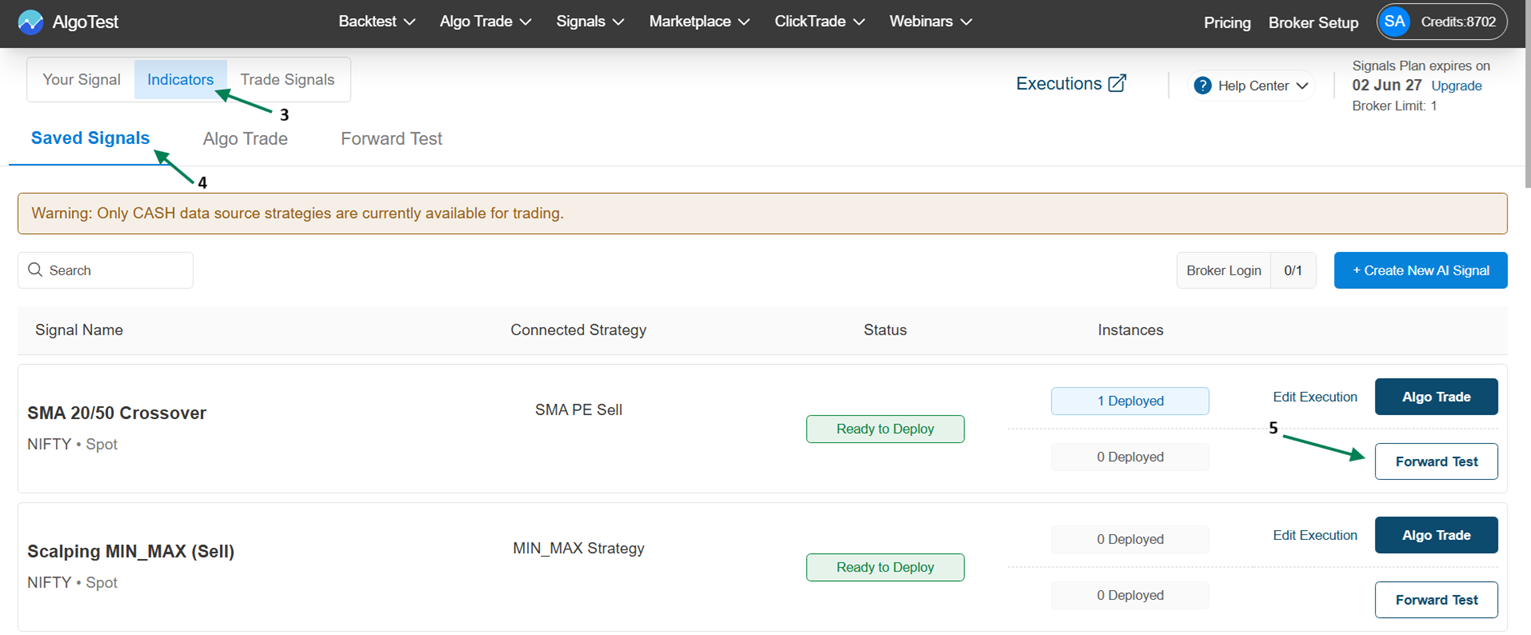
Find your Signal and click Forward Test.
-
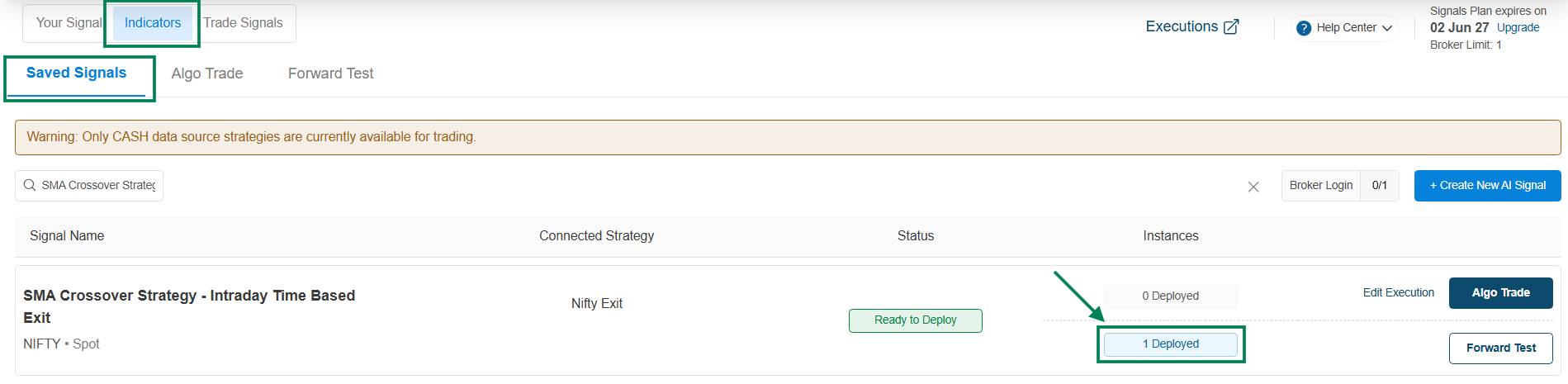
The instance count changes to 1 Deployed, and the signal starts running under Signals AI → Forward Test in the Listening state.
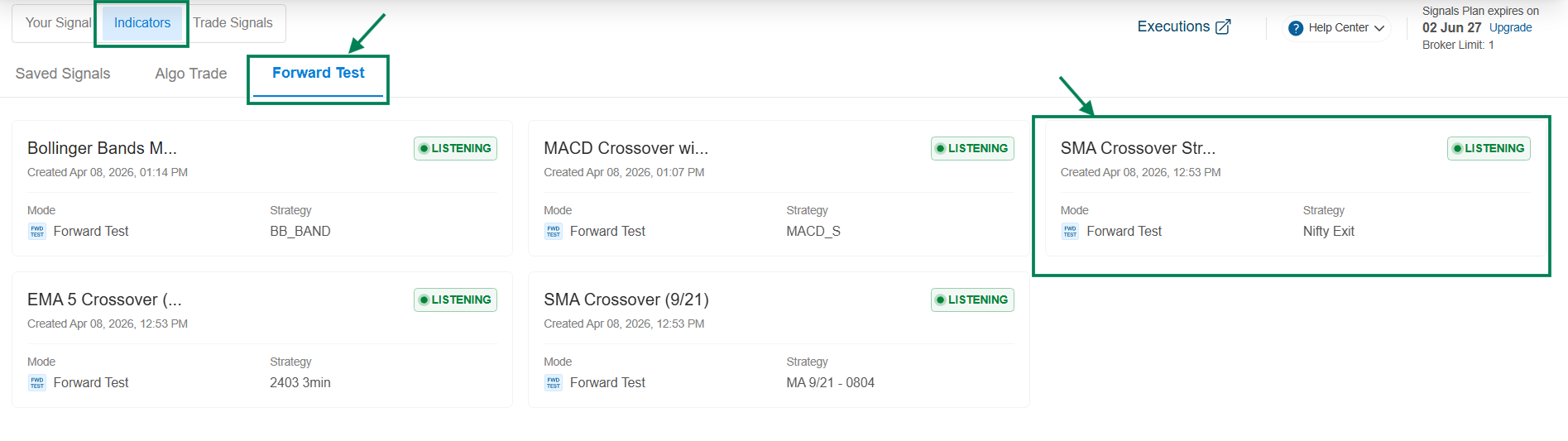
The signal is actively monitoring live prices for your entry conditions. It stays listening until you pause or delete it - no daily reactivation needed. More in How Signals Work.
Managing a running forward test
Click the signal to see its controls and executed (simulated) orders.
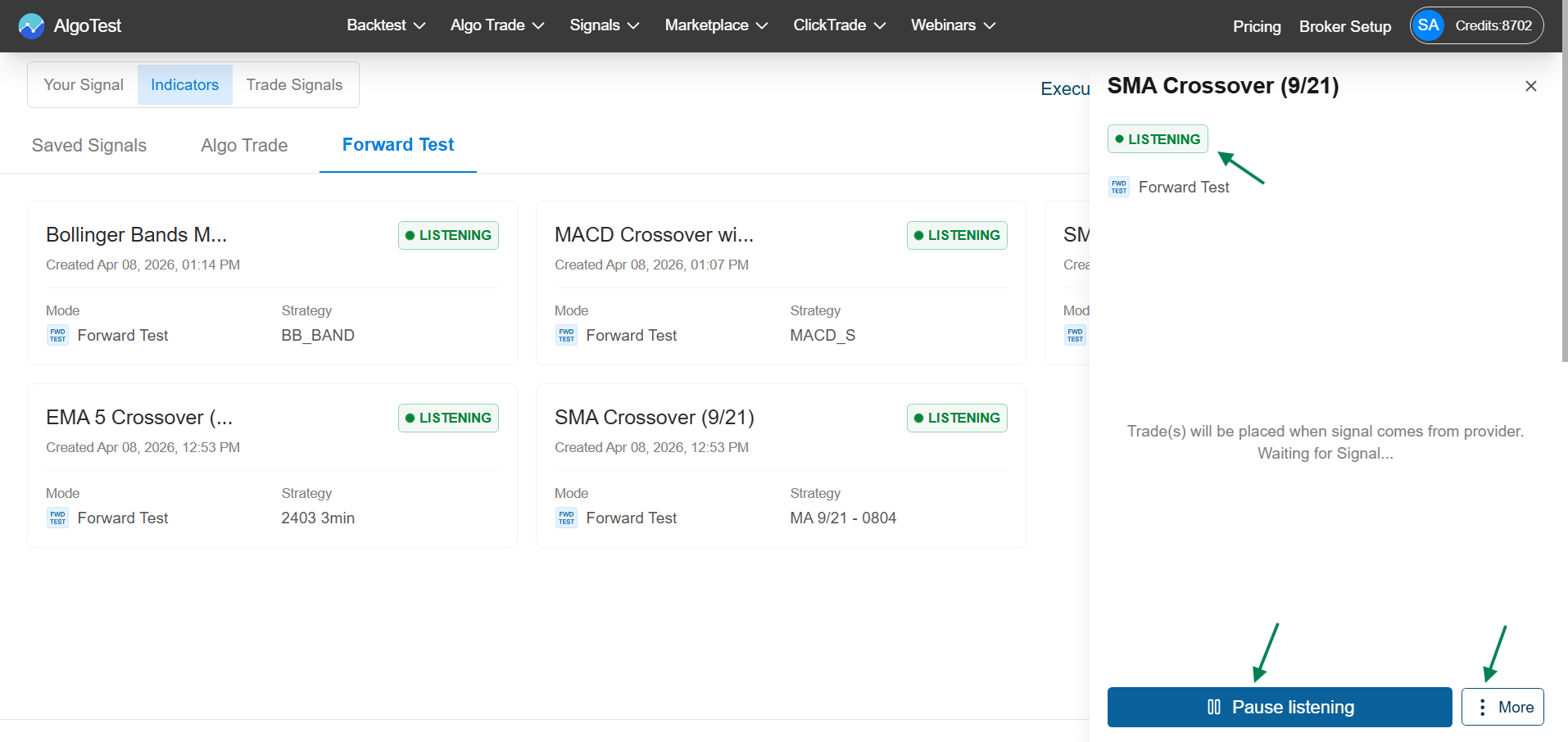
| Control | What it does |
|---|---|
| Pause Listening | Temporarily stops monitoring - no new signals (Entry or Exit) fire |
| Start Listening | Resumes monitoring |
| Debug (under More) | Copies the strategy's debug details for troubleshooting |
| Logs (under More) | Shows all activity and signal related logs |
| Delete (under More) | Stops and removes this forward test instance |
How long should I forward test?
Long enough to see multiple signals in varied market conditions - for most intraday strategies, at least 1 week. Compare the forward test results against your backtest; if they diverge wildly, investigate before going live (why results can differ).
When you're confident, deploy with Algo Trade.