Execution Settings
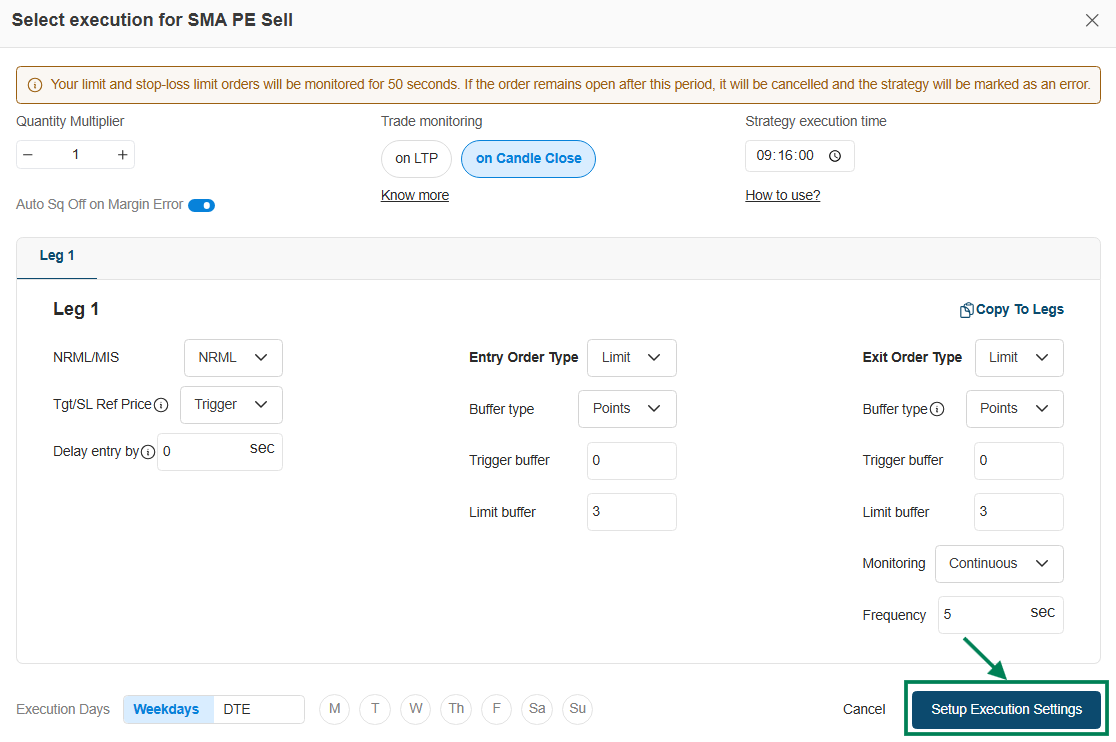
Execution settings define how your strategy trades once deployed: how much, with what order types, and what safety nets apply. You configure them once per strategy before live deployment - no daily setup needed.
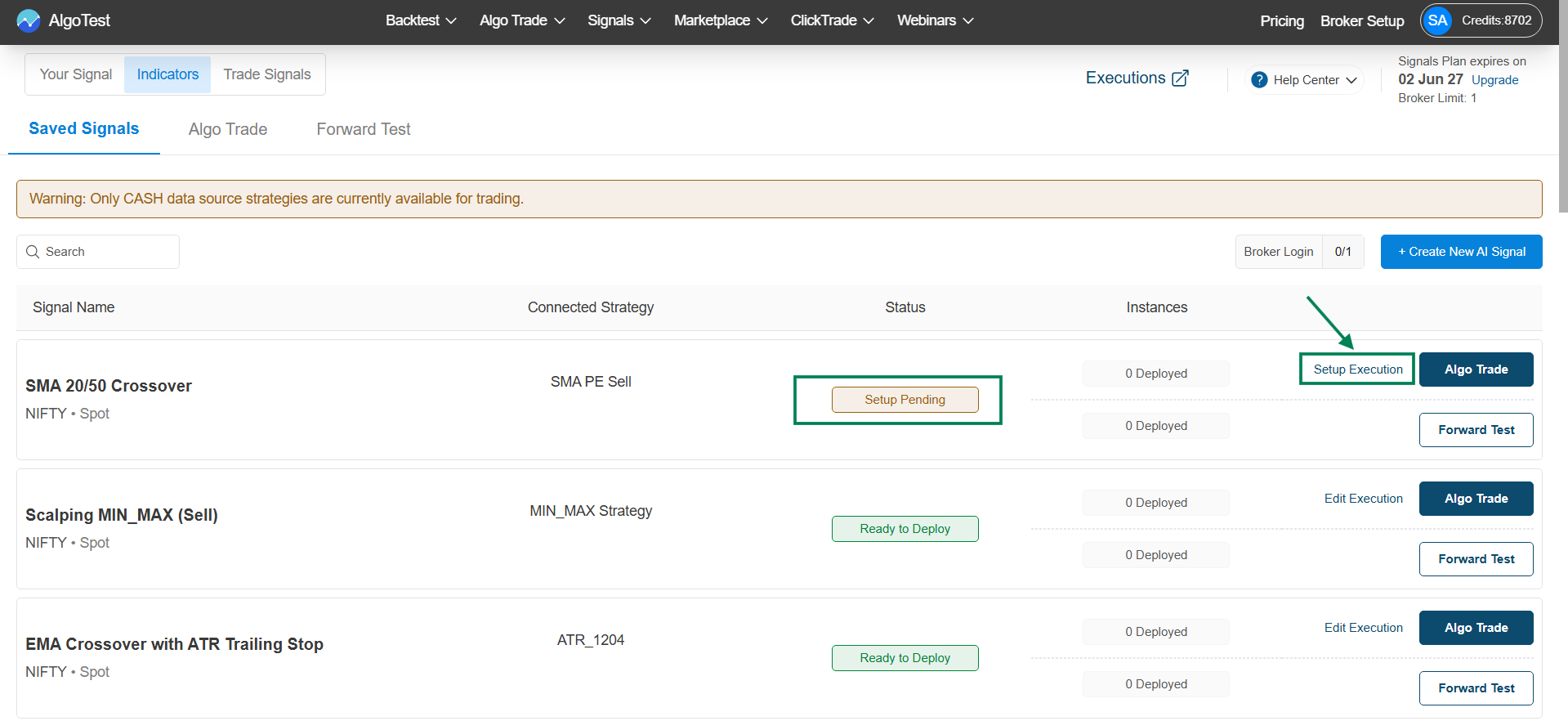
Navigation: Signal → Signal Dashboard → Signals AI → Saved Signals → Setup Execution
Settings reference
| Setting | What it controls |
|---|---|
| Quantity Multiplier | The position size each signal trades |
| Trade Monitoring | When conditions are evaluated: on every price tick (LTP) or only when a candle completes (Candle Close). |
| Entry Order Type | MPP or Limit or Market ( allowed only with Delta Exchange ) |
| Exit Order Type | Same choice for exits |
| Buffers | Price buffer added to limit orders to improve fill probability |
| Delays | Optional delay between signal and order placement |
| Auto Square Off | Auto Square off complete strategy in case of Margin Error |
| Execution Days | Weekday filter and DTE filter - restrict which days new entries are taken. See below. |
Weekday and DTE Filter
Restrict which days your strategy is allowed to take new entries - so it trades only on the days that back your edge, without you having to pause and resume it manually.
Previously these filters only affected the backtest report; the strategy would still enter on any day once deployed. They're now enforced live, for both Forward Test and Algo Trade.
Weekday filter
Multi-select Monday-Sunday. The strategy takes entries only on the selected weekdays. On any other day it stays Listening as normal - it just doesn't take new entries. No manual pause/start needed.
Example: Weekday filter = {Tue, Thu} → entries are taken only on Tuesdays and Thursdays; the strategy is silent on all other days.
DTE filter
Multi-select days-to-expiry (0, 1, 2, 3, 4…). Uses the same DTE definition as the backtest report - trading-day distance from the configured expiry (weekly/monthly), holiday-aware via the trading calendar. See the DTE Filter guide for the full definition.
Example: DTE filter = {0, 1} → entries are taken only on expiry day and the one trading day before expiry.
Entries only - open positions are unaffected
Both filters gate new entries only. A position that's already open exits per its own logic regardless of the filter - even on a day that's excluded.
Example: A position opened on a valid Thursday (Weekday filter = {Tue, Thu}) is still open on Friday, which is excluded. The position exits normally on Friday per its own exit logic; the strategy just doesn't take any new entry that day.
One-time setup
Set both filters once in Execution Settings - they persist across days with no daily reconfiguration, and apply identically in Forward Test and Algo Trade.
Next steps
- Forward test with these settings before going live
- Deploy live once you're confident