Debug a Signal
When a deployed signal doesn't behave as expected, work through this page before contacting support and if you do need support, it tells you exactly what to send so you get a fast answer.
Common symptoms and first checks
| Symptom | Check first |
|---|---|
| No trades at all | Is the strategy in Listening state (not paused)? Is your broker logged in today (NSE/BSE)? Did your entry condition actually become true? |
| Missed a trade you expected | Was the Max Concurrent / Max per Day limit already hit? Was the condition true on candle close, or only mid-candle? |
| Live results differ from backtest | Usually expected to a degree - see why results differ |
Collect debug details
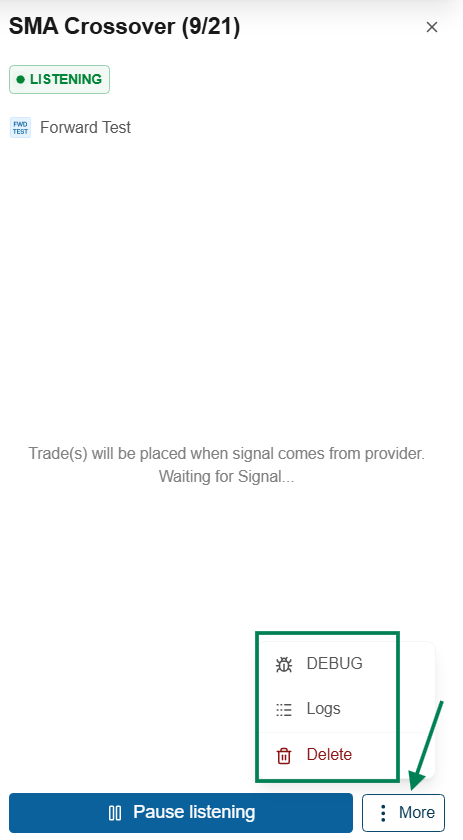
If the checks above don't explain it, copy the signal's debug information:
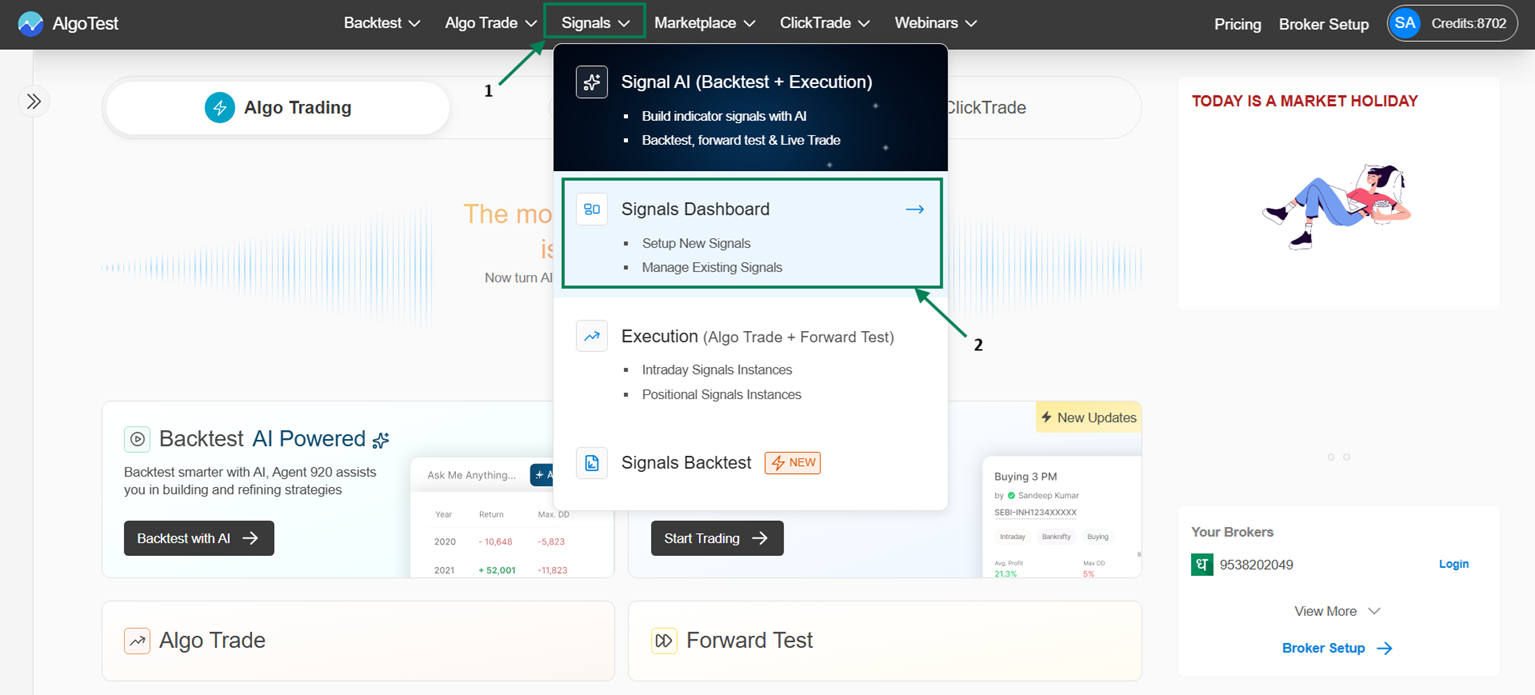
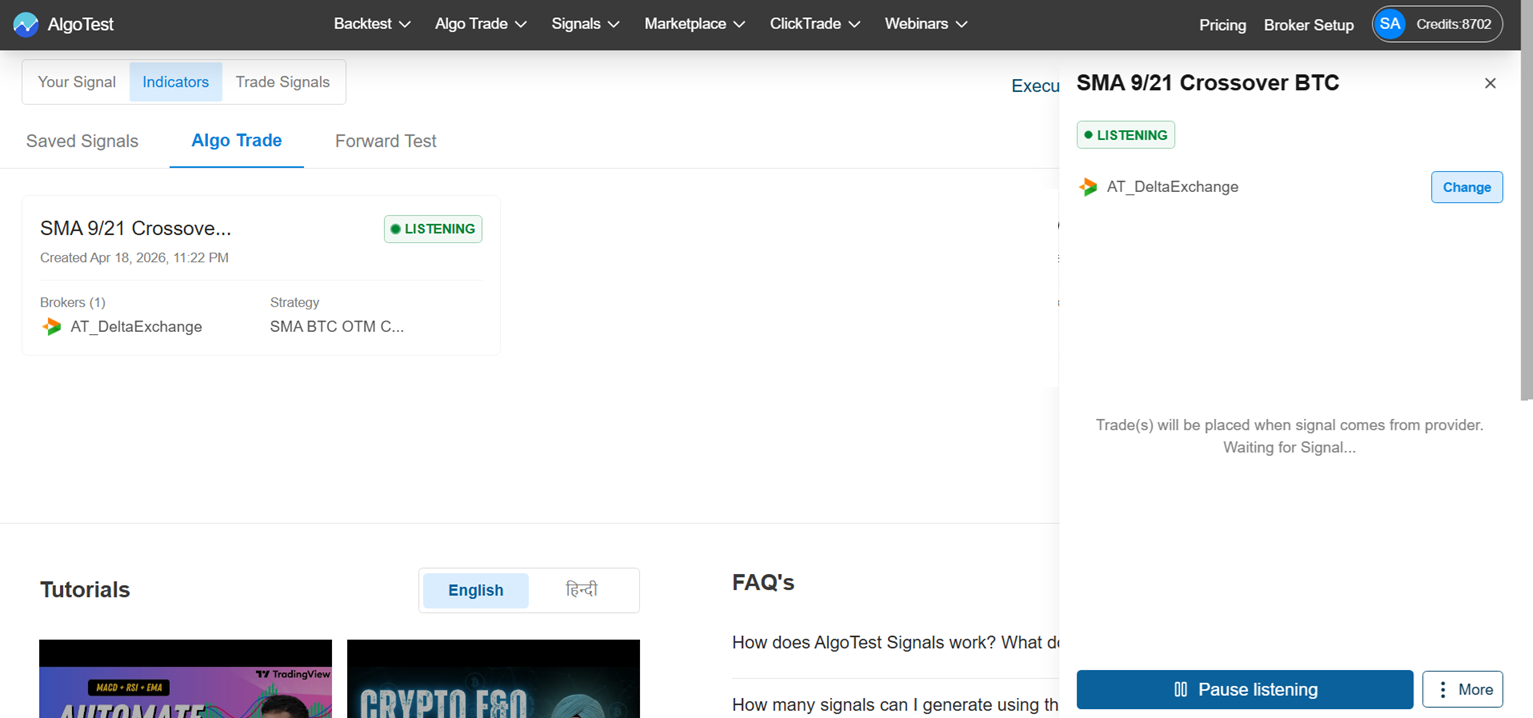
Navigation: Signal → Signal Dashboard → Signals AI → Forward Test / Algo Trade → click the strategy → More → Debug (clicking copies the details to your clipboard)
Contact support
Send to the AlgoTest Signals support group on Telegram:
- The copied Debug details
- Timestamp of the issue - when the signal fired (or should have)
- A screenshot of the chart with your indicator at that time
With these three things, support can usually pinpoint the root cause quickly.