Leg
All the features under this section work on individual leg. :For any queries reach out to us!
Simple Momentum
This feature enables you to take an entry if an index or option premium price moves by X amount after your entry condition is met.
The amount can be in percentage or point terms. You can enable the "Simple Momentum" feature, as shown in the image below.

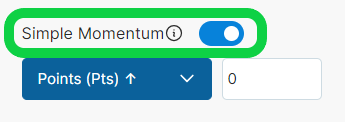
There are many features available under Simple momentum, you can use it to try different variations of momentum as shown in the image below.
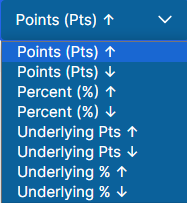
Points (Pts) ↑
This option enables you to take an entry only if option premium price moves up by X points after the entry conditions.
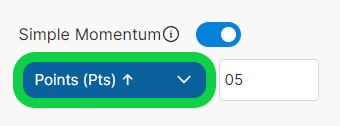
Example: Assume you created a strategy
Index : Nifty
Entry : 09:20
Strike : ATM CE
Positon : Buy
Momentum Points Up : 15
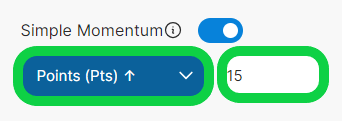
- Assume at 9:20 Nifty ATM CE strike is 18500 and ATM strike premium is 200 Entry Price = 200 + 15 (Momentum Up) = 215
- So according to our momentum condition it will take entry in the 18500 CE strike only if the 18500 CE strike moves to 215. If this price doesn't come it will not take any entry.
Points (Pts) ↓
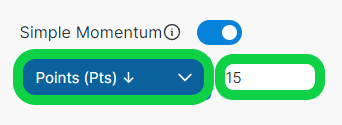
This option enables you to take entry only if option premium prices move down by X points after the entry conditions.
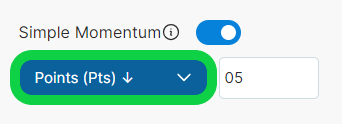
Example: Assume you created a strategy
Index : Nifty
Entry : 09:20
Strike : ATM CE
Positon : Sell
Momentum Points Up : 15
- Now assume that at 09:20 ATM CE strike = 200
Your actual stop loss = 175 (25 points)
TSL = 20%(entry price) - 10%(entry price)
TSL = 20%(200) - 10%(200)
TSL = 40-20
TSL = For 40 point move in our favor, Trail SL 20 point
If ATM CE strike started moving in your favor:
It moved to 240 , SL will be moved to 195
It moved to 280, SL will be moved to 215
And so on, it keeps on moving till our TSL hits.
Percentage (%) ↑
This option enables you to take entry only if option premium price moves up by X percentage after the entry conditions.
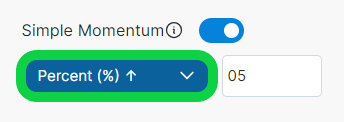
Example: Assume you created a strategy
Index : Nifty
Entry : 09:20
Strike : ATM CE
Positon : Buy
Momentum % Up : 15
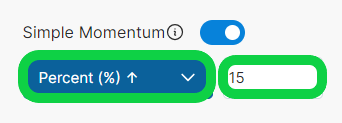
- Assume at 9:20 Nifty ATM CE strike is 18500 and ATM strike premium is 200 Momentum in Points = 15 % of 200 = 30 points Entry Price = 200 + 30 (Momentum Up) = 230
- So according to our momentum condition, it will take entry into the 18500 CE Buy Position only if the 18500 CE strike moves up to 230. If this price doesn't come, it will not take any entries.
Percentage (%) ↓
This option enables you to take entry only if option premium price moves down by X percentage after the entry conditions.
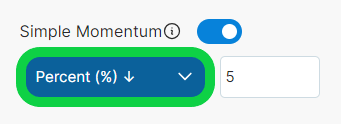
Example: Assume you created a strategy
Index : Nifty
Entry : 09:20
Strike : ATM CE
Positon : Sell
Momentum % Down : 15
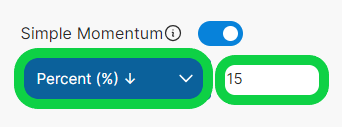
- Assume at 9:20 Nifty ATM CE strike is 18500 and ATM strike premium is 200 Momentum Down in Points = 15 % of 200 = 30 points Entry Price = 200 - 30 (Momentum down) = 170
- So according to our momentum condition, it will take entry into the 18500 CE Sell Position only if the 18500 CE strike moves down to 170. If this price doesn't come it will not take any entries.
Underlying Pts ↑
This option enables you to take an entry only if the underlying price (Index Price) moves up by X points after the entry conditions.
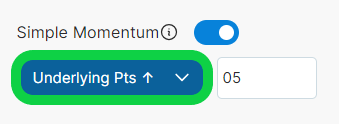
Example :- Assume you created a strategy
Index :- Nifty
Entry :- 09:20
Strike :- ATM CE
Positon :- Buy
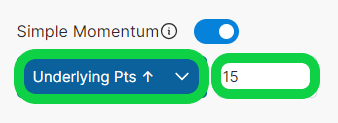
Momentum Underlying Points :- 15
-
Assume at 9:20 Nifty spot is at 18520 Entry Price = 18520 + 15 (Momentum up) = 18535
-
So according to our momentum condition, it will take entry only if nifty moves up to 18535 and it will select strike at the time of entry time i.e. 09:20 and entry will be taken when price reaches 18535. If this price doesn't come it will not take any entries.
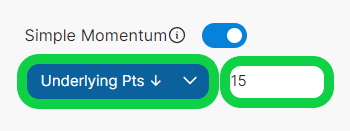
Underlying Pts ↓
This option enables you to take entry only if the underlying price (Index Price) moves down by X points after the entry conditions.

Example :- Assume you created a strategy
Index :- Nifty
Entry :- 09:20
Strike :- ATM CE
Positon :- Sell
Momentum Underlying Points :- 15
-
Assume at 9:20 Nifty spot is at 18520 Entry Price = 18520 - 15 (Momentum down) = 18505
-
So according to our momentum condition, it will take entry only if the nifty moves down to 18505 and it will select strike at the time of entry time i.e. 09:20 and entry will be take when price reaches 18505, it will take entry. If this price doesn't come it will not take any entries.
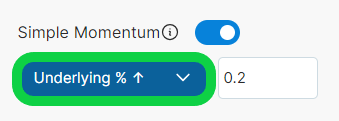
Underlying % ↑
This option enables you to take an entry only if the underlying price (Index Price) moves up by X percentage after the entry conditions.
Example :- Assume you created a strategy
Index :- Nifty
Entry :- 09:20
Strike :- ATM CE
Positon :- Buy
Momentum Underlying % Up :- 0.5
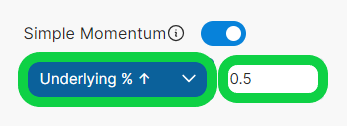
Assume at 9:20 Nifty spot is at 18000 Momentum Up in Points = 0.5 % of 18000 = 90 points Entry Price = 18000 + 90 (Momentum up) = 18090
So according to our momentum condition, it will take entry only if nifty moves up to 18090 and it will select strike at the time of entry time i.e. 09:20 and will take entry when price reaches 18090. If this price doesn't come it will not take any entries.
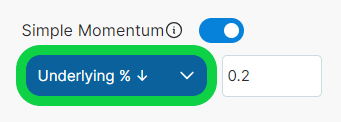
Underlying % ↓
This option enables you to take entry only if the underlying price (Index Price) moves down by X percentage after the entry conditions.
Example :- Assume you created a strategy
Index :- Nifty
Entry :- 09:20
Strike :- ATM CE
Positon :- Sell
Momentum Underlying % Down :- 0.5
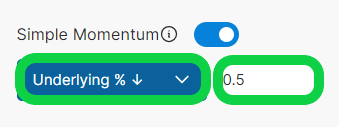
Assume at 9:20 Nifty spot is at 18000 Momentum down in Points = 0.5 % of 18000 = 90 points Entry Price = 18000 - 90 (Momentum up) = 17910
So according to our momentum condition, it will take entry only if nifty moves down to 17910 andit will select strike at the time of entry time i.e. 09:20 and it will take entry when price reaches 17910. If this price doesn't come it will not take any entries.
Simple Momentum is available in 920 Simple but you can enable this feature in two terms only, points & percentage. Underlying points & underlying percentage isn't available in 920 Simple.
Stop loss
Stop-Loss is a very important tool in backtesting because you can try different variations of it to see which works best.
This feature enables you to set stop-loss on individual legs with many different methods.
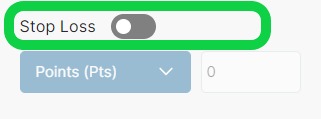
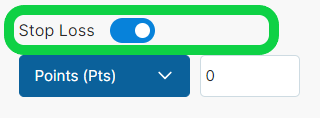
You can enable stop-loss feature as shown in the image below.
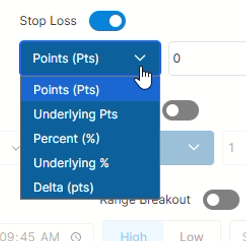
AlgoTest provides you many different options to define your stop loss. You can use them by selecting from the dropdown under stoploss as shown in the image below.
Points
This option enables you to select your Stop-Loss on individual CE/PE legs in Points on option premium.
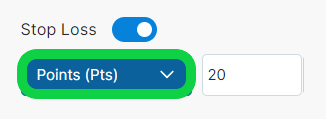
- Example - Assume you created a strategy
Entry :- 09:20
Strike :- ATM CE
Positon :- Buy
Stop-Loss :- 30 Points
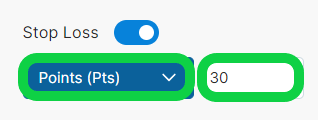
Assume at 9:20 ATM strike premium is 200 Your SL will be at = 200 - 30 = 170
So your SL here is at 170 for ATM CE Leg, which took entry at 200.
Underlying Points
This option enables you to select your Stop-Loss index value. Assuming you are doing backtesting on Banknifty, then using this feature, you can set your SL on the Banknifty Index Value.
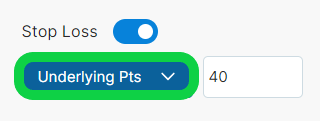
- Example - Assume you created a strategy
Entry :- 09:20
Strike :- ATM CE
Positon :- Buy
Stop-Loss :- 80 Points on Underlying
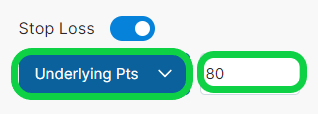
Assume at 09:20 ATM CE Strike Premium 200 At 09:20 Banknifty is at 43700 Your Stop-Loss in points = 80 points on underlying Your Stop-Loss will be at = 43700 - 80 = 43620
So Your Stop-Loss here is at 43620 for the ATM CE Leg which took entry at 200.
Percent %
This option enables you to select your Stop-Loss in Percentage on option premium.
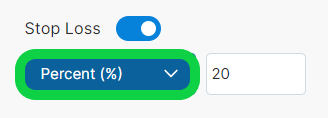
- Example - Assume you created a strategy
Entry :- 09:20
Strike :- ATM
Positon :- Buy
Stop-Loss :- 40%
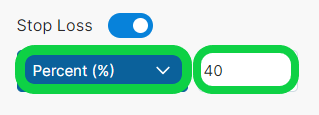
Assume at 9:20 ATM strike premium is 200 Your SL in points is = 40% of 200 = 80 points Your SL will be at = 200 - 80 = 120
So Your SL here is at 120 for the ATM CE Leg which got entry at 200.
Underlying %
This option enables you to select your Stop-Loss in percentage terms on the index value. Assuming you are doing backtesting on Banknifty, then using this feature, you can set your SL on Banknifty Index Value in percentage.
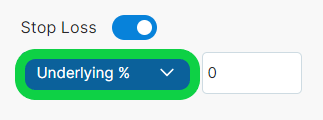
- Example - Assume you created a strategy
Entry :- 09:20
Strike :- ATM CE
Positon :- Buy
Stop-Loss :- 1% on Underlying
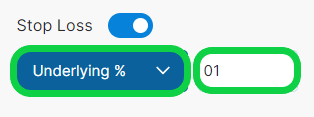
Assume 09:20 ATM Strike Premium 200 At 09:20 Banknifty is at 43700
Your Stop-Loss is = 1% of 43700 = 437 points Your Stop-Loss will be at = 43700 - 437 = 43263
So Your Stop-Loss here is at 43263 on the Index.

Delta Stop Loss
This option enables you to select your Stop Loss based on the Delta value of the option contract.
Example - Assume you created a strategy
Entry :- 09:20
Strike :- ATM CE
Position :- Buy
Stop Loss :- Delta 10
Assume at 09:20 ATM CE Delta is 25.
Your Stop Loss Delta will be:
25 - 10 = 15
So your Stop Loss here is at Delta 15 for the ATM CE Leg which took entry at Delta 25.
Example - Sell Position
Entry :- 09:20
Strike :- ATM CE
Position :- Sell
Stop Loss :- Delta 15
Assume at 09:20 ATM CE Delta is 25.
Your Stop Loss Delta will be:
25 + 15 = 40
So your Stop Loss here is at Delta 40 for the ATM CE Leg which took entry at Delta 25.
note
Delta value of the contract is considered in absolute terms.
Delta values are capped between 0 and 100.
Target
Target is a very important tool in backtesting because you can try different variations of it to see which works best.
This feature enables you to set a target on individual legs with many options. You can enable target features in your strategy, as shown in the image below.
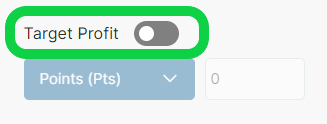
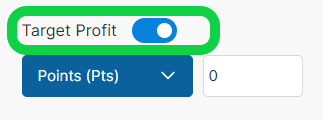
You can enable this feature as shown in the image below
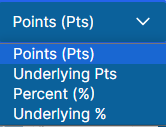
AlgoTest provides you many different options to define your Target. You can use them by selecting from dropdown under target as shown in the image below
Points
This option enables you to set Target for individual CE/PE legs in Points on option premium.
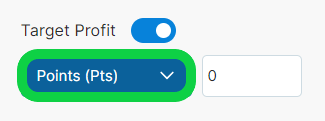
- Example - Assume you created a strategy
Entry :- 09:20
Strike :- ATM CE
Positon :- Buy
Target :- 25 Points
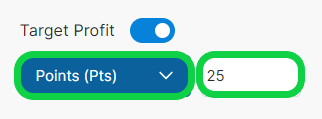
Assume at 9:20 ATM strike premium is 200 Your Target in points = 25 points Your Target will be at = 200 + 25 = 225
So Your Target here is at 225 for ATM CE Leg which has an entry price 200.
Underlying Points
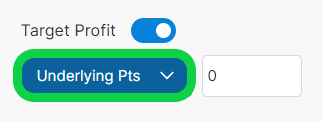
This option enables you to select your target based on the Index Value in points.
Assuming you are doing backtesting on Banknifty, then using this feature, you can set your target on the Banknifty Index Value in points.
- Example - Assume you created a strategy
Entry :- 09:20
Strike :- ATM CE
Positon :- Buy
Target :- 50 Points on underlying
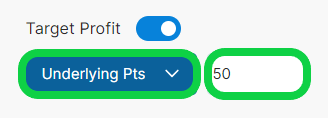
Assume at 09:20 ATM CE Strike Premium 200 At 09:20 Banknifty is at 43700
Your Target will be at = 43700 + 50 = 43750
So Your Target here is at 43750 on Banknifty for ATM CE Leg which took Entry at 200.
Percent %
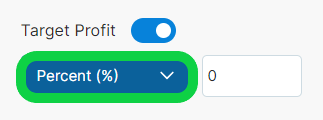
This option enables you to select your Target in Percentage terms on option premium value.
- Example - Assume you created a strategy
Entry :- 09:20
Strike :- ATM CE
Positon :- Buy
Target :- 30%
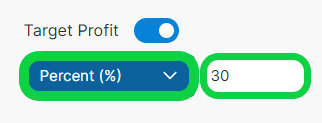
Assume at 9:20 ATM strike premium is 200 Your Target in points is = 30% of 200 = 60 points Your Target will be at = 200 + 60 = 260
So Your Target here is at 260 for the ATM CE Leg which got Entry at 200.
Underlying %
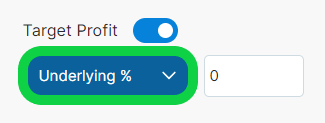
This option enables you to select your target in percentage terms based on the index value.
Assuming you are doing backtesting on Banknifty, then using this feature, you can set your target on Banknifty Index Value in percentage.
- Example - Assume you created a strategy
Entry :- 09:20
Strike :- ATM CE
Positon :- Buy
Target Underlying :- 01%
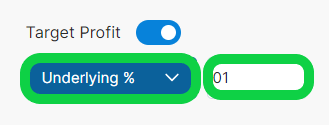
Assume 09:20 ATM Strike Premium 200 At 09:20 Banknifty is at 43700
Your Target in points is = 1% of 43700 = 437 points on underlying Your Target will be at = 43700 + 437 = 44137
So Your Target here is at 44137 on the Index for ATM CE Leg which entered at 200.

Delta Target Profit
This option enables you to select your Target based on the Delta value of the option contract.
Example - Assume you created a strategy
Entry :- 09:20
Strike :- ATM CE
Position :- Buy
Target :- Delta 25
Assume at 09:20 ATM CE Delta is 25.
Your Target Delta will be:
25 + 25 = 50
So your Target here is at Delta 50 for the ATM CE Leg which took entry at Delta 25.
Example - Sell Position
Entry :- 09:20
Strike :- ATM CE
Position :- Sell
Target :- Delta 15
Assume at 09:20 ATM CE Delta is 25.
Your Target Delta will be:
25 - 15 = 10
So your Target here is at Delta 10 for the ATM CE Leg which took entry at Delta 25.
note
Delta value of the contract is considered in absolute terms.
Delta values are capped between 0 and 100.
Trail SL
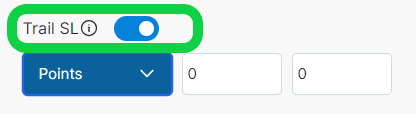
This feature enables you to move your actual stop loss whenever the price moves in your favor.
So every time an instrument moves in your favor by X amount, it will move your Stop-Loss by Y amount. The amount can be in terms of points or percentages.
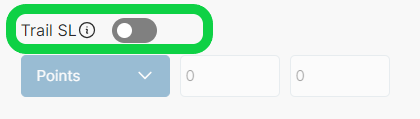
You can enable this feature as shown in the image below
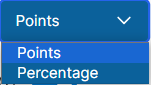
AlgoTest provides you many different options to define your Target. You can use them by selecting from dropdown under target as shown in the image below
Points
This option enables you to move your actual stop-loss by Y Points if the instrument moves X points in your favor.
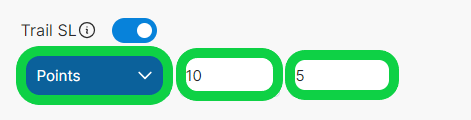
For example if you select points in Trail SL and put 10-5 as shown in the image below, it will move your stop-loss 5 points if the instrument moves 10 points in your favor.
- Example - Assume you created a strategy
Entry :- 09:20
Strike :- ATM CE
Positon :- Buy
Trail SL :- 20-10 points
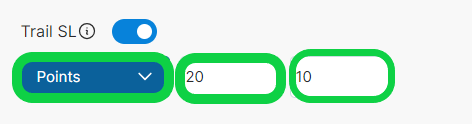
Now assume at 09:20 ATM CE strike = 200
Your actual stop loss = 175 (25 points)
TSL = 20% of 200 will be 40 points and 10% of 200 will be 20 points
If ATM CE strike started moving in your favor
It moved to 240 , SL will be moved to 195
It moved to 280, SL will be moved to 215
And so on, it keeps on moving till our TSL hits.
Percentage
This option enables you to move your actual stop-loss by Y amount if the instrument moves X amount in percentage terms in your favor.
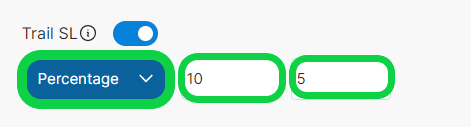
For example if you select the percentage option in Trail SL and put 10-5 as shown in the image below, it will move your stop-loss 5% if the instrument moves 10 % in your favor. Percentage is calculated on entry price and it is fixed. It don’t change according to the price change.
- Example - Assume you created a strategy
Entry :- 09:20
Strike :- ATM CE
Positon :- Buy
Stop Loss :- 25 Points
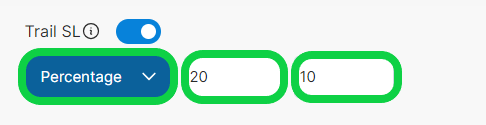
Trail SL :- 20-10 (Percentage)
Now assume at 09:20 ATM CE strike = 200
Your actual stop loss = 175 (25 points)
TSL = For 20 point move in our favor, Trail SL 20 point.
If ATM CE strike started moving in your favor
It moved to 220 , SL will be moved to 190
It moved to 240, SL will be moved to 200
And so on, it keeps on moving till our TSL hits.

Delta Trail SL
This feature enables you to move your actual Stop Loss whenever the Delta moves in your favor.
For example, if you select Delta Trail SL and put 5-5, it will move your Stop Loss by 5 Delta whenever the Delta moves by 5 in your favor.
Example - Assume you created a strategy
Entry :- 09:20
Strike :- ATM CE
Position :- Sell
Stop Loss :- Delta 15
Trail SL :- 5-5 Delta
Assume at 09:20 ATM CE Delta is 25.
Your initial Stop Loss Delta will be:
25 + 15 = 40
If ATM CE Delta starts moving in your favor:
Delta moves to 20, SL will be moved to 35
Delta moves to 15, SL will be moved to 30
Delta moves to 10, SL will be moved to 25
And so on, it keeps on moving till our TSL hits.
Note
Delta value of the contract is considered in absolute terms.
Delta values are capped between 0 and 100.
Log onto AlgoTest to get started.