Shared Signals
Shared Signals allow you to use indicator-based strategies on AlgoTest without TradingView or Chartink.
You can subscribe to any shared signal, define your own strategy (e.g. ATM Call Buy, Futures Sell, etc.), and AlgoTest will automatically execute trades based on the signal triggers.
This feature helps users avoid platform dependencies, reduce costs, and fully automate strategies by just using a shared signal link.
What is a Shared Signal?
A Shared Signal is a ready-made signal created and hosted by AlgoTest or other users that triggers based on indicator logic (like SuperTrend or VWAP).
These signals are shared through a public link, and once subscribed, you can connect your own strategy to them.
You don’t need:
- TradingView alerts
- Chartink automation
- Any webhook setup
AlgoTest receives and handles the signal directly.
Example Use Case
Let’s say you subscribe to a Shared Signal that triggers when:
SuperTrend (10,3) flips from Red to Green on the 15-minute chart of NIFTY Spot
This signal doesn’t place a trade by itself. It only acts as a trigger condition. You define what happens when it triggers.
In this example, you configure your strategy like this:
- Trade type: Buy
- Instrument: ATM Weekly Call Option of NIFTY
- Stop Loss: 20%
- Target: 50%
- Strategy Type: Positional
What Happens Now?
- As soon as the SuperTrend flips Red → Green, the signal is fired.
- Your strategy gets triggered immediately. AlgoTest places a trade as per your setup (ATM Call Buy).
- If the stop loss or target is hit, the trade is closed.
- If the SuperTrend flips back from Green → Red, the EXIT signal is sent, and the position is squared off.
This means:
- You did not need to create or maintain a TradingView alert.
- You did not need to write or deploy webhook logic.
- The only thing you configured was your personal trading leg logic on top of the shared signal.
Multiple users can use the same signal but configure entirely different trading legs based on their style (e.g., futures buy/sell, option sell, spreads, etc.)
How to Use Shared Signals
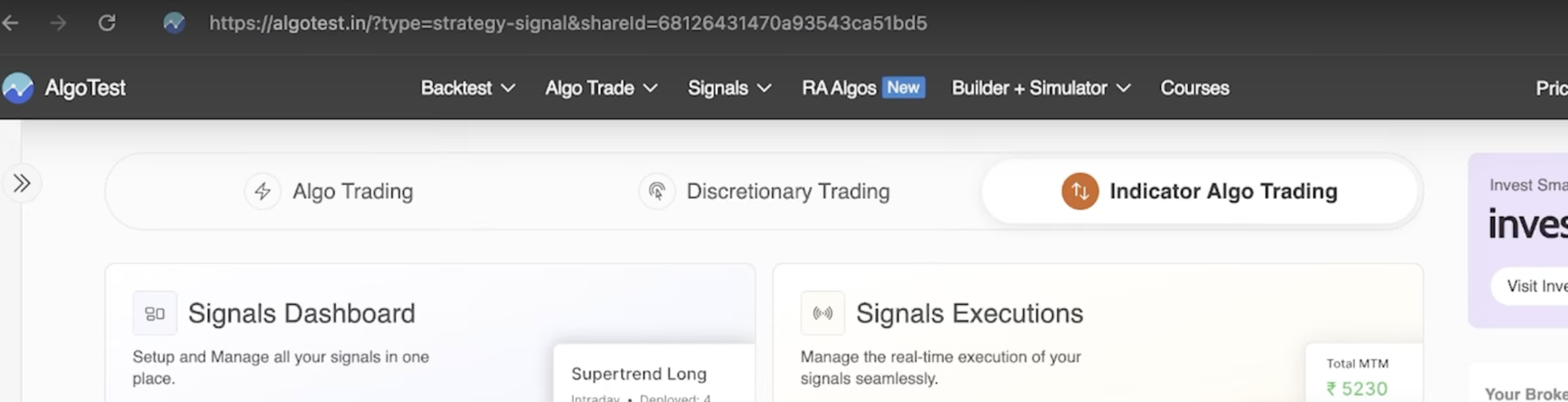
Step 1: Open the Shared Signal Link
You’ll receive a shared link, like this:
https://algotest.in/?type=strategy-signal&shareId=68126431470a93543ca51bd5
Paste this into your browser.
Step 2: Request Access
Click the Request Access button on the page.
Once your access is approved (usually within 24 hours), the signal will be visible in your dashboard.
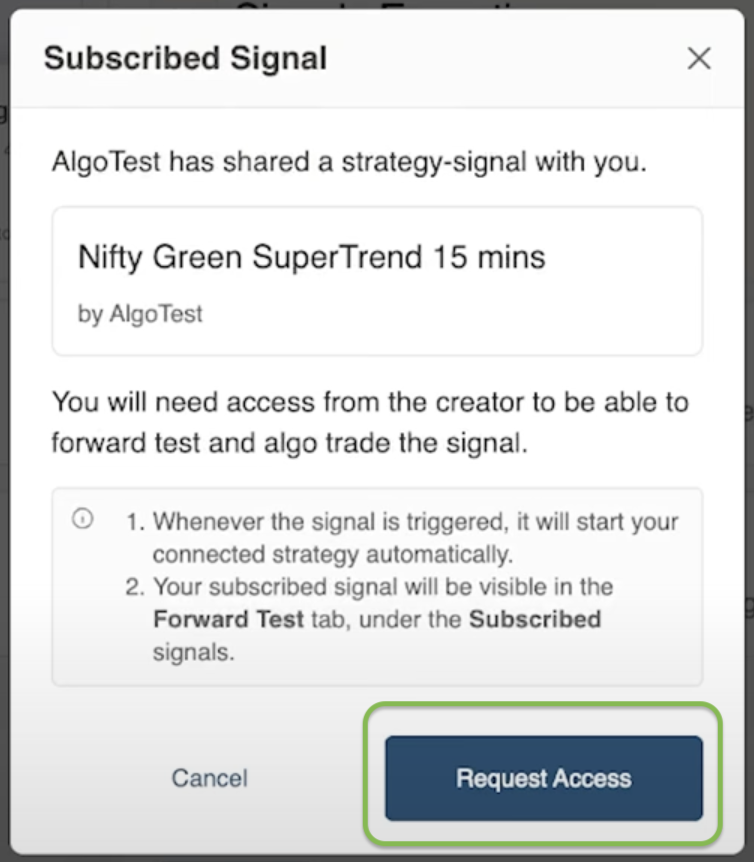
You'll see an alert like this:

Step 3: Find the Signal in Your Dashboard
Go to Signals Dashboard.
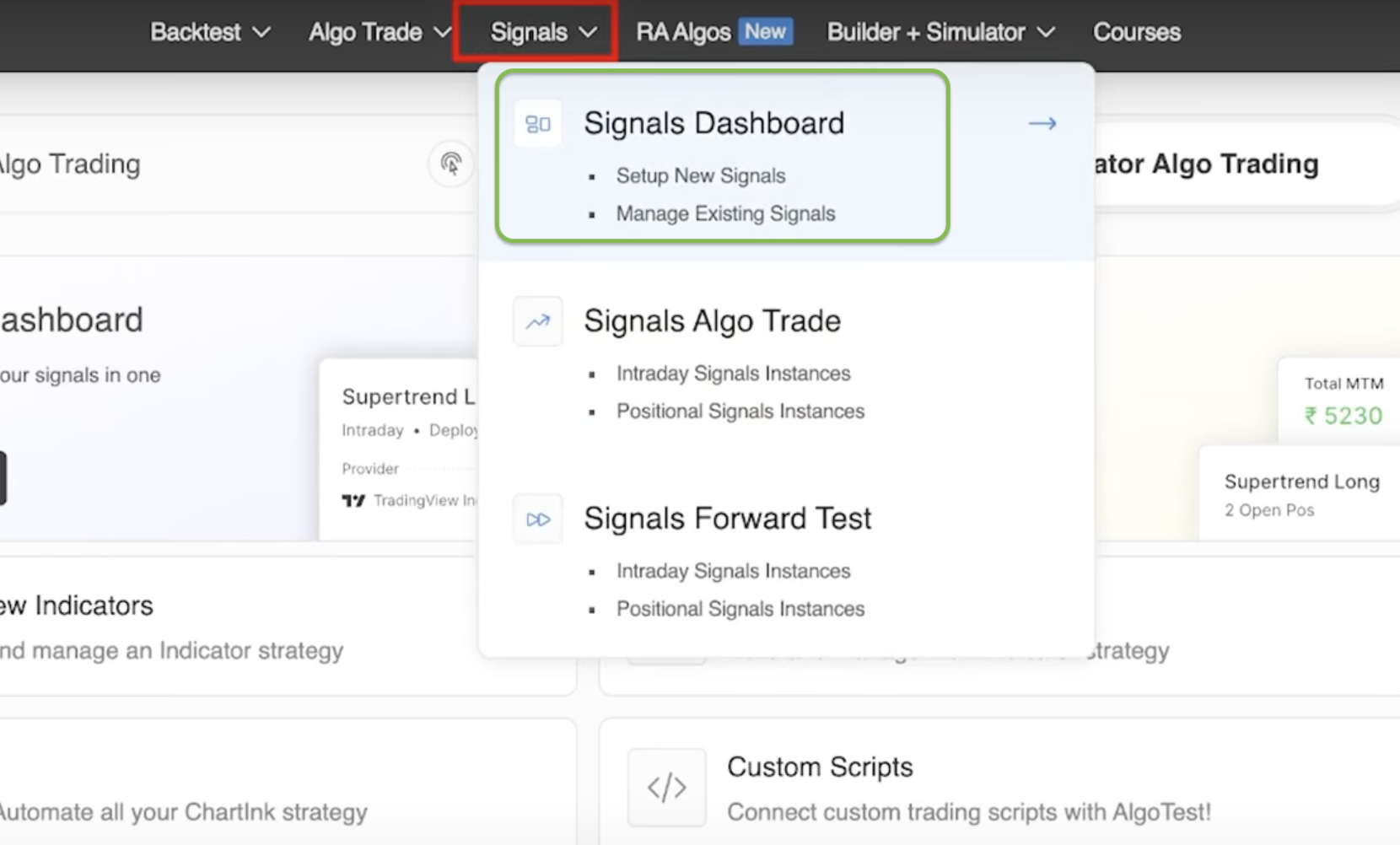
Click on the Subscribed Signals tab.
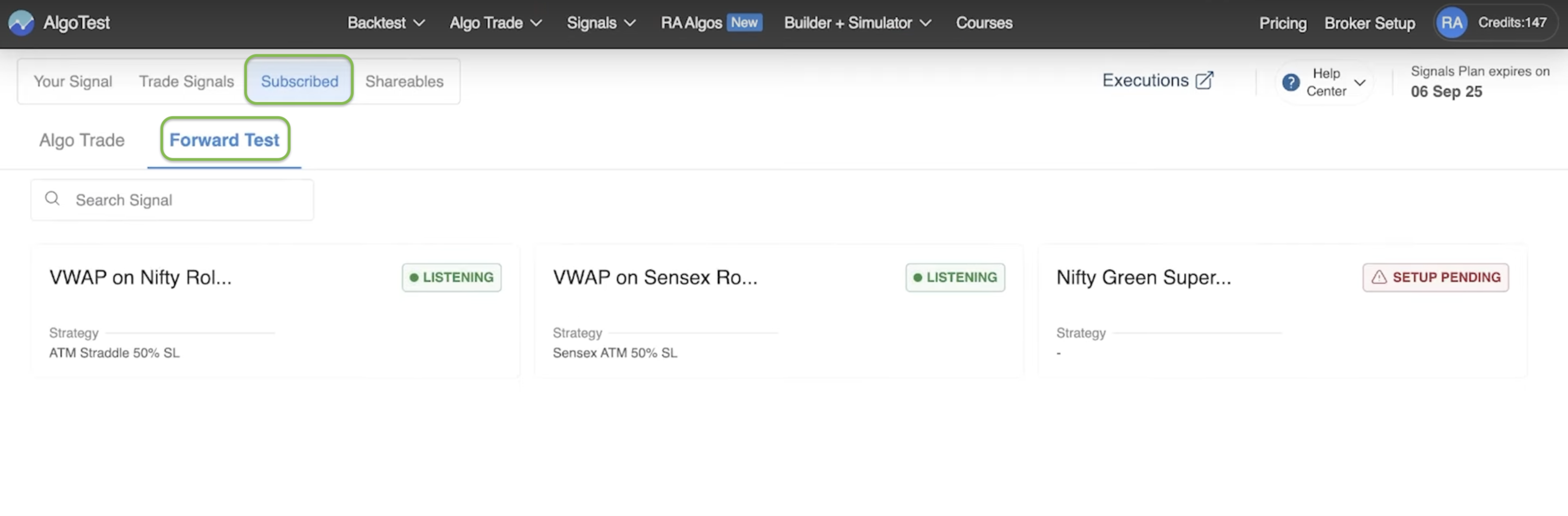
You'll see three tabs:
- Your Signals (signals you created)
- Trade Signals (manual or webhook-based)
- Subscribed Signals (shared signals you’ve subscribed to)
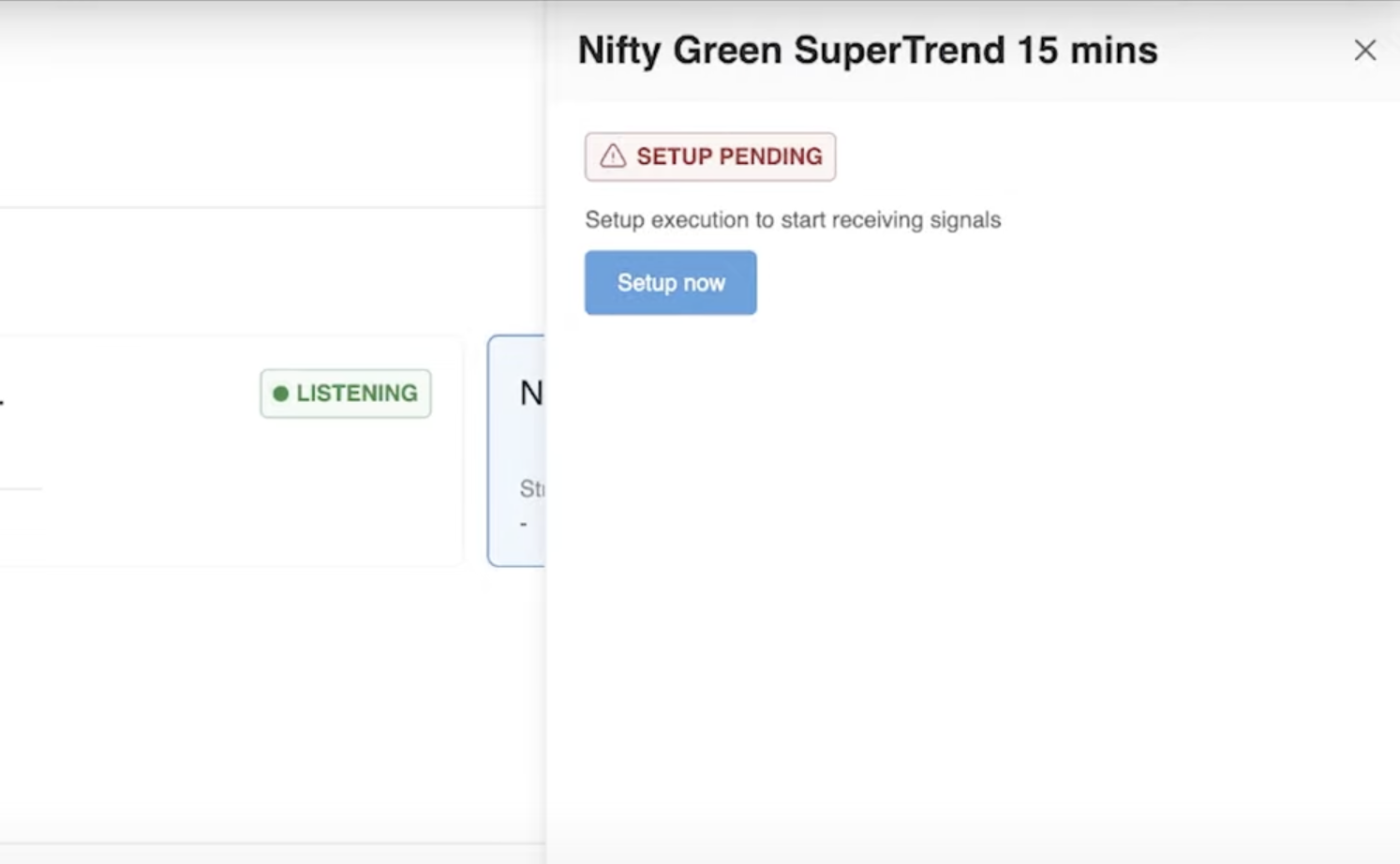
Step 4: Set Up Your Strategy
Once your Shared Signal is visible in the Subscribed tab:
- Click on Set Up Now
This begins the process of attaching a strategy to the signal.
-
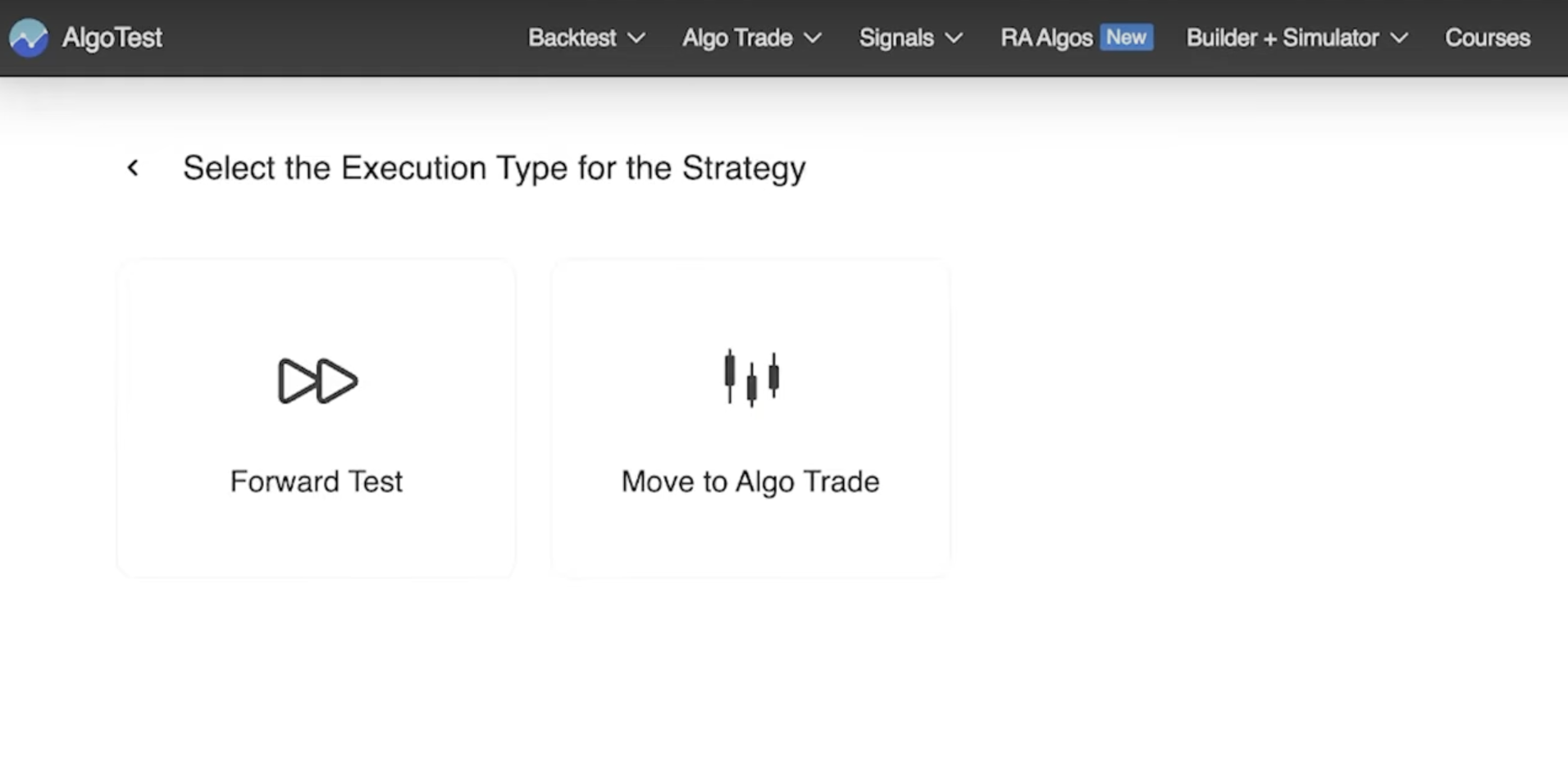
Choose Execution Type
- Forward Test: for testing your logic with virtual trades.
- Algo Trade: for placing real trades via your connected broker.
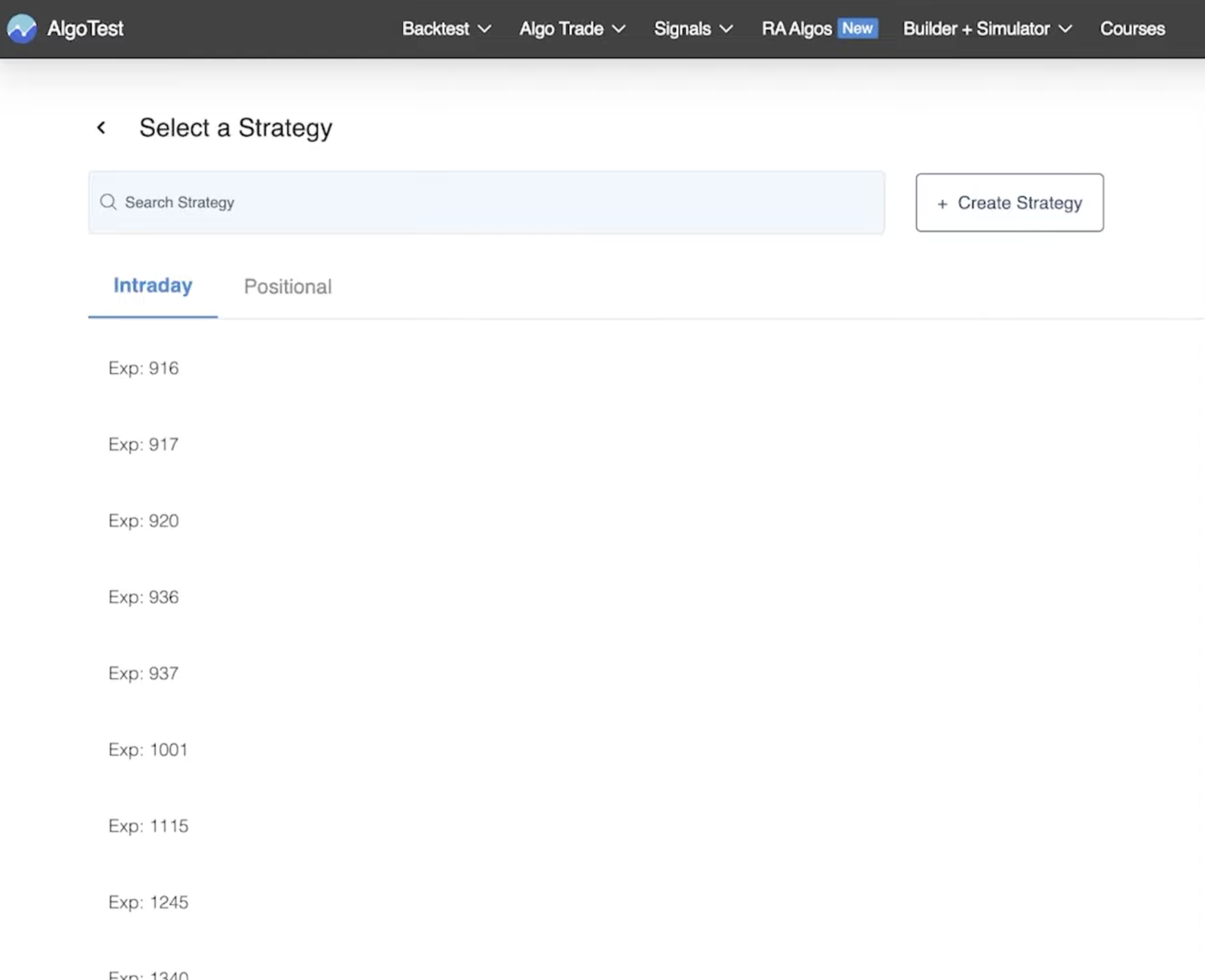
- Create a New Strategy (or Select Existing)
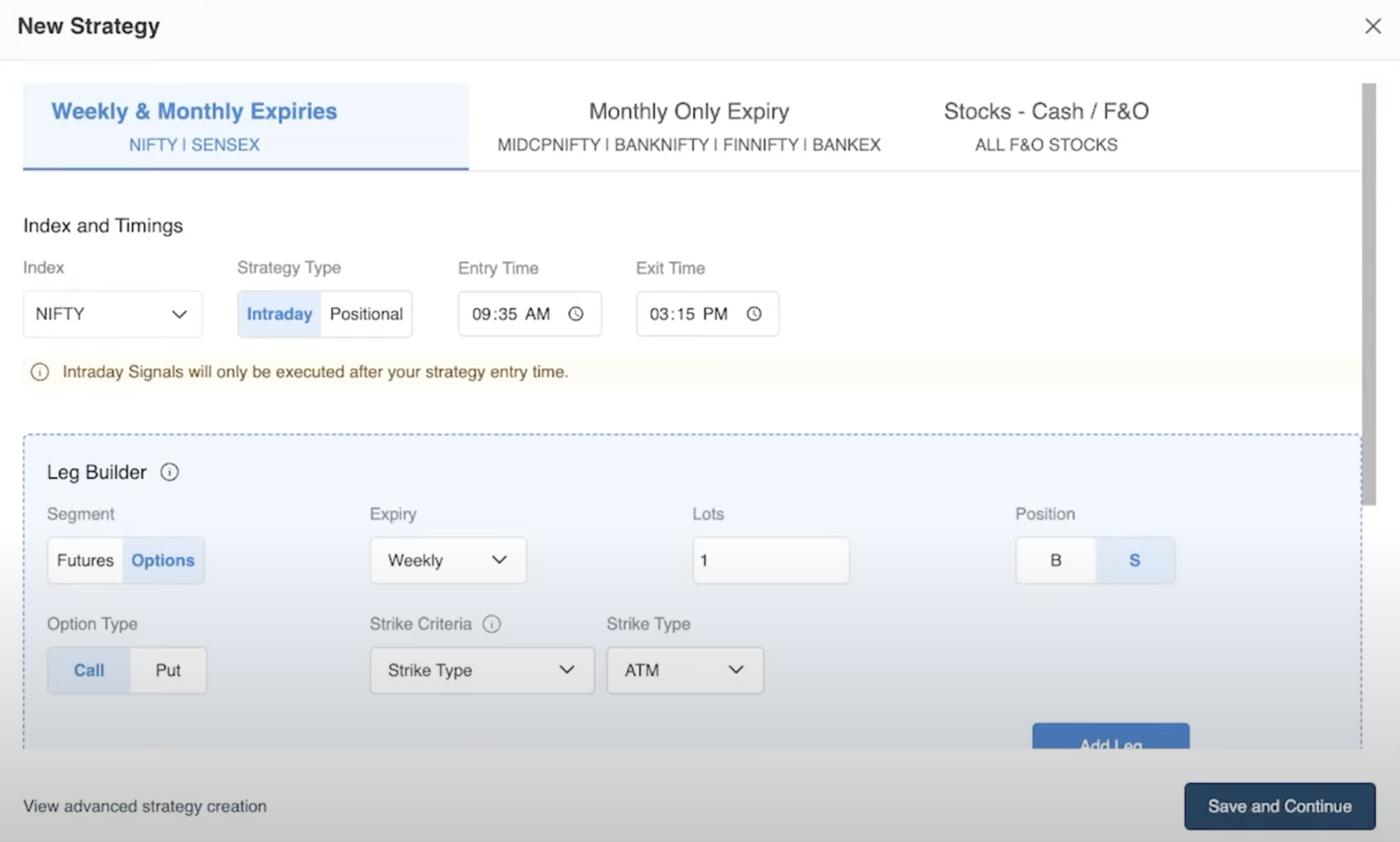
- Select the underlying instrument (e.g. NIFTY, BANKNIFTY, SENSEX)
- Choose Strategy Type: Intraday or Positional
- Add one or more legs:
Example: Buy ATM Weekly Call, SL = 20%, Target = 50%
-
Save and Activate Strategy
- Click Save and Continue
- Your strategy enters Listening mode
- When the signal fires, the strategy executes as per your configuration
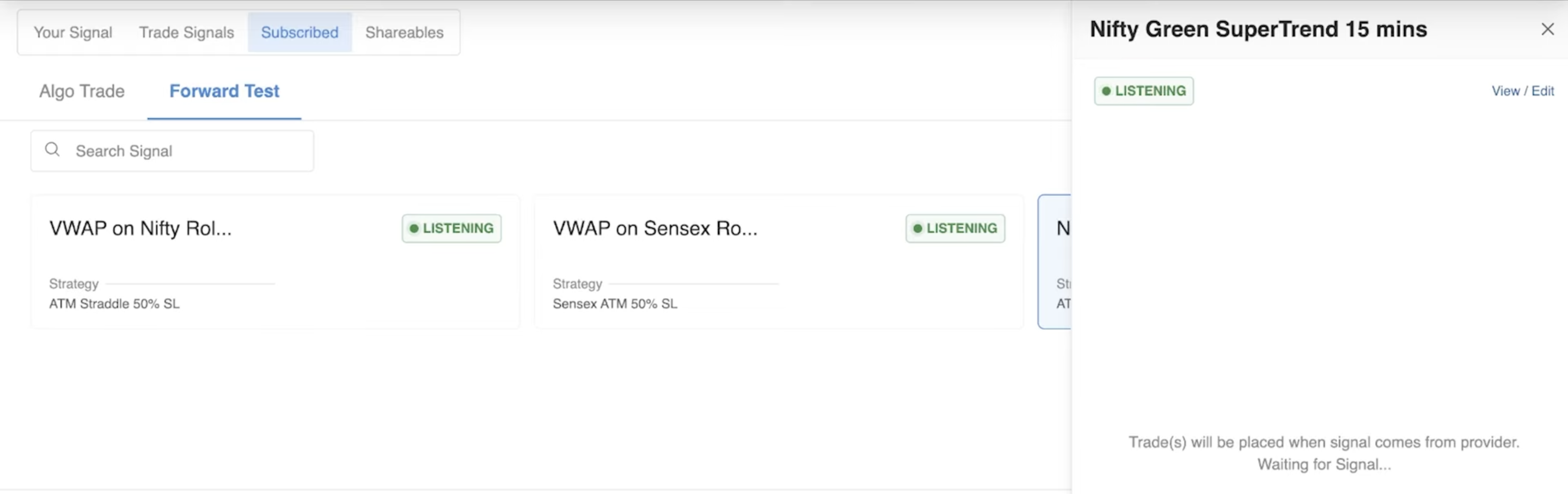
Step 5: Edit, Pause, or Move to Algo Trade
You can later:
- Edit your strategy anytime (e.g. change SL from 20% → 25%)
- Pause the strategy if you don’t want it to trade temporarily
- Move to Algo Trade once you're confident in the signal
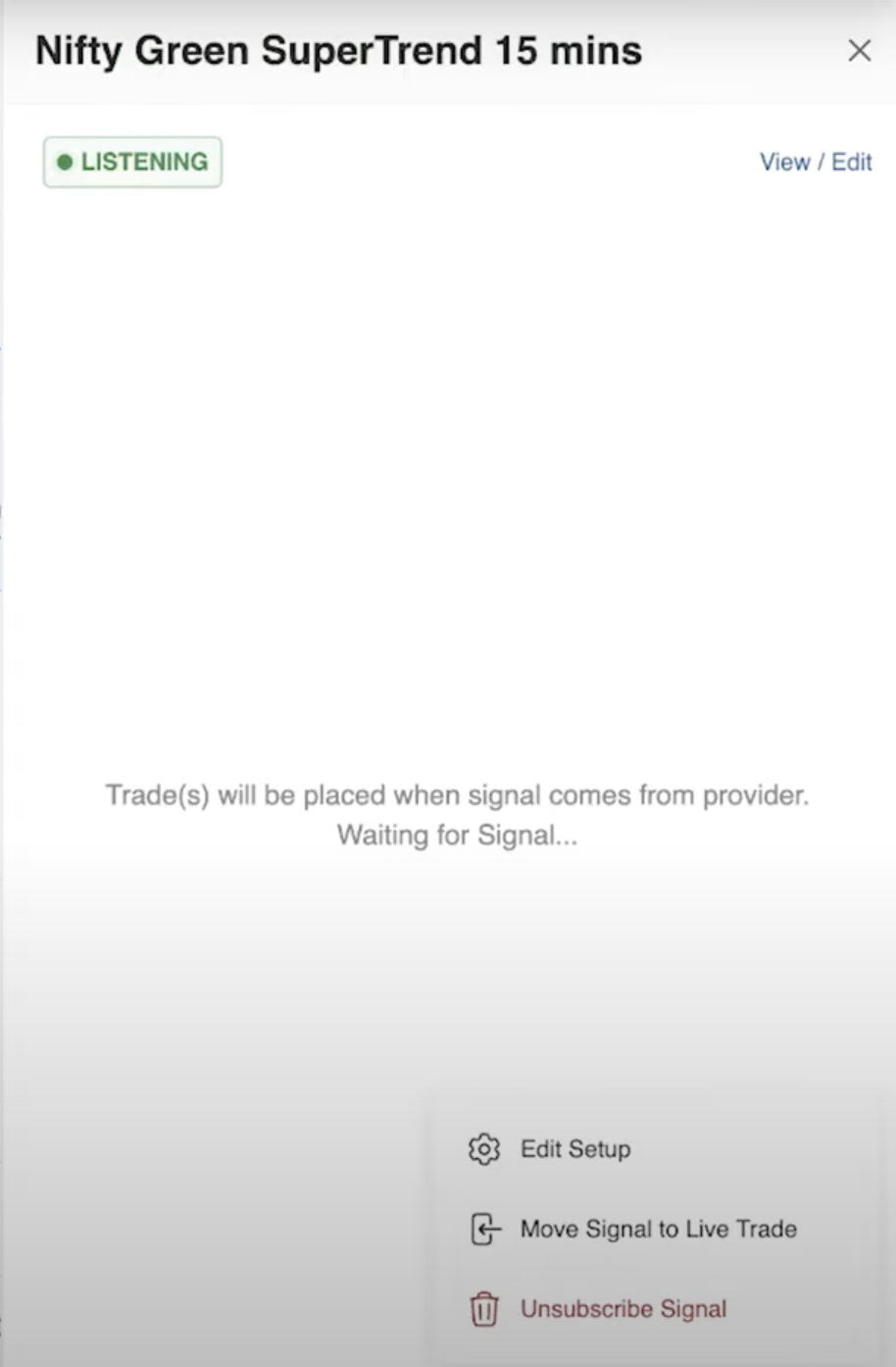
Explore Live Shared Signals
| Signal Name | Time-frame | Link |
|---|---|---|
| NIFTY Red → Green SuperTrend (10,3) | 15-min | View Signal |
| NIFTY Green → Red SuperTrend (10,3) | 15-min | View Signal |
| SENSEX Red → Green SuperTrend (10,3) | 15-min | View Signal |
| SENSEX Green → Red SuperTrend (10,3) | 15-min | View Signal |
FAQs
Do I need TradingView to use this?
No. Shared Signals are handled completely within AlgoTest.
Can I use the same signal for different strategies?
Yes. While the signal is common, your strategy (what to trade, how much, with what SL/TP) is entirely customizable.
Can I modify my strategy later?
Yes. You can edit your strategy anytime by clicking “View Strategy” → “Edit”.
Will this work for positional trades?
Yes. You can set your strategy to be positional to carry trades across days.
What happens when the signal triggers?
Your attached strategy starts. It will either place a Forward Test trade or Live broker trade, depending on your setup.
Need Help?
- Join our Telegram Signals Support Channel
- Email: support@algotest.in