Forward Test Crypto Strategies
Forward testing allows you to monitor your crypto strategy in real-time using simulated trades. It’s the best way to validate your logic before live deployment.
You can forward test any strategy using Delta Exchange’s real-time market data.
Tip: Use forward testing to ensure your strategy behaves as expected with live data before enabling Algo Trading.
How to Forward Test Crypto Strategies
Navigate to Forward Test
From the top navigation bar, go to:
Algo Trade → Forward Test

-
Access Your Forward Test Dashboard
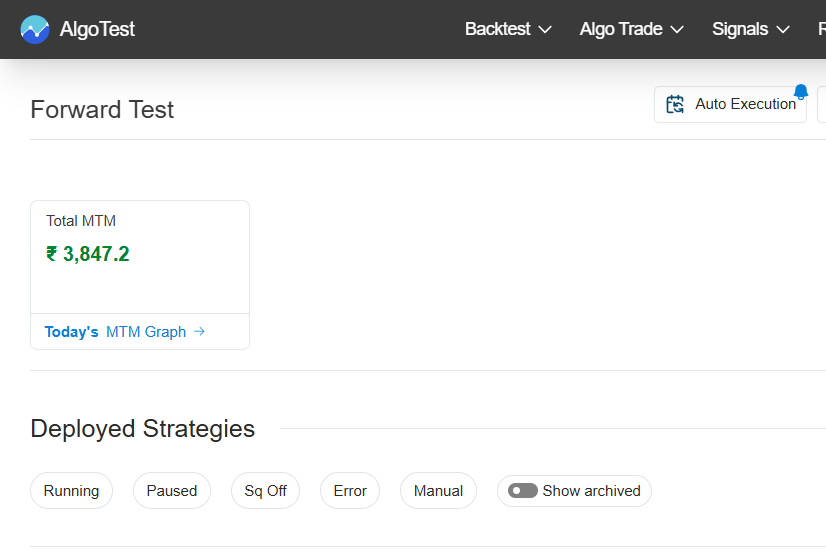
Once inside, you’ll see your Forward Test summary:
- Total MTM (Mark-to-Market)
- A list of Deployed Strategies
Use the tabs to switch between:
- Strategies
- Portfolios
- RA Algos
Search and Select a Strategy
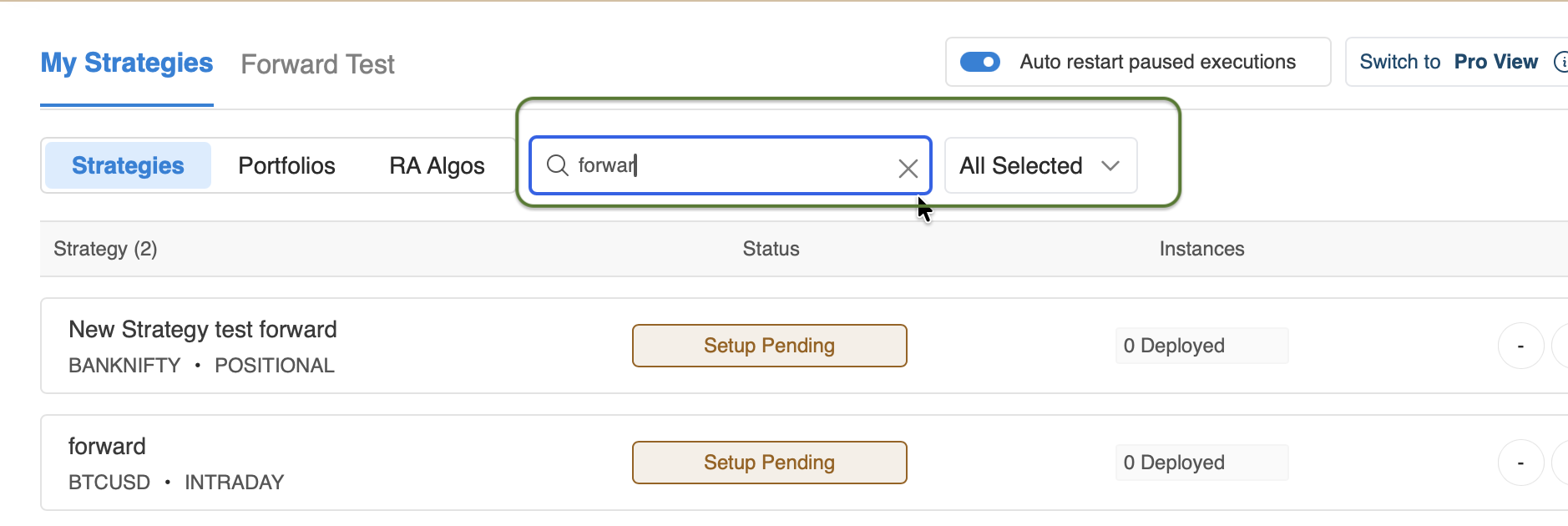
Use the search bar to find your strategy.
Example: searching for “forward”.
Click Select Setup beside your desired strategy.

Edit Setup
In the setup modal:
- Adjust Quantity Multiplier
- Choose Trade Monitoring (
on Candle Closeoron Mid Candle) - Set Execution Days (
WeekdaysorDTE)
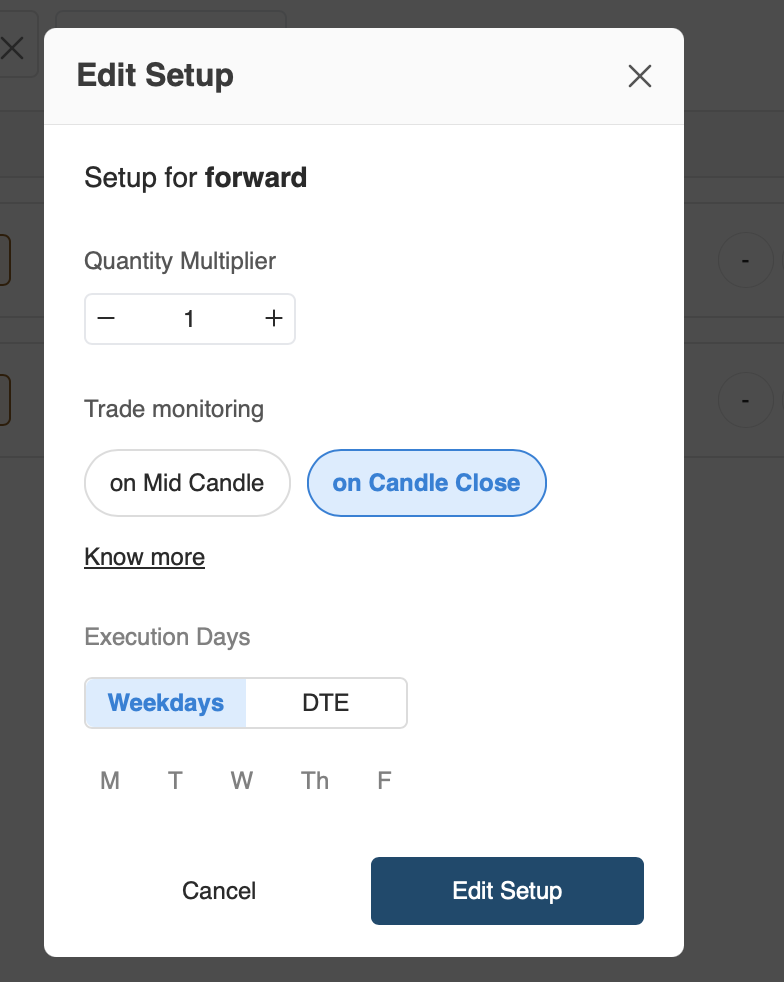
Click Edit Setup to save changes.
Activate Strategy
Click Activate (Free) to deploy your strategy.
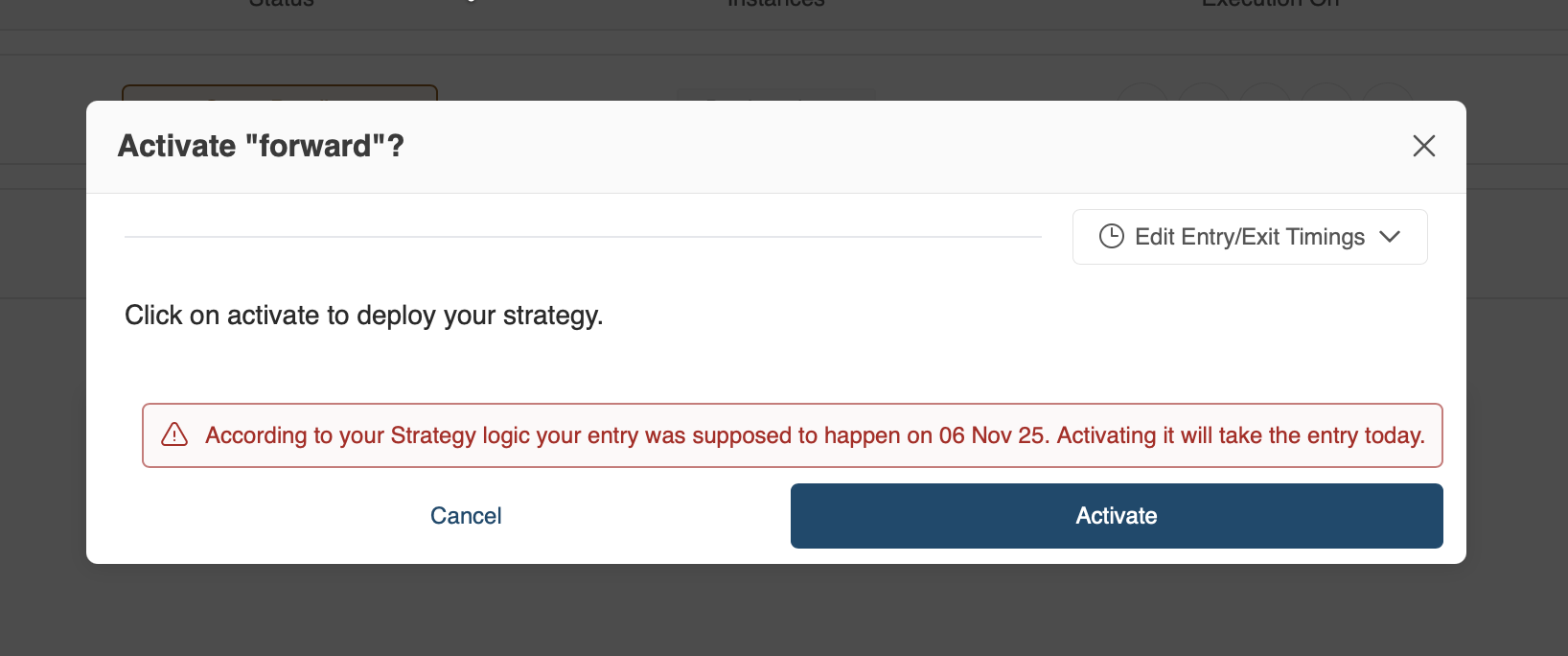
If your entry logic date is in the past, you’ll see a message:
⚠️ “According to your Strategy logic, your entry was supposed to happen on 06 Nov 25. Activating it will take the entry today.”
Confirm by clicking Activate.
Successful Activation
Once activated, you’ll see a confirmation:
“Strategy successfully processed for execution.”
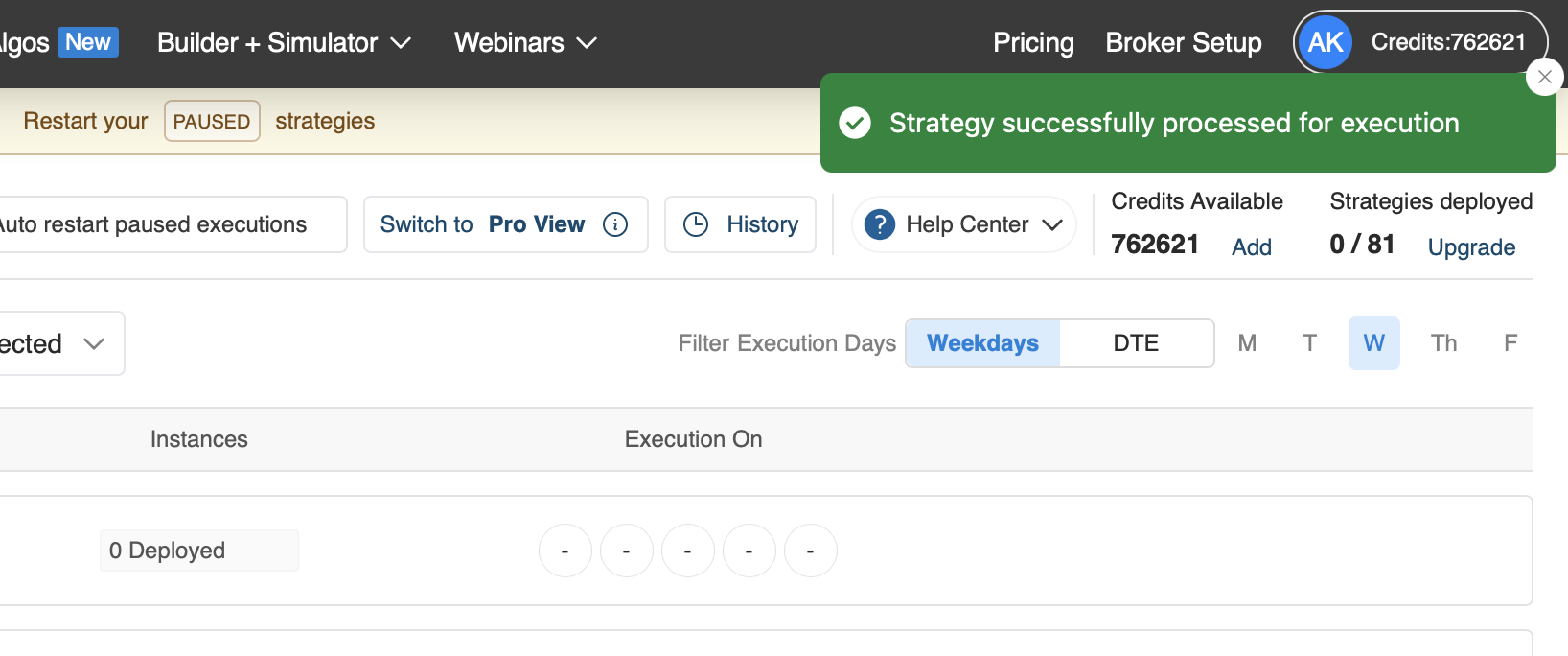
Your strategy is now live and being monitored.
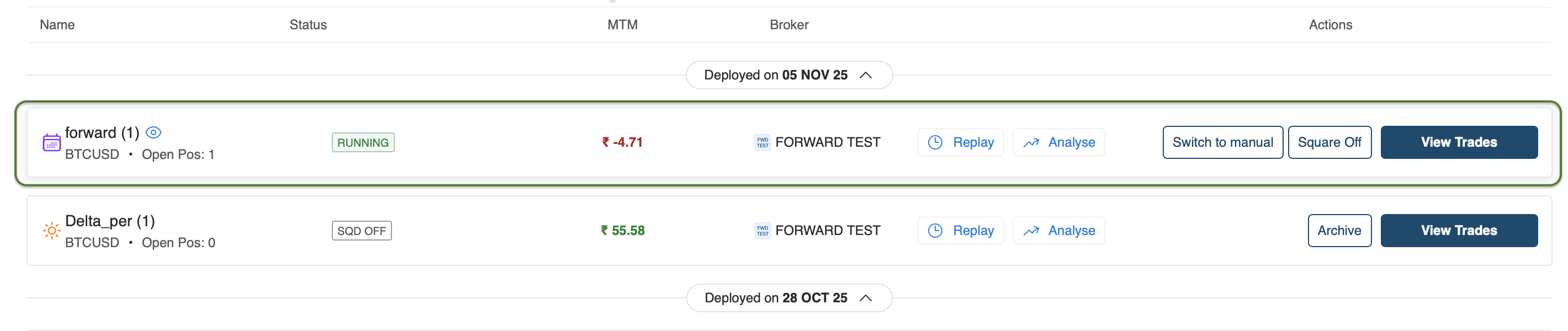
You’ll now see your running strategy in the list with:
- Status: Running
- MTM: P&L updates (one minute delayed)
- Actions:
Replay,Analyse,Square Off,View Trades