Live Trading in Strategy Builder

You can start live trading with theAlgoTest Strategy Builder by following these simple steps:

Broker Setup​

First, you need to add your broker in AlgoTest to enable live trading via the strategy builder. To connect your broker, please :click here and set up your broker.

Creating a strategy in Strategy Builder​

To create a strategy in Strategy Builder follow some simple steps as shown below

  • Click on the Strategy Builder button on AlgoTest.

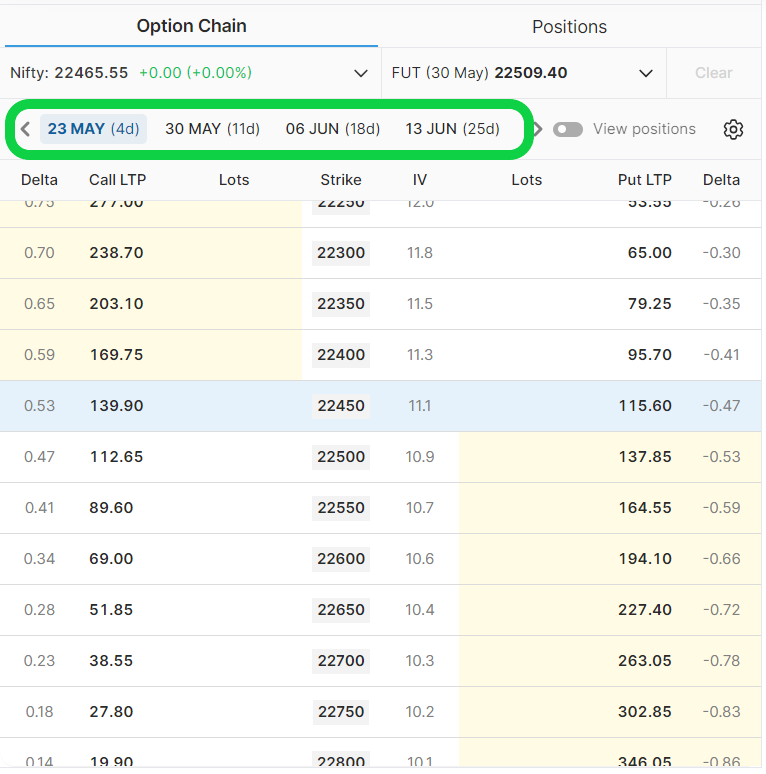
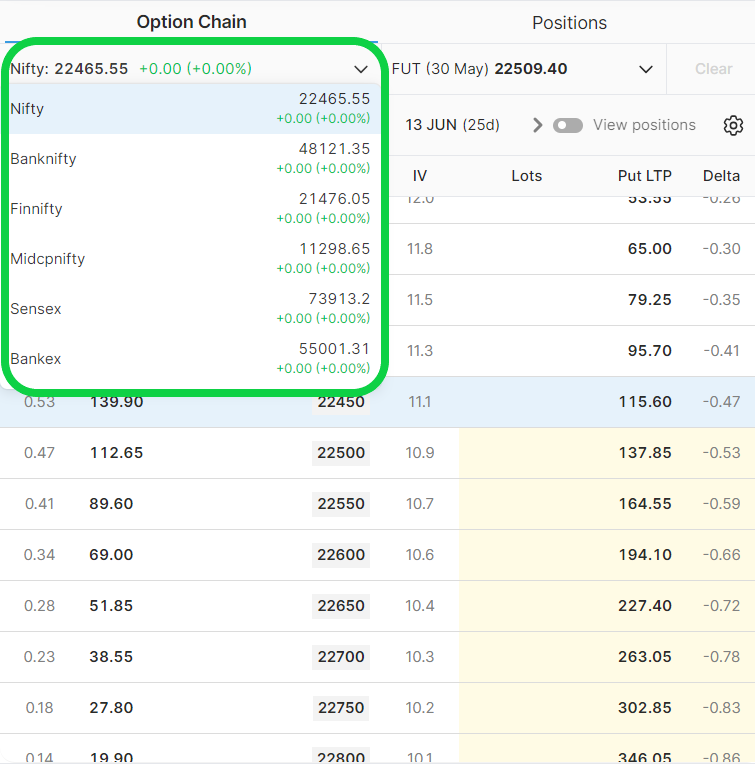
  • Select the underlying and expiration date of the contract you want to trade as shown in the image below.
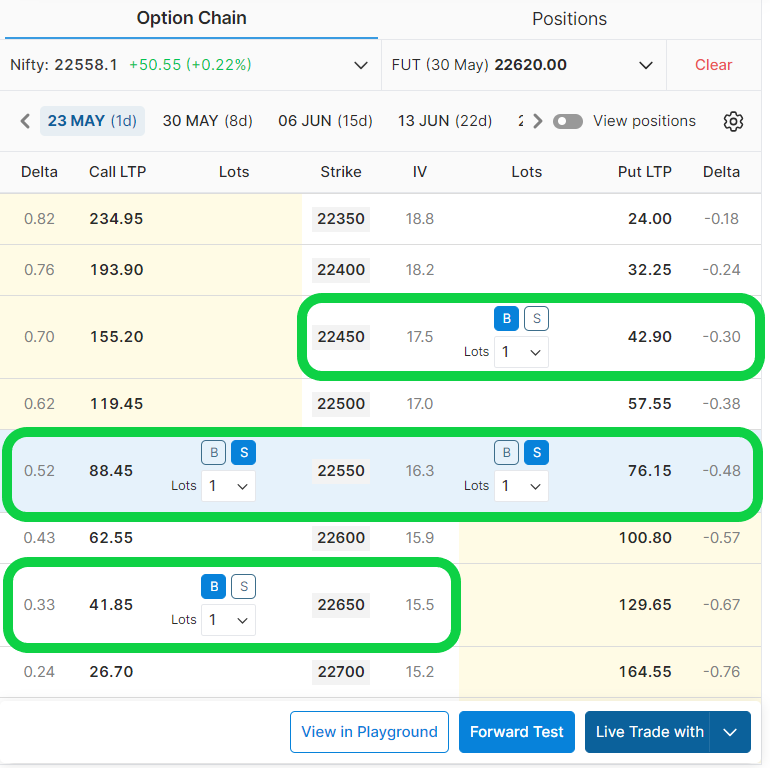
  • Imagine we want to execute an Iron Fly strategy, so we will sell ATM call and put option and buy OTM call and put  optionas shown in the image below.  You can also select different strikes as per your risk profile.
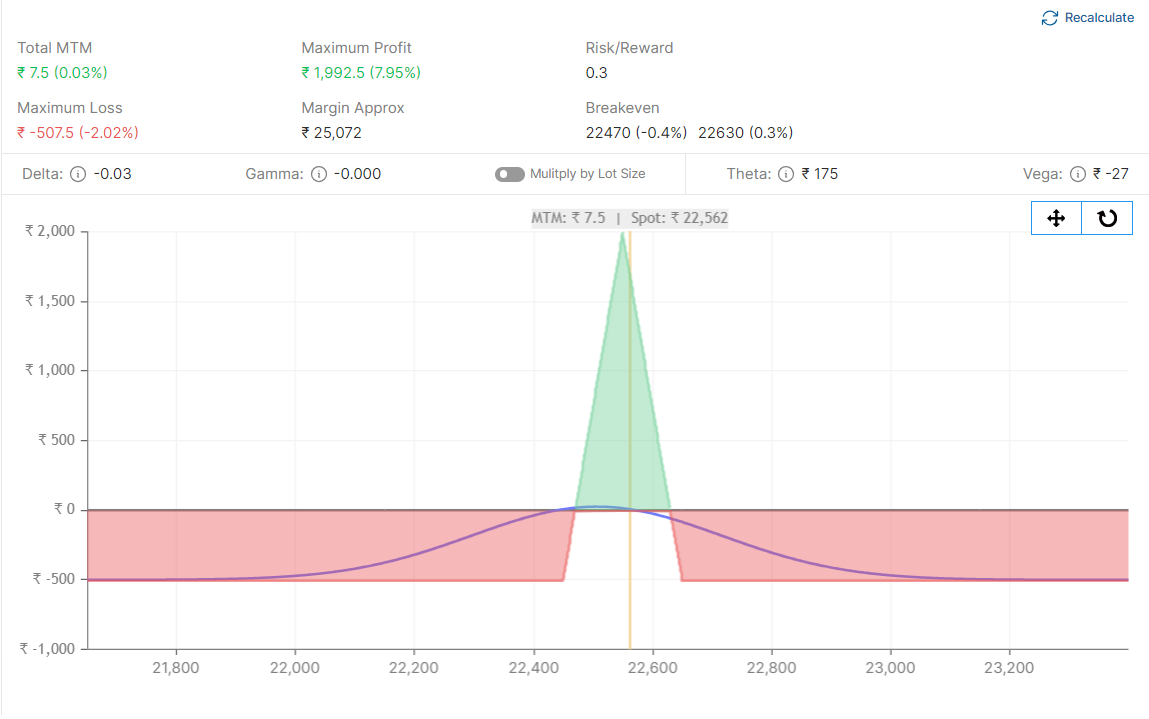
  • You will find the payoff graph and all the important information in the analysis tab. You can analyze your strategy using the provided information.
Executing Strategy Live​

  • Click on the Live Trade With button as shown in the image below

  • Select the broker as shown in the image below.
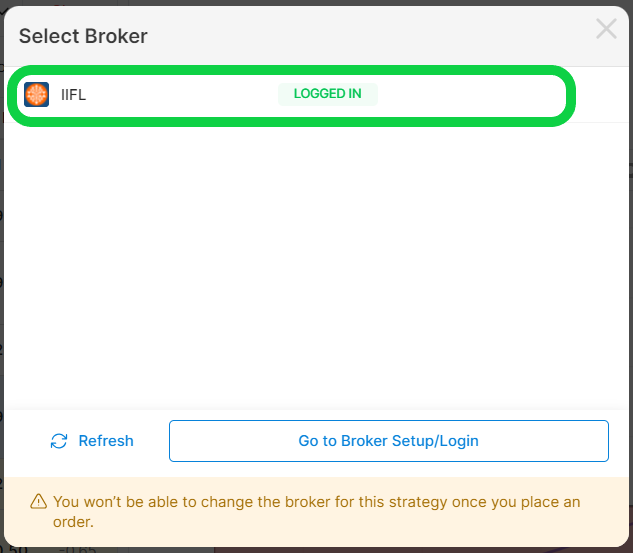
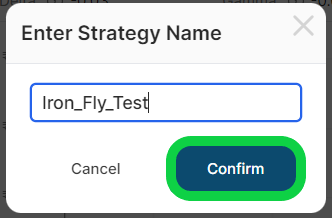
  • Save the strategy with the desired name by clicking on the confirm button.
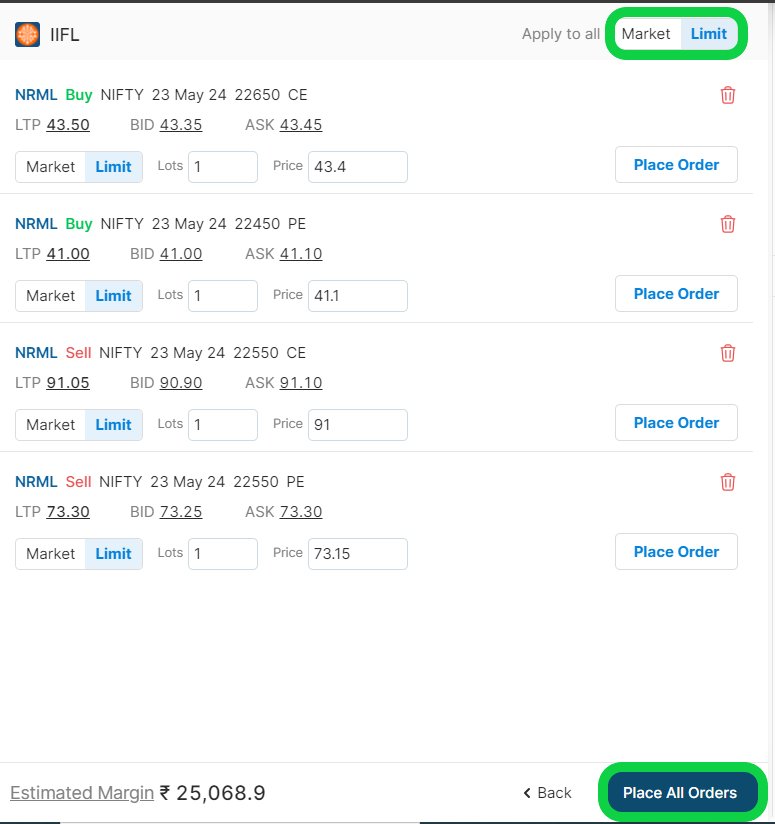
  • Select the order type from MIS & NRML to execute a market or limit order, then click "Place all orders" to execute the strategy in one click.
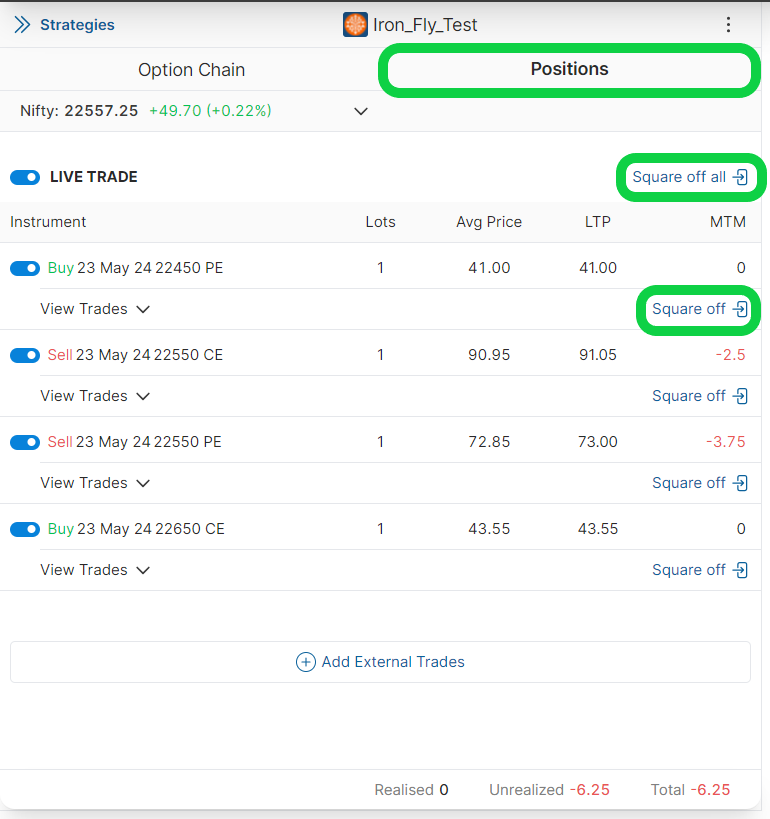
  • You will be able to view and manage your positions under the "positions" tab as shown in the image below.
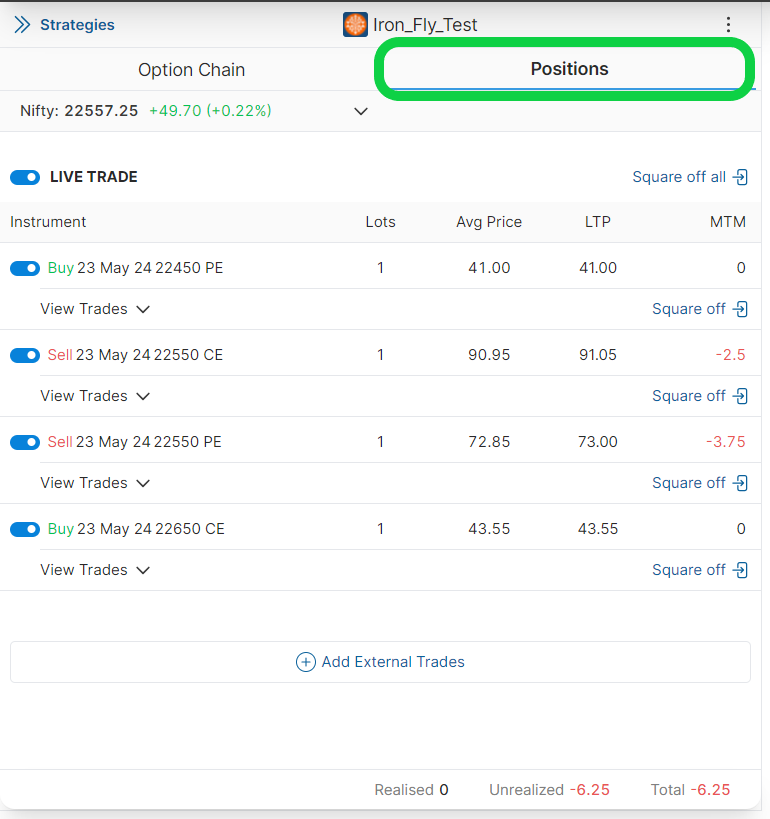
  • You can square off any individual or all positions by clicking on the square-off button as shown.
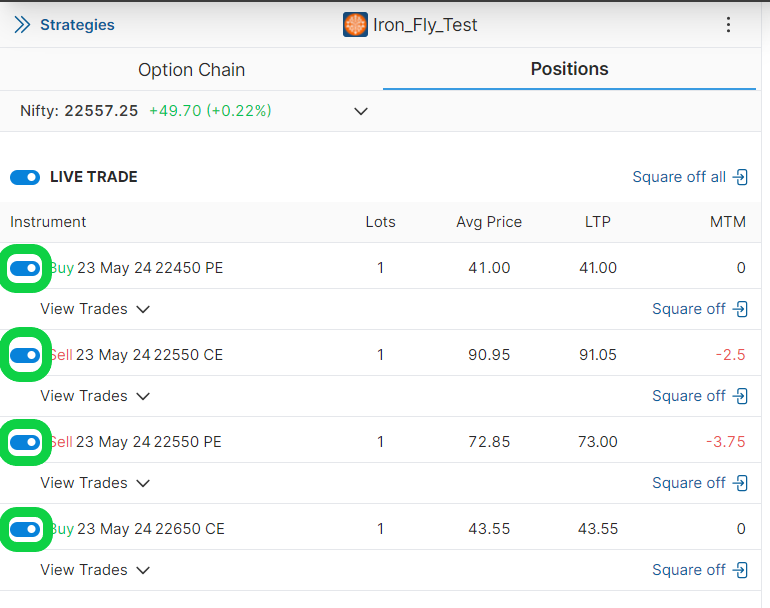
  • You can also temporarily disable/enable a position in strategy by clicking on toggle/untoggle button as shown in the image below.
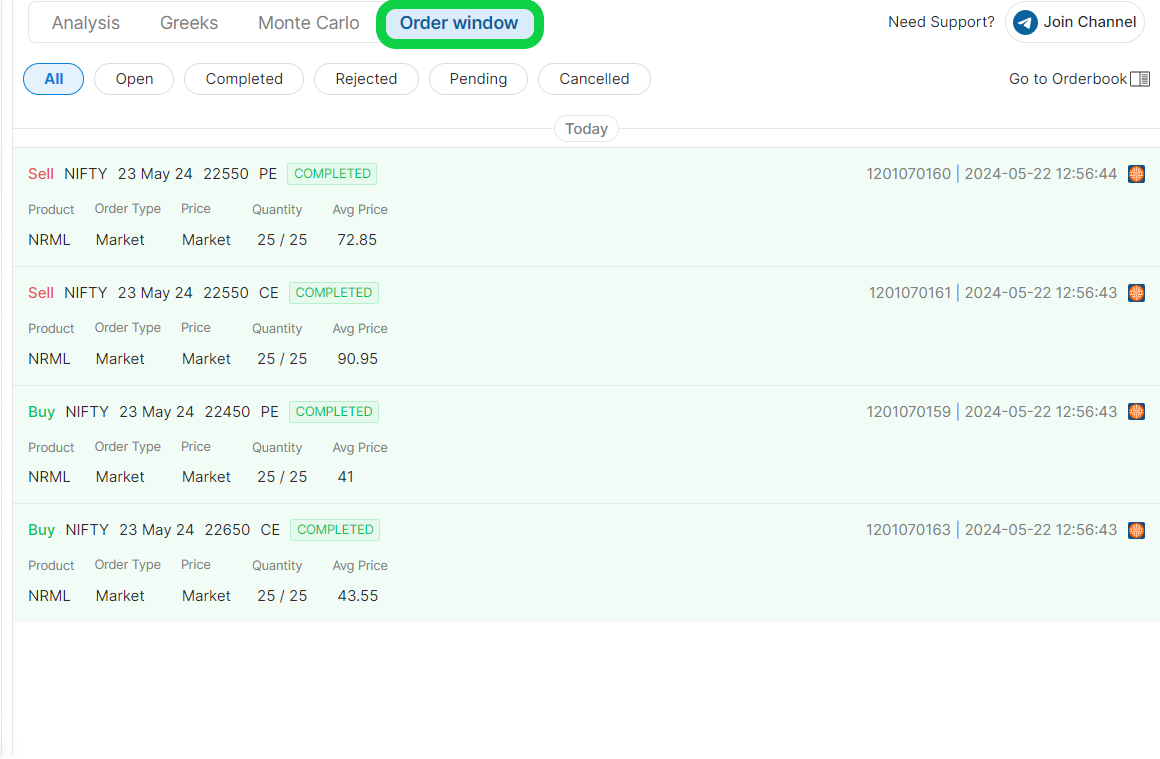
  • You will be able to status of orders under the order book as shown in the image below.
Broker MIS Exit Times​

Broker NameMIS Exit Time
Forward Test3:29 PM
Nuvama Wealth3:19 PM
IIFL3:19 PM
A.C. Agrawal Shares3:24 PM
Unlisted Broker3:24 PM
Shoonya (Finvasia)3:24 PM
5Paisa3:19 PM
5Paisa XStream3:19 PM
Findoc XTS3:19 PM
Kotak Neo3:19 PM
Dhan3:18 PM
Fyers3:09 PM
Jainam (Duck)3:19 PM
FlatTrade3:14 PM
Alice Blue3:14 PM
Mastertrust3:14 PM
Breeze API3:14 PM
Motilal Oswal3:14 PM
Angel One Limited3:14 PM
Upstox Client3:19 PM
Upstox3:19 PM
Wisdom Capital3:09 PM
Firstock3:24 PM
Jainam Dealer Server A3:09 PM
Jainam (XTS Retail)3:09 PM
Zebu3:24 PM
Paytm Money3:15 PM
Choice3:14 PM
Tradejini3:14 PM
Bigul3:09 PM
Motilal XTS3:09 PM
Symphony (Open XTS)3:14 PM
Swastika3:09 PM
Moneysukh3:14 PM
SMC3:10 PM
Stoxkart3:10 PM
Trade Smart Client3:19 PM
Trade Smart3:19 PM
Enrich3:15 PM
Axis Direct3:19 PM
Indira Securities3:19 PM
Jainam Lite3:19 PM
IIFL Markets3:19 PM
DB International3:19 PM
Delta Exchange11:36 PM
Findoc3:19 PM
Arham Wealth3:14 PM
MStocks3:10 PM
Bhansali3:19 PM
Groww3:20 PM
Prudent3:20 PM
Infinn3:20 PM
Infinn (Dealer)3:20 PM

Order Type:​

Order types determine how long a position can be held, whether it will be squared off automatically, and how much margin is required. Selecting the correct order type ensures the position behaves as intended.

MIS (Margin Intraday Square-off)​

Purpose: Intraday trading
Holding Period: Same trading day only
Margin Requirement: Lower margin due to intraday leverage
Square-off: Auto square-off before market close

When to use:

  • Intraday strategies in equities, futures, or options (where supported)
  • Trades not intended to be carried overnight

NRML (Normal)​

Purpose: Carry-forward F&O trading
Holding Period: Allowed to hold overnight and until expiry
Margin Requirement: Requires full overnight margin; no intraday leverage
Square-off: No auto square-off (except on expiry as per exchange rules)

When to use:

  • Futures and options positions intended for multi-day or overnight holding
  • Positional strategies, spreads, and hedged trades