Portfolio of RA Algos
AlgoTest provides a Portfolio feature that allows you to combine multiple RA (Research Analyst) algos into a single basket, and then test or trade them together.
Instead of running each algo separately, you can club them into one portfolio and view aggregate results alongside individual performance.
This feature is useful if you want to:
- Combine multiple RA Algos into a single basket
- Test how different algos interact with each other
- Compare aggregate results with individual backtests
- Run forward tests or enable algo trading at a portfolio level
How to Create a Portfolio
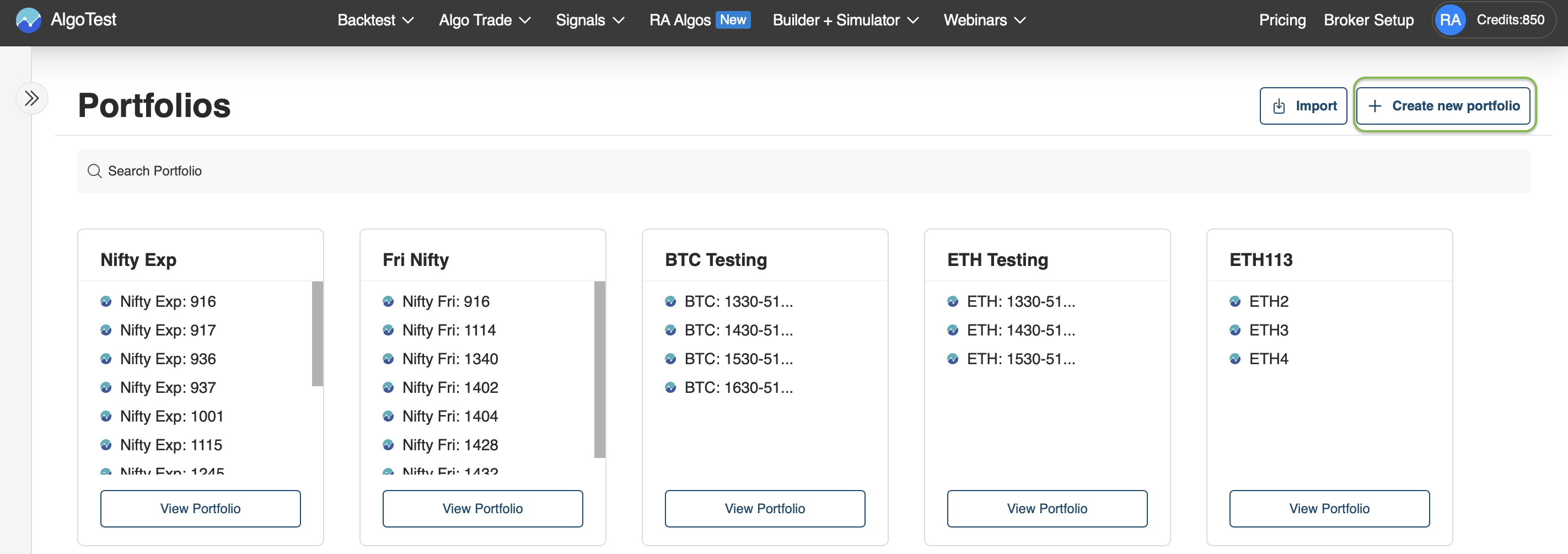
- Go to RA Algos on AlgoTest. At the top, click Portfolios.

- Then click on → Create New Portfolio.
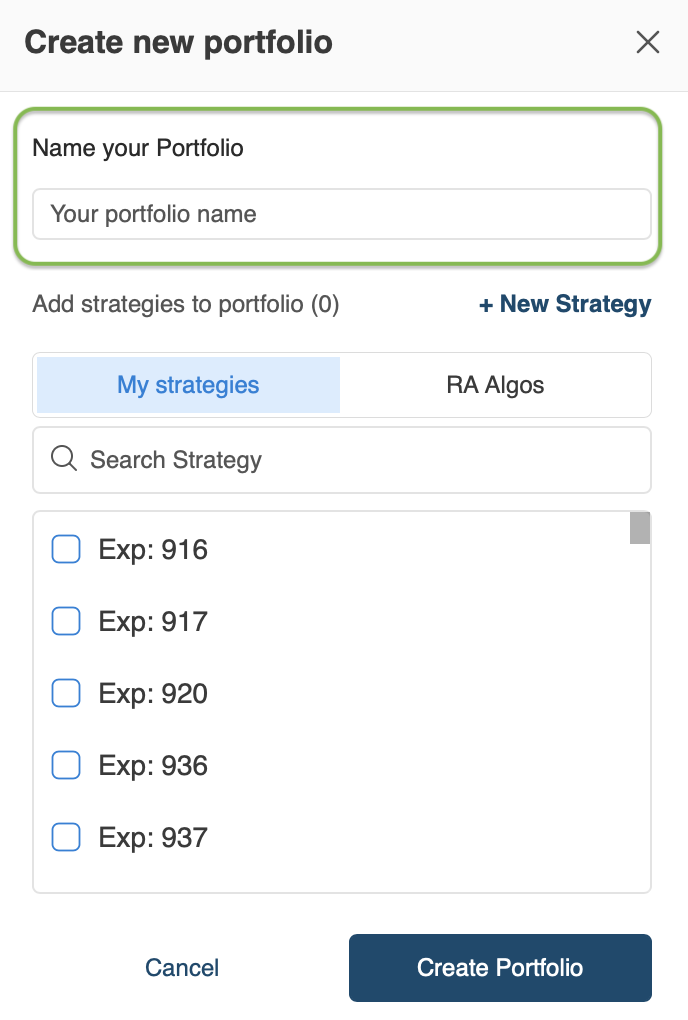
- Enter a name for your portfolio.
- Search for the RA and select their algos.
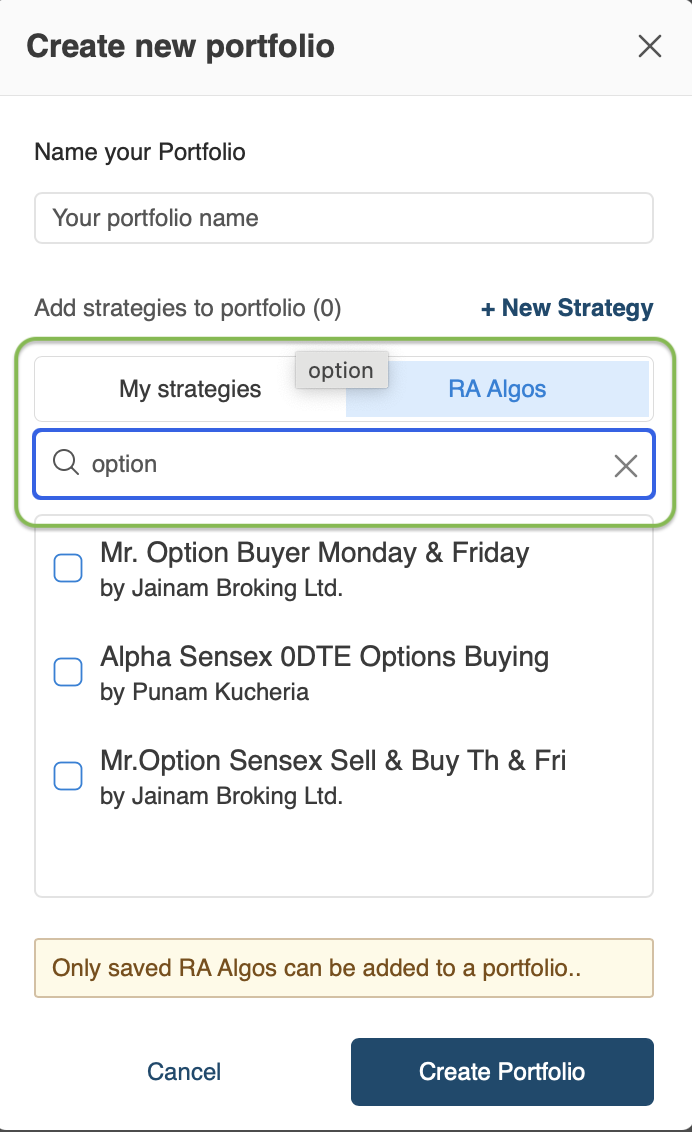
- Click Create Portfolio → all selected algos are now part of your portfolio.
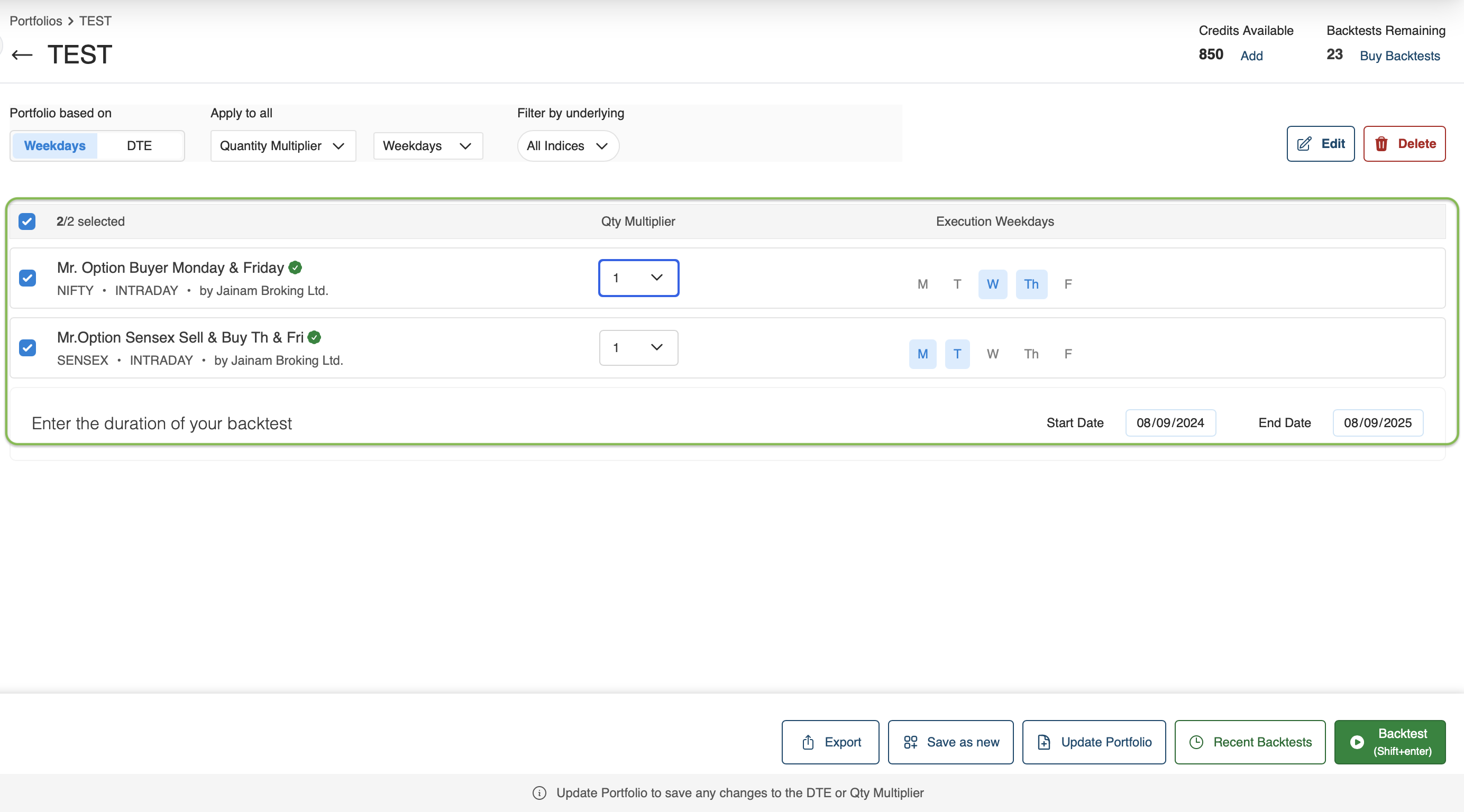
Portfolio Settings
-
Execution Days – Inherited from the RA’s recommendation.
- Example: If a buying algo is set for Monday, Tuesday, Thursday, those days will auto-populate.
-
Quantity Multiplier – Default is 1, but you can adjust as needed.
-
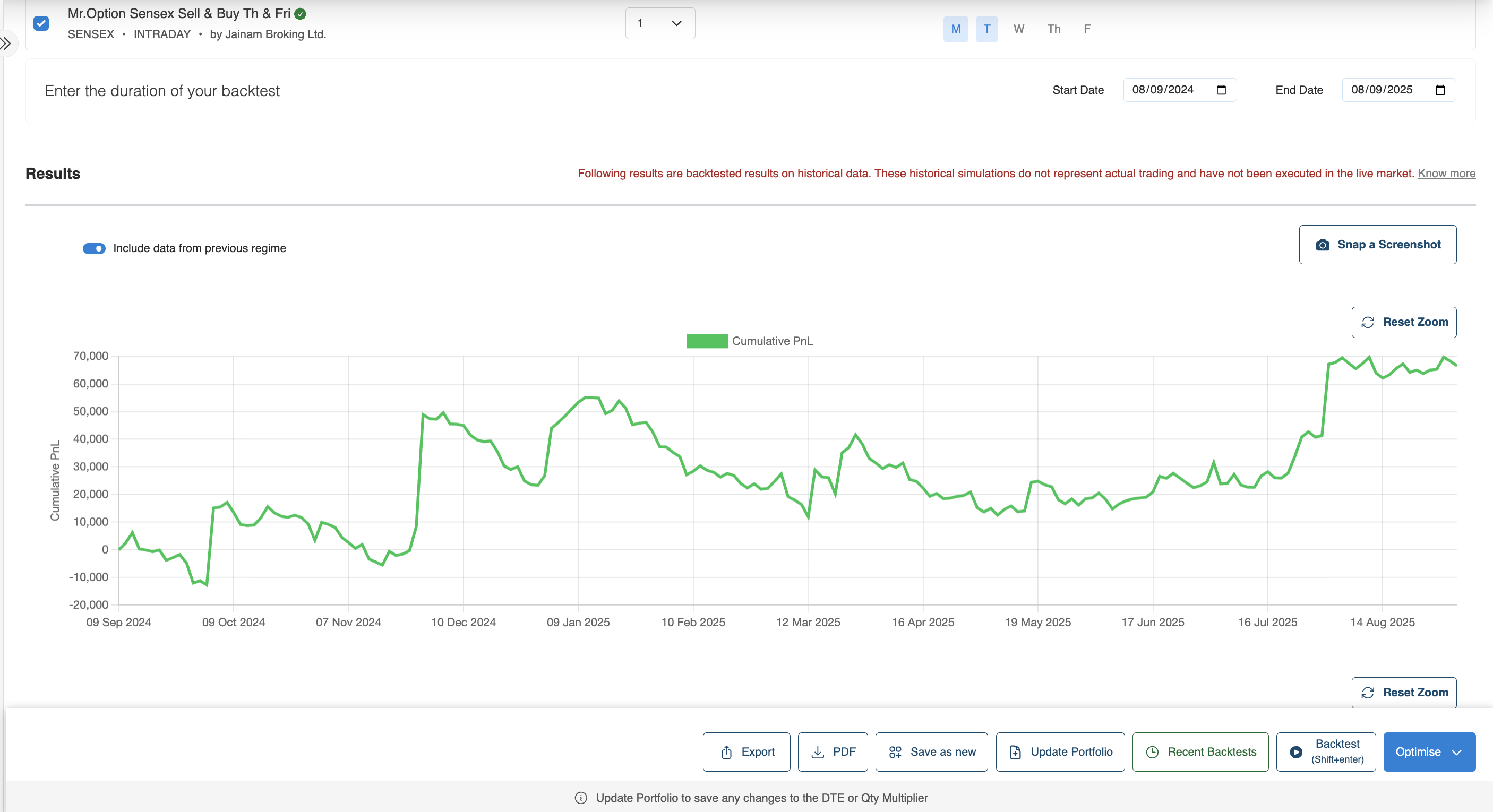
Backtest Range – Choose a period (e.g., last 1 year) for backtesting.
Backtesting a Portfolio
When you run a backtest on a portfolio:
-
All selected RA algos execute together as per their recommended schedule.
-
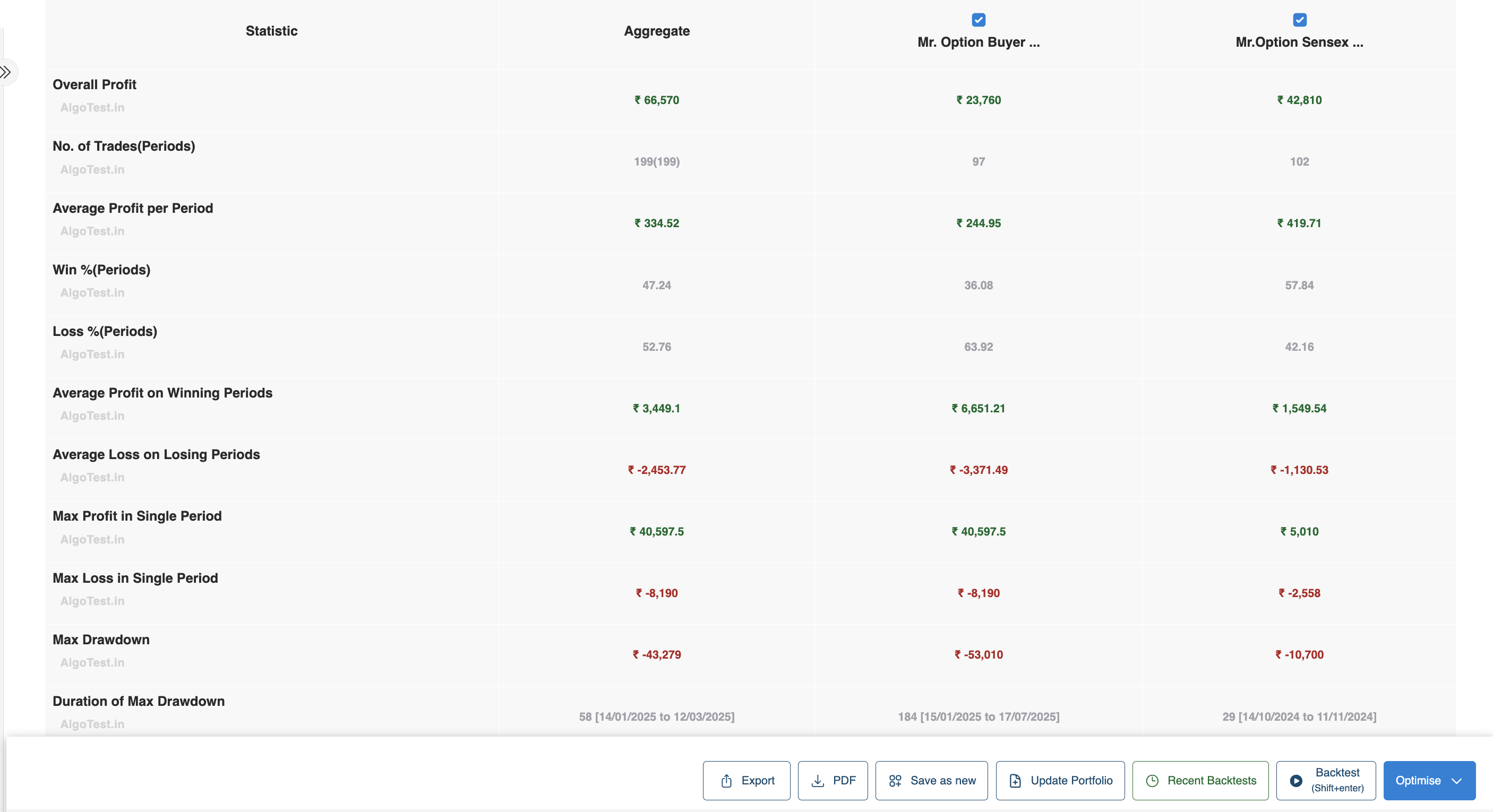
You see individual algo performance as well as an aggregate portfolio report.
-
Reports include:
- Profit & Loss
- Win % / Loss %
- Maximum Profit & Loss in a single period
- Drawdown
- Risk/Reward metrics
Adding Costs (Brokerage & Slippage)
To make backtests realistic, you can add costs:
- Brokerage – Enter your broker’s rate (₹20/order, ₹10/order, etc.)
- Slippage – Enter a % (e.g., 0.5%, 1%) to account for execution delay.
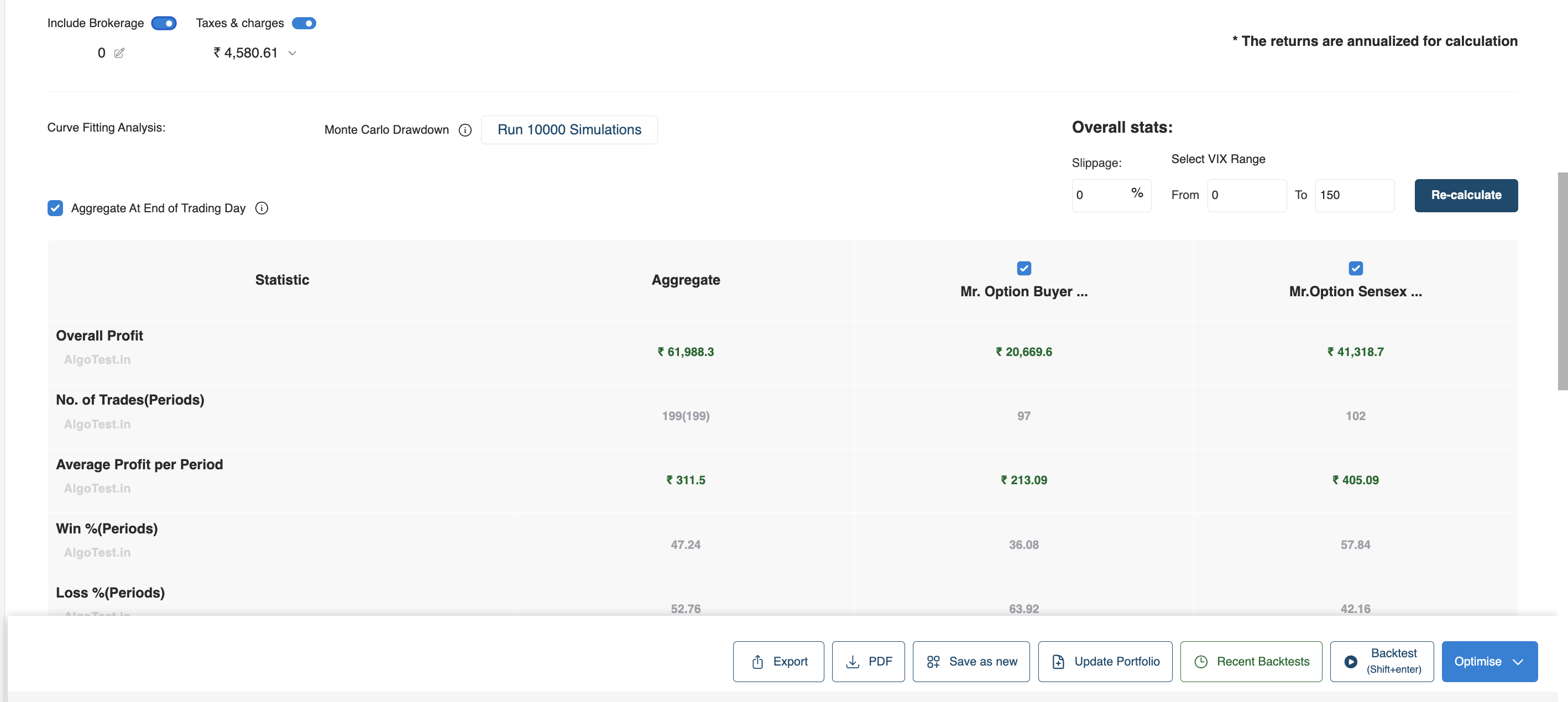
This shows how costs significantly affect results.
Removing Loss-Making Algos
- After including costs, you may identify algos that consistently lose money.
- You can deselect those algos from the portfolio to improve performance.
Watch the full demo on YouTube to understand the execution of the portfolio better.
Aggregated vs Individual Results
AlgoTest shows you both:
- Individual RA Algo performance
- Aggregate portfolio results
This helps you see how algos interact with each other, whether they smooth out drawdowns or add more risk.
Use Cases
- Combine multiple algos from the same RA into a portfolio.
- Mix algos from different RAs to diversify.
- Create separate portfolios for Buying only, Selling only, or Mixed strategies.
- Compare portfolios across monthly or yearly timeframes.
Key Notes
- Portfolios help you understand the combined effect of multiple algos.
- Always backtest with costs included for realistic results.
- You can adjust portfolios dynamically, add or remove algos to see the impact.
- Forward Test and Algo Trading are also supported at the portfolio level.
The Portfolio feature is your tool to move beyond individual algos and start thinking about basket-level performance and risk management.