Types of Orders
Types of Orders and Execution
Once you've constructed your options strategy within the builder, you'll need to decide how to execute the trade. Here's an overview of some common order types and functionalities offered by AlgoTest Strategy Builder:
Basket Orders
Streamlined Execution: Basket orders enable you to execute your entire options strategy with a single click. This eliminates the need to place individual orders for each option contract, saving time and potentially reducing execution risk. You can simply add the strike you want to execute in the option chain, click on 'live trade', and then click on 'place all order' to execute all the strikes you selected in one click.
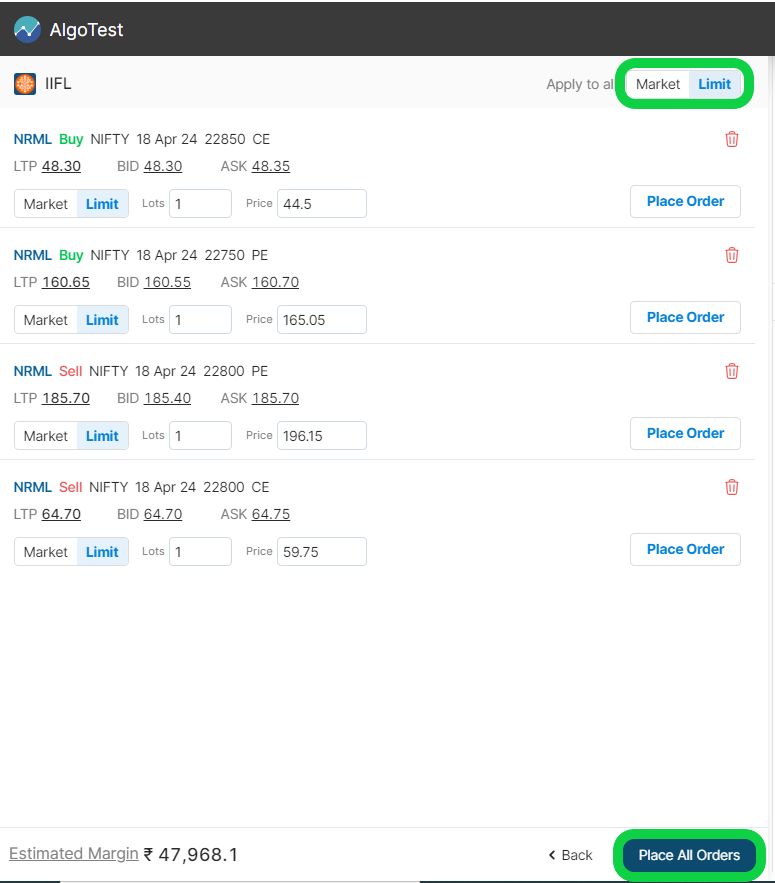
By utilizing basket orders, you can efficiently execute your multi-leg options strategies and potentially capture fleeting market opportunities.
Market vs Limit Order
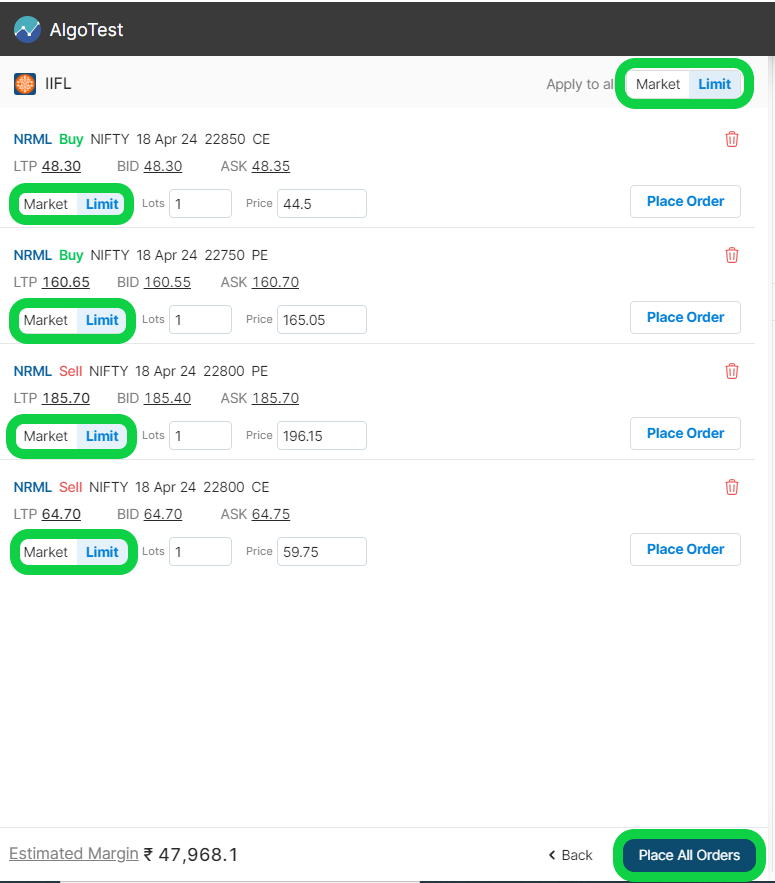
AlgoTest Strategy builder allows you to specify different order types within your basket order such as limit orders to define a specific price range for your trade or Market Price Protection (MPP) orders, which offer market-like execution with built-in safeguards against unfavourable price movements.
Market Price Protection Order
What is MPP Order Type?
AlgoTest introduces the Market Price Protection (MPP) order type to help traders execute faster while staying protected from adverse price movements.
MPP is designed to combine the speed of a market order with the control of a limit order. When you place an MPP order, AlgoTest automatically calculates a limit price using a predefined protection range based on live market data. MPP order simulates the market order behavior and works just like market orders.
This ensures your order executes at the best available price within a safe range. If the order cannot be fully executed within this range, the remaining quantity continues as a limit order at the calculated price, giving you both execution efficiency and price protection.
Market Price Protection Range
The protection range is determined at the time of order placement using the current market data:
-
For Buy orders → Calculated above the current Bid price
-
For Sell orders → Calculated below the current Ask price
This range is defined as a percentage and varies based on the instrument type and price range.
Key Behavior
-
Your order will get executed instantly
-
Ensures execution within a controlled price band
-
Prevents unfavourable fills during volatile conditions
-
Converts to a limit order if immediate execution is not possible
How MPP Order Works
Buy Order Example
Scenario:
-
Option LTP: ₹101
-
Bid Price: ₹100
-
Protection: 3%
Calculation:
- Limit Price = ₹100 + 3% = ₹103
Order Placement:
- A Limit Buy Order is placed at ₹103
Execution:
-
Executes immediately at best available price ≤ ₹103
-
If not fully executed → remains as a pending limit order at ₹103
Sell Order Example
Scenario:
-
Option LTP: ₹99
-
Ask Price: ₹100
-
Protection: 3%
Calculation:
- Limit Price = ₹100 − 3% = ₹97
Order Placement:
- A Limit Sell Order is placed at ₹97
Execution:
-
Executes immediately at best available price ≥ ₹97
-
If not fully executed → remains as a pending limit order at ₹97
Order Price Rules
-
The calculated MPP price is always aligned to the nearest tick size of the contract
-
Minimum sell price cannot be below ₹0.05 (5 paisa)
-
If calculated sell price is lower, it will default to ₹0.05
| Security Type | Price Range (₹) | Percentage of LTP |
|---|---|---|
| EQ and FUT | Less than 100 | 2% |
| EQ and FUT | Between 100 and 500 | 1% |
| EQ and FUT | More than 500 | 0.5% |
| OPT | Less than 10 | 5% |
| OPT | Between 10 and 100 | 3% |
| OPT | Between 100 and 500 | 2% |
| OPT | More than 500 | 1% |
Where You Can Use MPP Orders
1. ClickTrade Order Window
-
Select MPP under Order Type
-
Price field is disabled (auto-calculated)
-
Only lot size input is required
2. Apply to All Orders
-
Available under “Apply to All” section
-
Selecting MPP applies it to all orders in the strategy
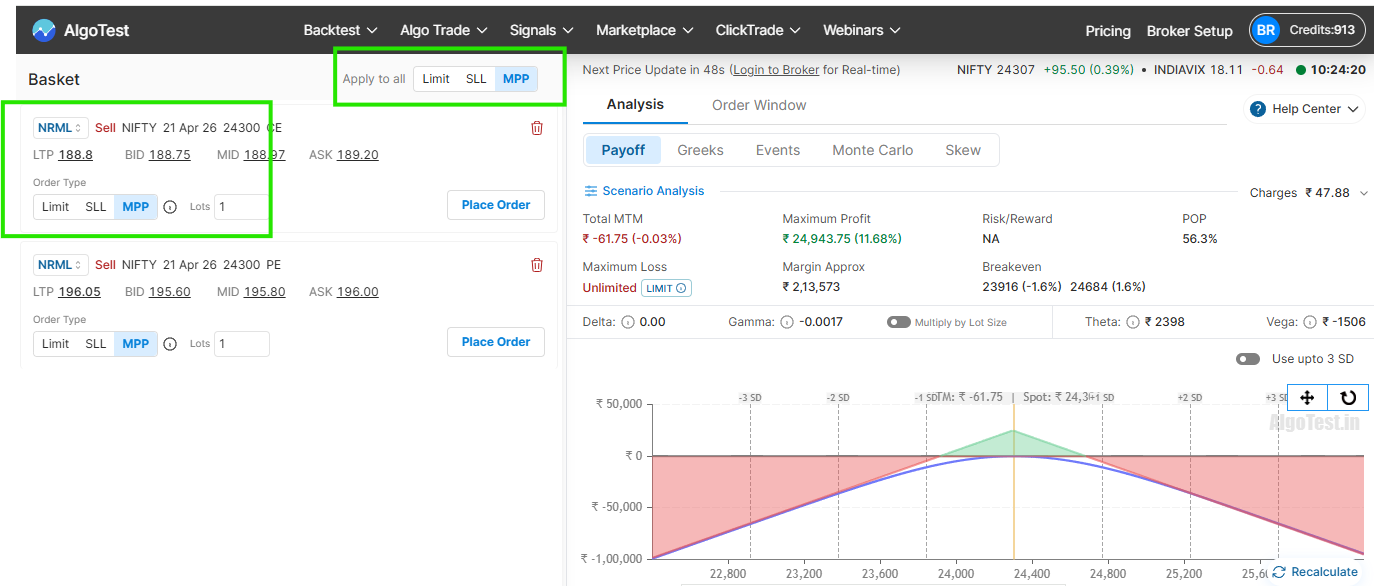
The MPP order type is now expanded to 920 Straddle and Signals under Setup Execution for Equity, Equity FnO, and Index FnO (NSE/BSE).
Key Benefits & Automation
If the order is not filled immediately, the system automatically triggers an Auto-Chase Mechanism, adjusting the price every few seconds using the protection buffer. Chasing continues safely for up to 30 seconds to complete your trade seamlessly!
Why Use MPP Orders?
-
Faster execution similar to market orders
-
Price protection against slippage
-
Better control in volatile markets
-
Reduced risk of unfavorable fills