How to Backtest BTCUSD & ETHUSD
AlgoTest allows you to backtest crypto strategies (BTCUSD & ETHUSD) using the same interface you use for indices and stocks. These backtests run on Delta Exchange data, and you can test both Options and Futures.
The same page also backtests the RWA tokens (stocks) listed on Delta Exchange India. They support Perpetual Fut only - no Options. See RWA Tokens.
Step 1: Open the Backtest Page
- Navigate to Backtest → Delta Exchange
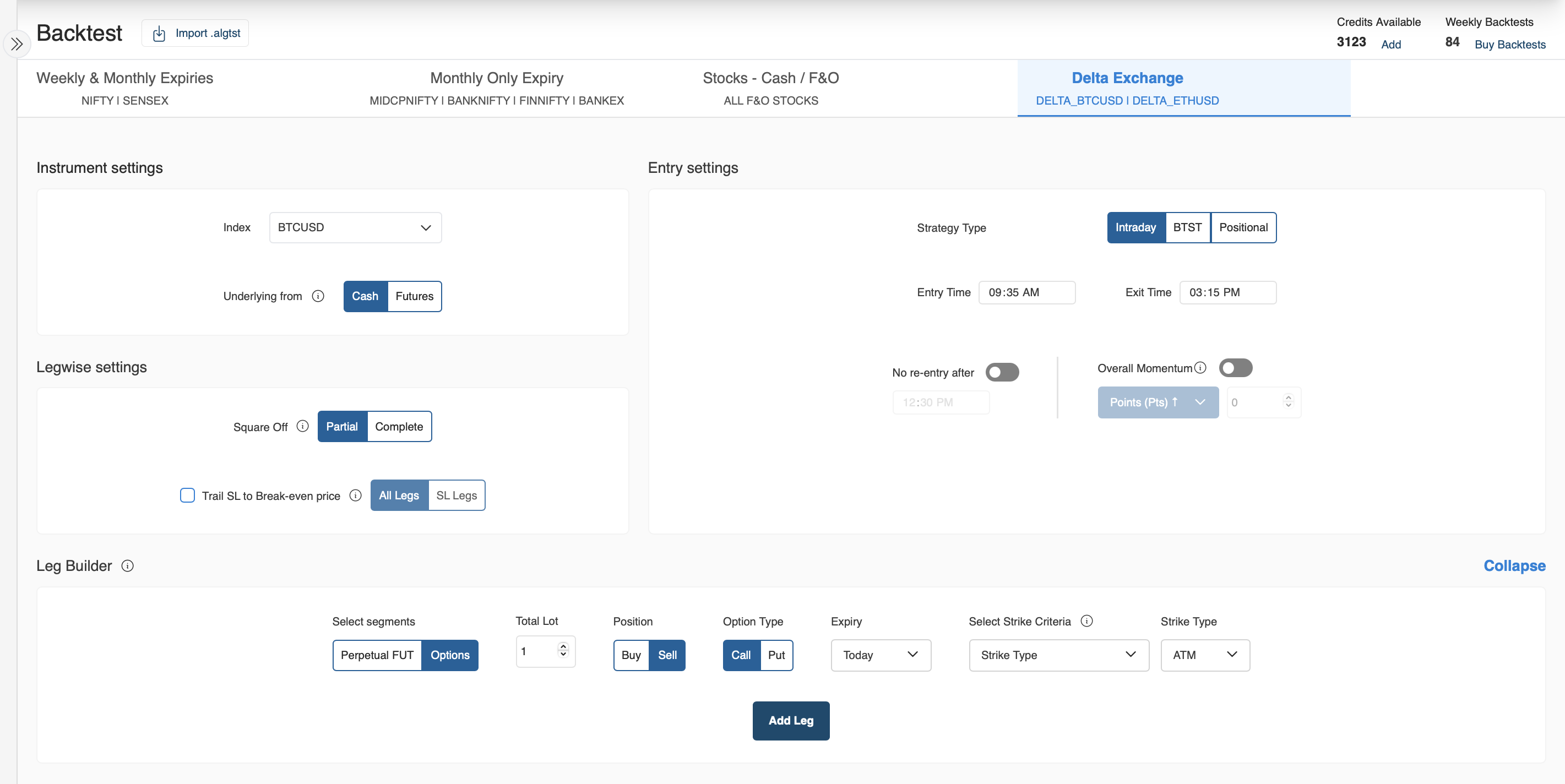
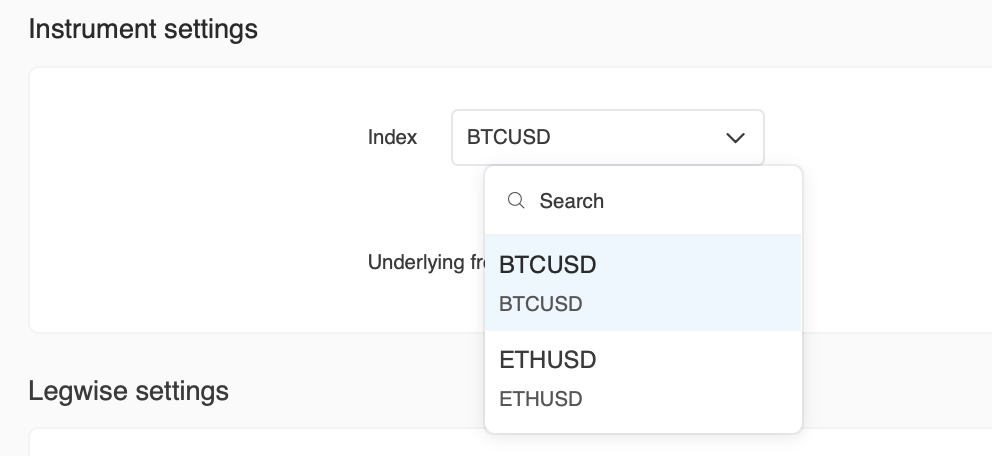
- You’ll see BTCUSD, ETHUSD, and the RWA tokens available in the Index dropdown.
Step 2: Instrument Settings
- Index – Select BTCUSD, ETHUSD, or an RWA token.
- Underlying from – Choose whether to use Cash or Futures price as the underlying.

Step 3: Entry Settings
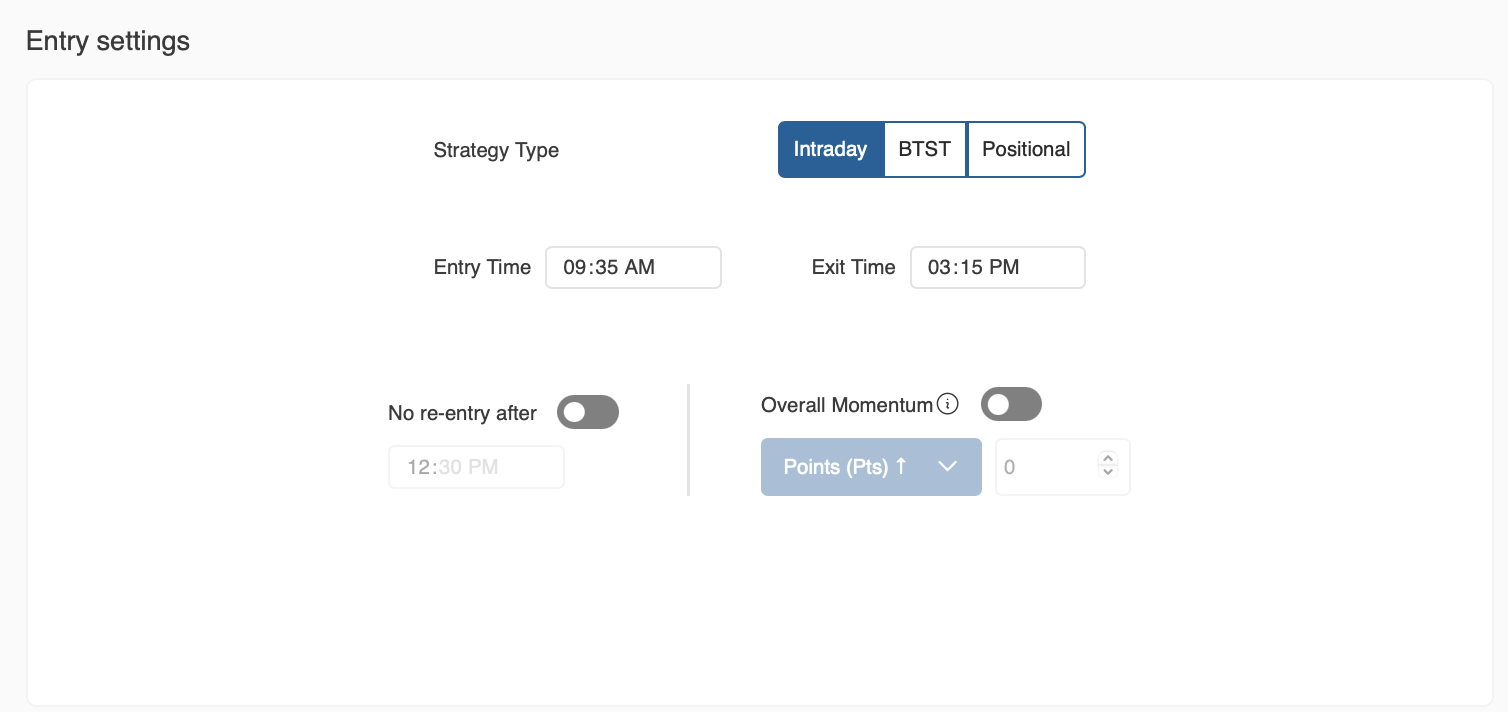
- Choose Strategy Type: Intraday, BTST, or Positional.
- Set Entry Time and Exit Time (for intraday) as per your strategy.
- Optional: Enable Overall Momentum or restrict Re-entry rules.
Step 4: Leg Builder
Here you define the exact legs of your strategy:
-
Segments – Choose between:
- Perpetual Fut (for perpetual futures contracts)
- Options (for BTCUSD or ETHUSD options contracts - not available for RWA tokens)
-
Lot Size – Enter number of lots.
-
Position – Buy or Sell.
-
Option Type – Call or Put (only if you choose Options).
-
Expiry – Select Today or future expiry (for Options).
-
Strike Selection – ATM, ITM, OTM based on strike criteria.
Click Add Leg to add it to your strategy.
Step 5: Legwise Settings
- Square Off – Partial or Complete exit of positions.
- Trail SL to Breakeven – Apply trailing SL to All Legs or Specific Legs.
Step 6: Run Backtest
- Once your strategy is set, click Run Backtest.
- AlgoTest will simulate trades on the selected instrument's historical data from Delta Exchange.
Key Notes
- Expiry Support: For crypto options, AlgoTest supports Today & Tomorrow expiries.
- Perpetual Futures are non-expiring and always available under the Perpetual FUT segment.