Broker-wise Available and Blocked Margin
In Algo Trade, you can view the last fetched Available Margin and Blocked Margin for each connected broker directly from the execution page.
This helps you quickly check how much margin is available before activating a strategy or while monitoring your running executions.
How to View Broker Margin
- Go to Algo Trade.
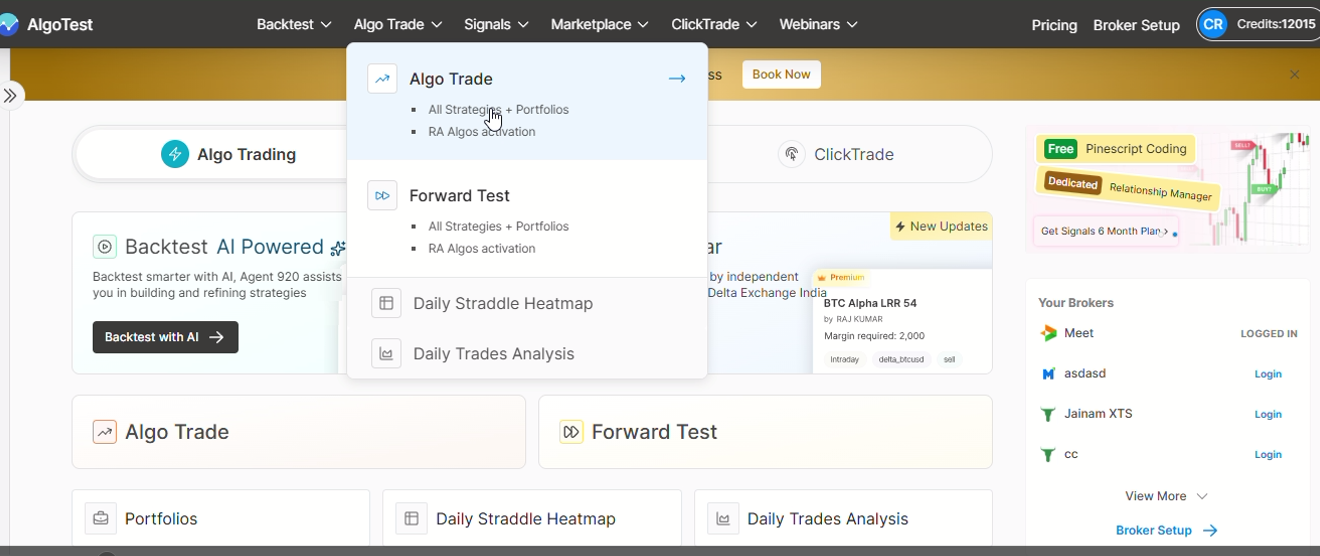
-
After logging in, select your execution or running strategy.
-
You will see the Available Margin and Blocked Margin for your selected broker on the page.
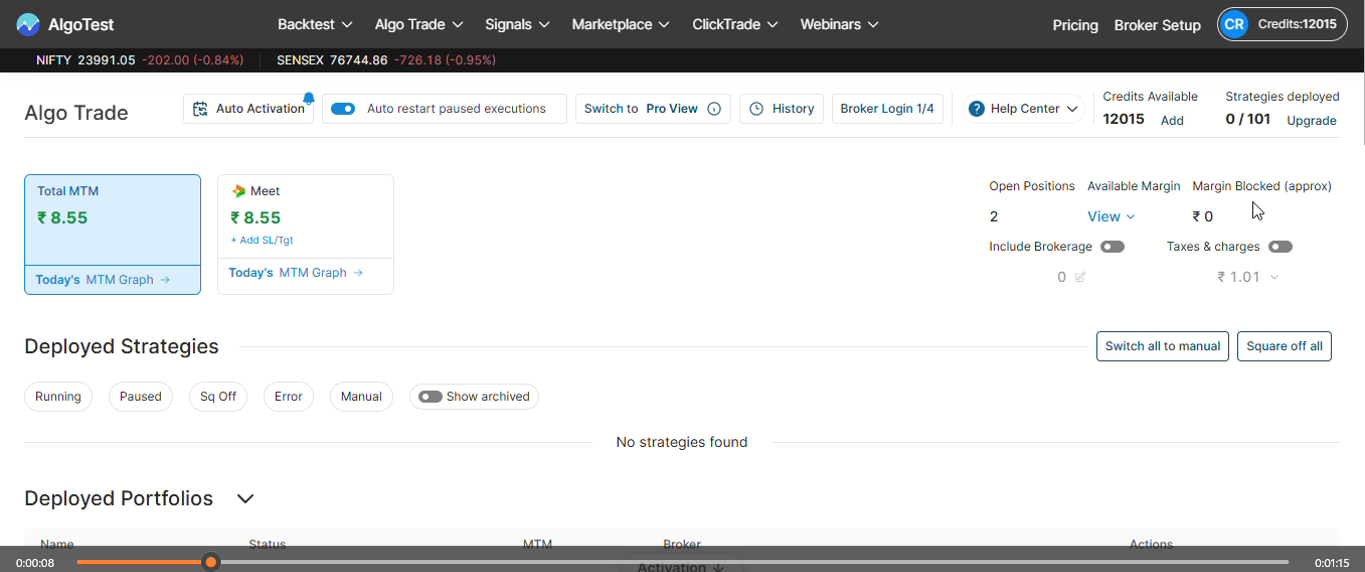
If you're using multiple brokers, you can switch between them to view the corresponding margin details.
What You'll See
The margin section displays:
-
Available Margin – The last fetched margin available with your broker for placing new trades.
-
Blocked Margin – The margin currently blocked against your open positions.
These values are fetched from the broker whenever supported.
You can also view Available and Blocked Margin on broker setup under 'my brokers'.
Important Points to Remember
-
The displayed values are the last fetched margin from your broker.
-
Margin values depend on your broker's API support.
-
If a broker does not support fetching margin information, AlgoTest will continue showing the internally calculated blocked margin.
-
If you're connected to multiple brokers, margin information is displayed broker-wise.