Auto Activation for Portfolios
The Auto Activation allows users to automatically activate specific portfolios based on selected days of the week or DTE (Days to Expiry) before the market opens. This feature is designed to streamline and automate strategy execution for intraday and BTST setups.
-
Applicable To: Portfolios only (not individual strategies).
-
Supported Strategy Types:
- Intraday & BTST
-
Auto Activation is currently available in Forward Test too.
-
Excluded: Positional strategies will be ignored by this feature.
How It Works
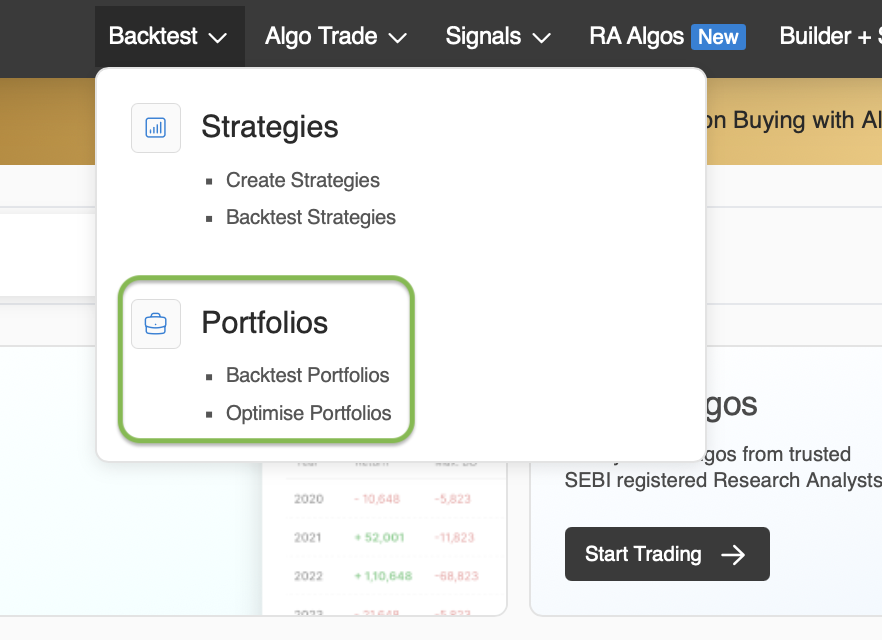
- Step 1: To create strategy or update the auto execution setting, go to Backtest --> Portfolios
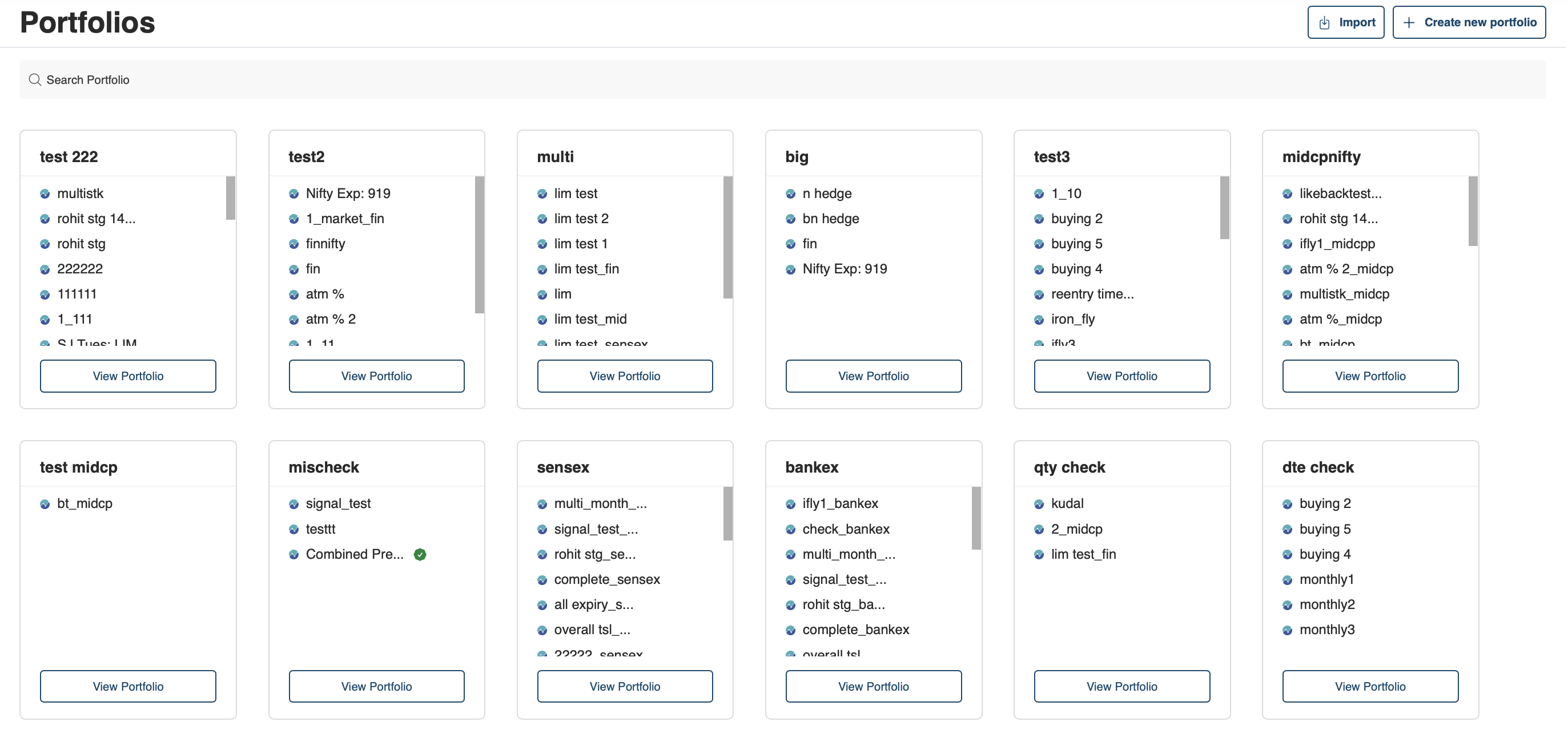
- Step 2: Select the portfolio you want to update the settings
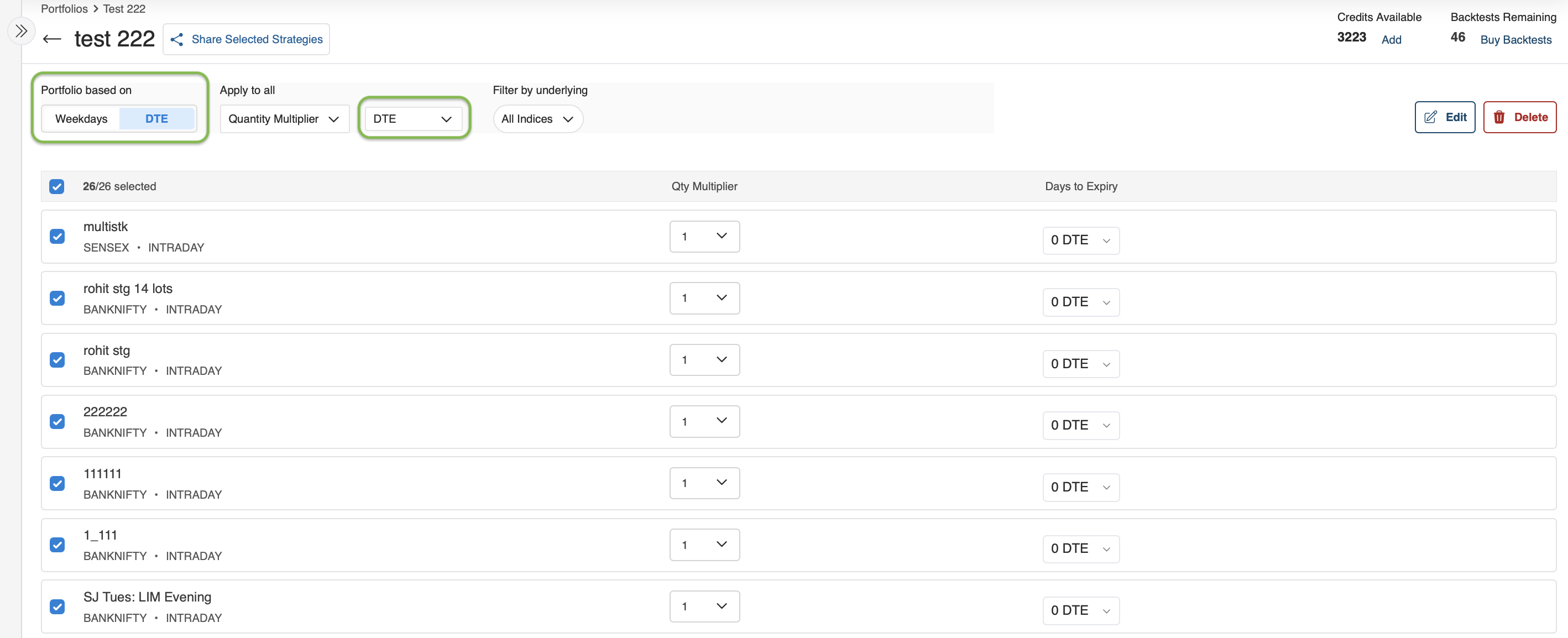
- Step 3: Setup your portfolio execution based on DTE or weekdays
-
Step 4: Once done, move forward to enable auto activation in Algo Trade.
-
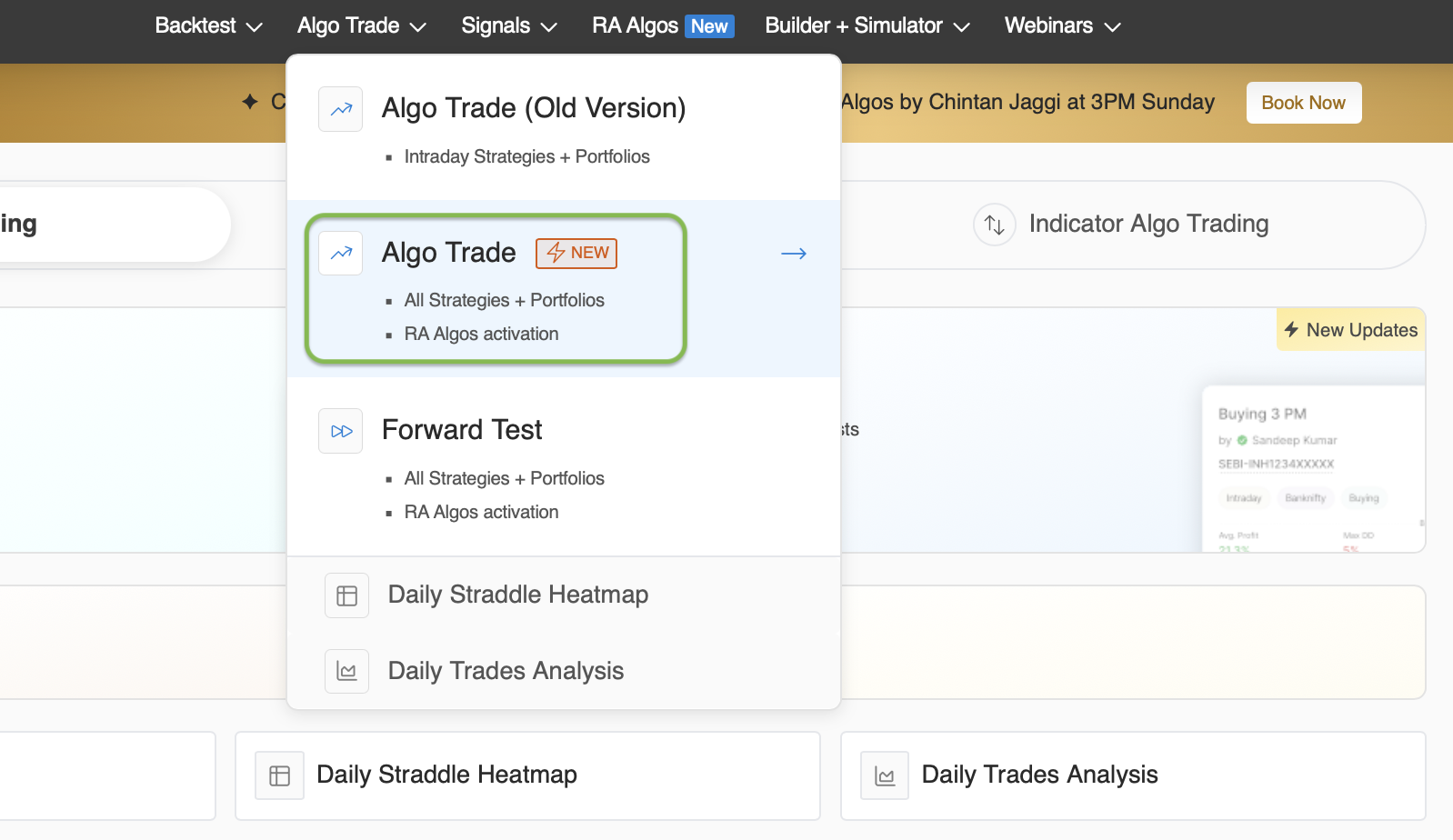
Go to Algo Trade from the dashboard
- Select the portfolio from the given tabs:
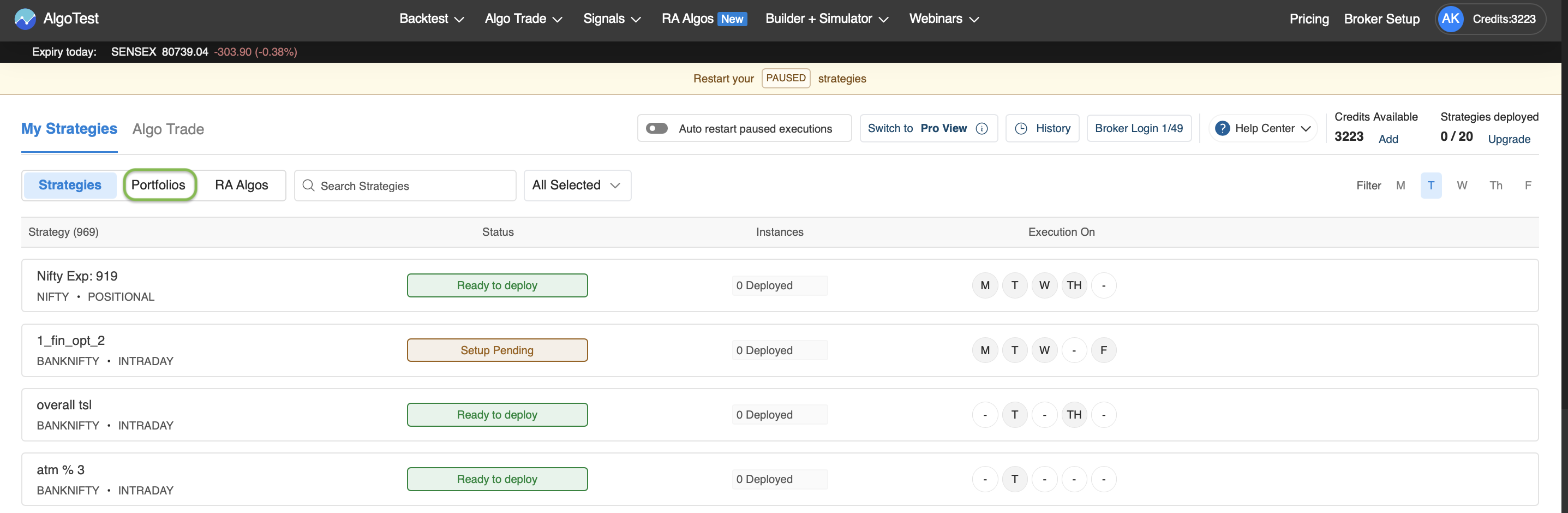
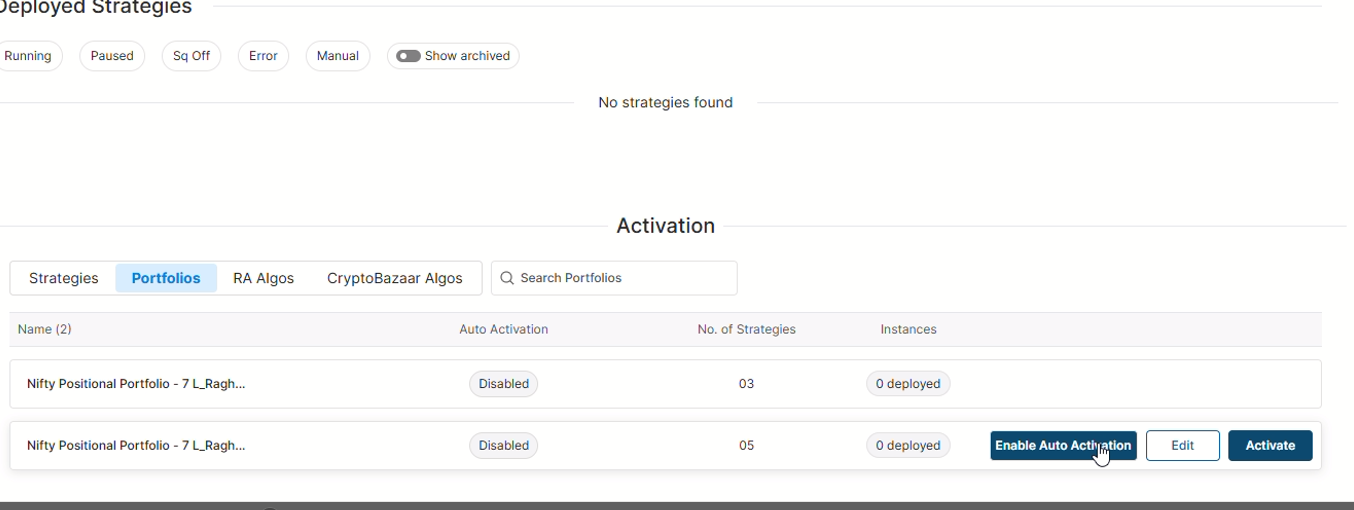
- Here you can see the option to Enable Auto Activation
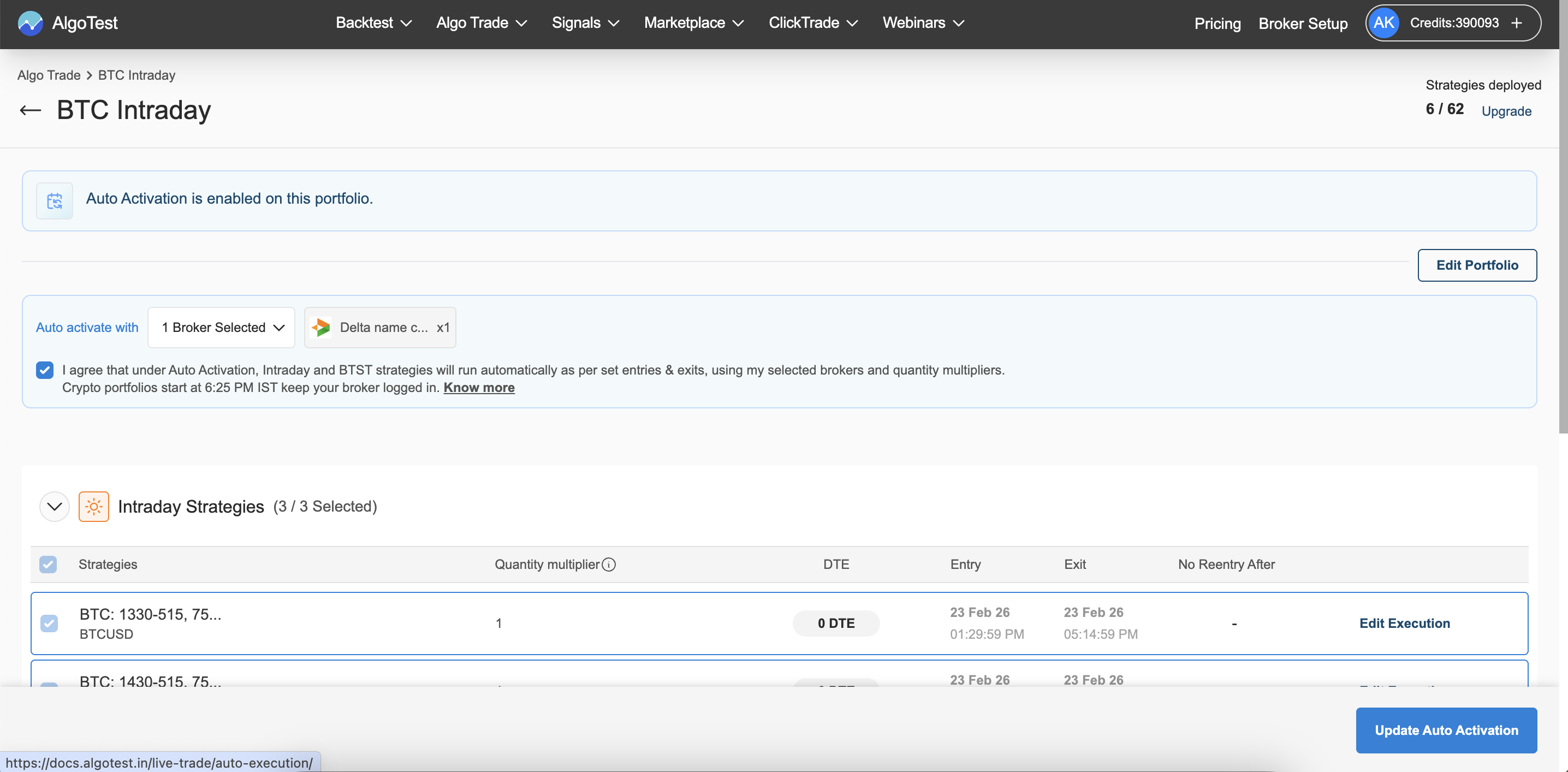
- Once you click on Enable Auto Activation, you'll find the option to select the broker and edit execution settings
- To trade a portfolio live, you must check the box shown below the broker selection while setting up.
- Once you are done with all the changes, you can click on the Enable Auto Activation
Additional Notes on Auto Activation
-
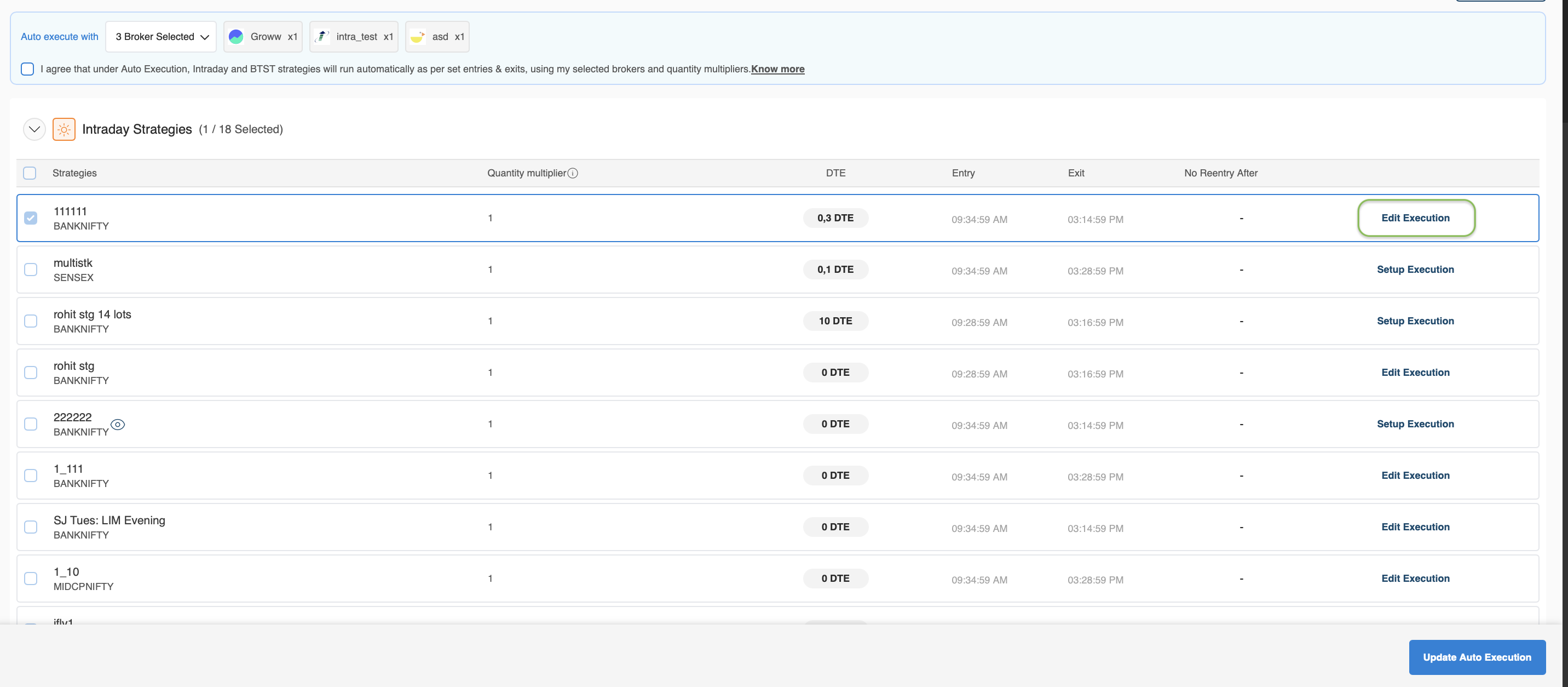
You cannot make any changes (like days or quantity multiplier) once Auto Activation is enabled.
- Only execution settings can be modified.
If we click on the highlighted section:

We get the screen where we can only execution settings can be modified shown below:
- If you want to change portfolio details such as days or multipliers, use Edit Portfolios.
Step 1: Click on edit portfolios:

Step 2: The below screen will be shown:
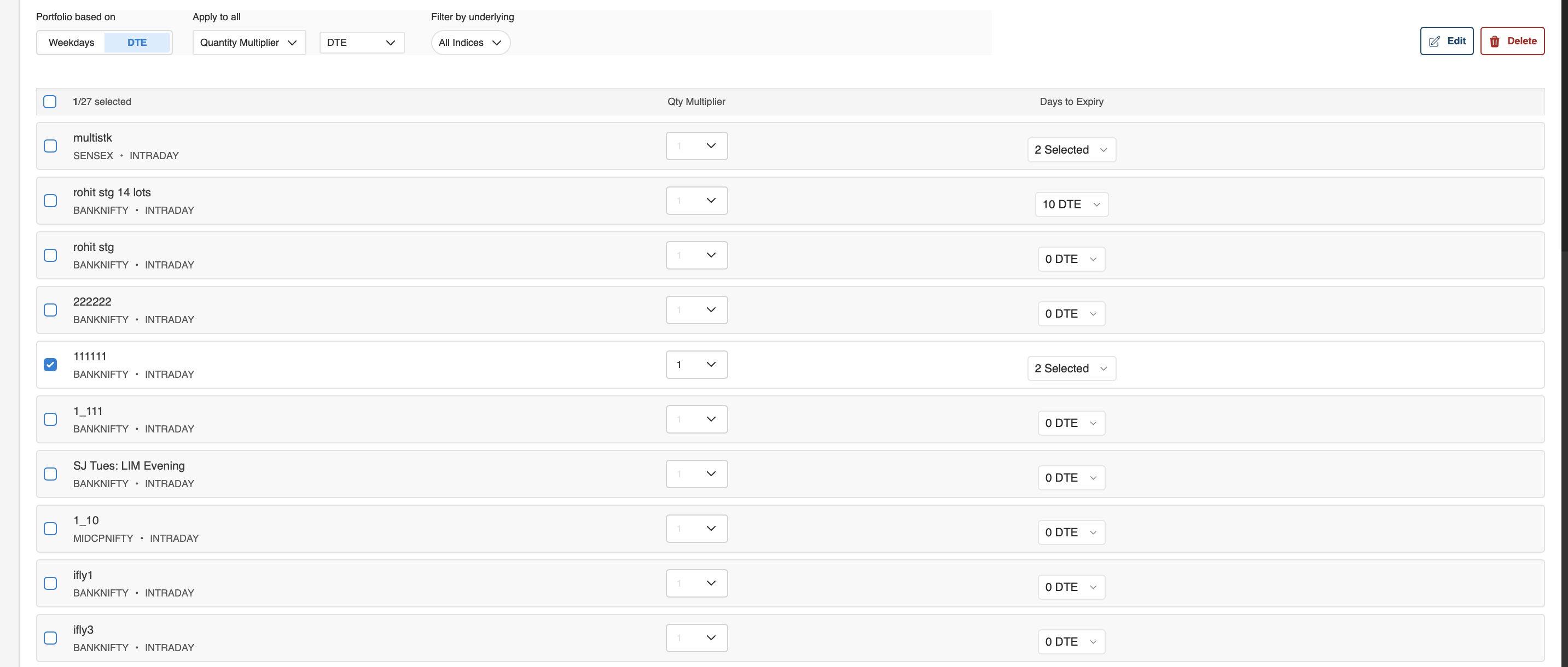
- To disable Auto Activation, you can directly do it from the Algo Trade dashboard.

-
You need to log in to your broker every morning to ensure execution works correctly.
- If your portfolio is set to start at 9:40 AM but you log in at 11:00 AM, execution will not begin that day. To make sure execution starts, you have to login to your broker account(s) before 09:15 AM.
-
If you are running the same portfolio across multiple brokers, you need to log in to each broker account.
- Execution will start broker-wise as soon as you log in.
- Let's say, you want to run the portfolio across 3 brokers but you have logged in to only 2 out of 3 brokers, execution will run for those 2 brokers. Once you log in to the 3rd broker, execution will start for that broker as well.
-
Pricing: If the number of strategies allowed by your pricing plan is less than the total strategies in your portfolio at deployment, only up to your plan limit will start. The remaining strategies will not be started.
Example: Your pricing plan allows 5 strategies, but your portfolio has 7 strategies configured. When you try to execute, the system will only run 5 strategies.
- For Forward Test, the auto activation is not dependent on the broker login. It will trigger as you scheduled.
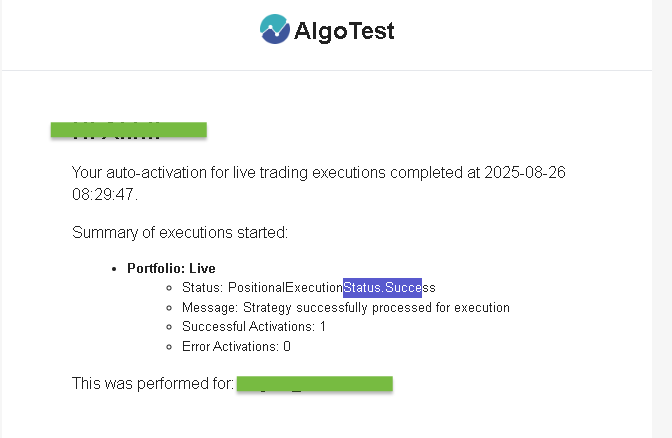
- You will receive an Auto Activation summary once the strategy is live, delivered to your registered contact address.
Handling DTE (Days to Expiry)
If you set a DTE = 10 for an index with monthly expiry, the system will automatically align it to the correct weekday.
- This means your portfolio will run on that weekday for the given month.
Example Suppose you set DTE = 10 for BANKNIFTY monthly expiry:
- The system calculates the 10th day before expiry → let’s say it falls on a Wednesday.
- Your portfolio will now run on Wednesday for that expiry month.
Use Cases
| Scenario | Configuration |
|---|---|
| You want your intraday Nifty and BankNifty portfolio to run every Monday and Thursday | Set Days: Monday, Thursday |
| You want your BTST strategies to start 1 day before expiry | Set DTE: 1 DTE |
| You want to skip positional strategies from auto-start | No action needed, handled automatically by the system |
Notes:
- This setting is managed at the portfolio level.
- You can apply auto execution rules to multiple portfolios independently.
- DTE-based activation is particularly useful for weekly expiry-based strategies.