Connect AlgoTest MCP to Claude Desktop
Connect the AlgoTest MCP to the Claude Desktop app once, and every new chat can pull AlgoTest market data on request.
When to use this
Follow this page if you use Claude Desktop (Windows or Mac) and want AlgoTest data available inside your chats. If you are new to the MCP, read the AlgoTest MCP Overview first to see what data it provides.
Before you start
- Download and install the Claude Desktop app and sign in.
- Keep your AlgoTest login details handy - you will sign in to your AlgoTest account (or create one) during the connection.
The AlgoTest MCP is free - it does not need any paid AlgoTest plan. On the Claude side, custom connectors work on the free Claude plan too.
Add the connector
-
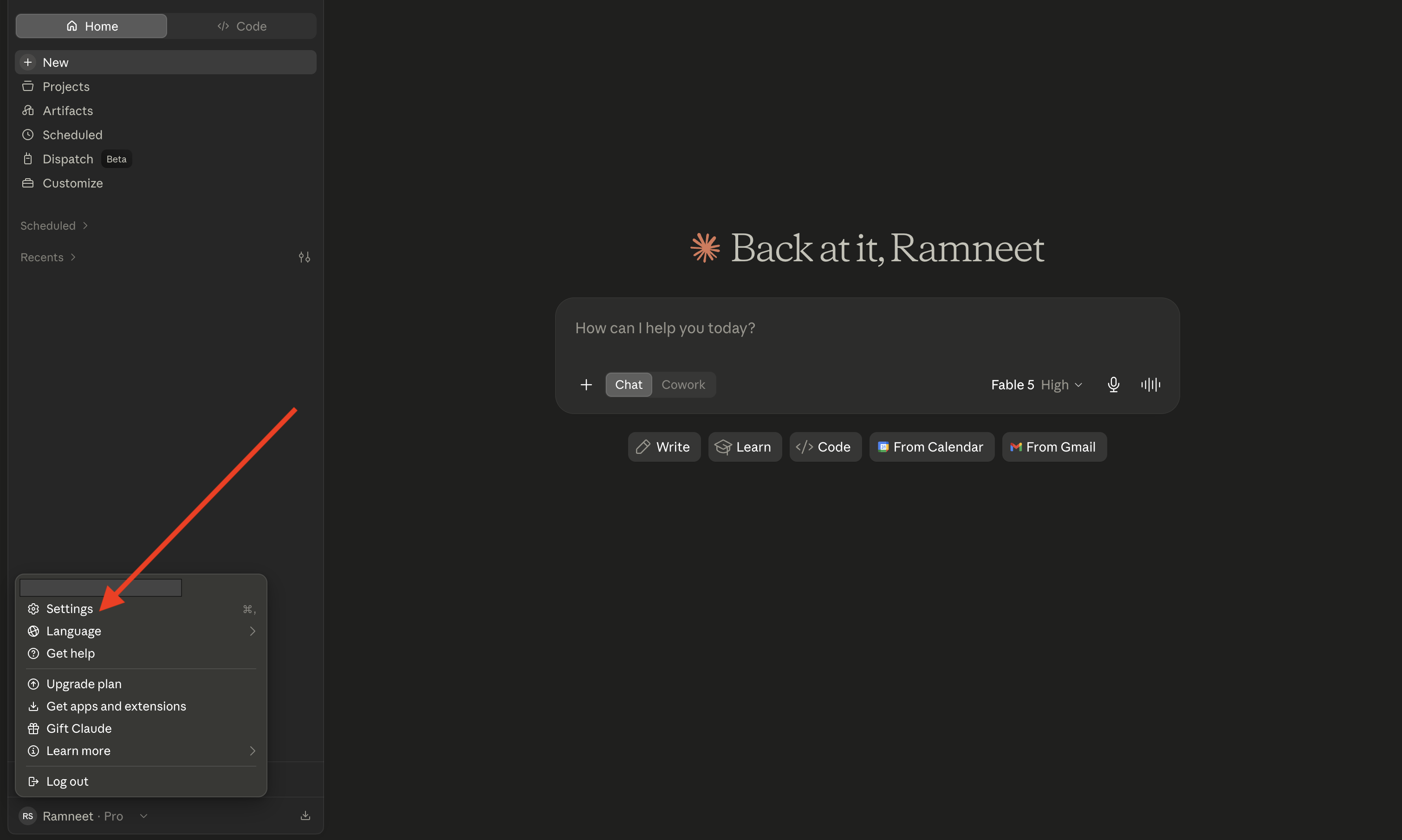
Open Claude Desktop and click the Settings icon.
-
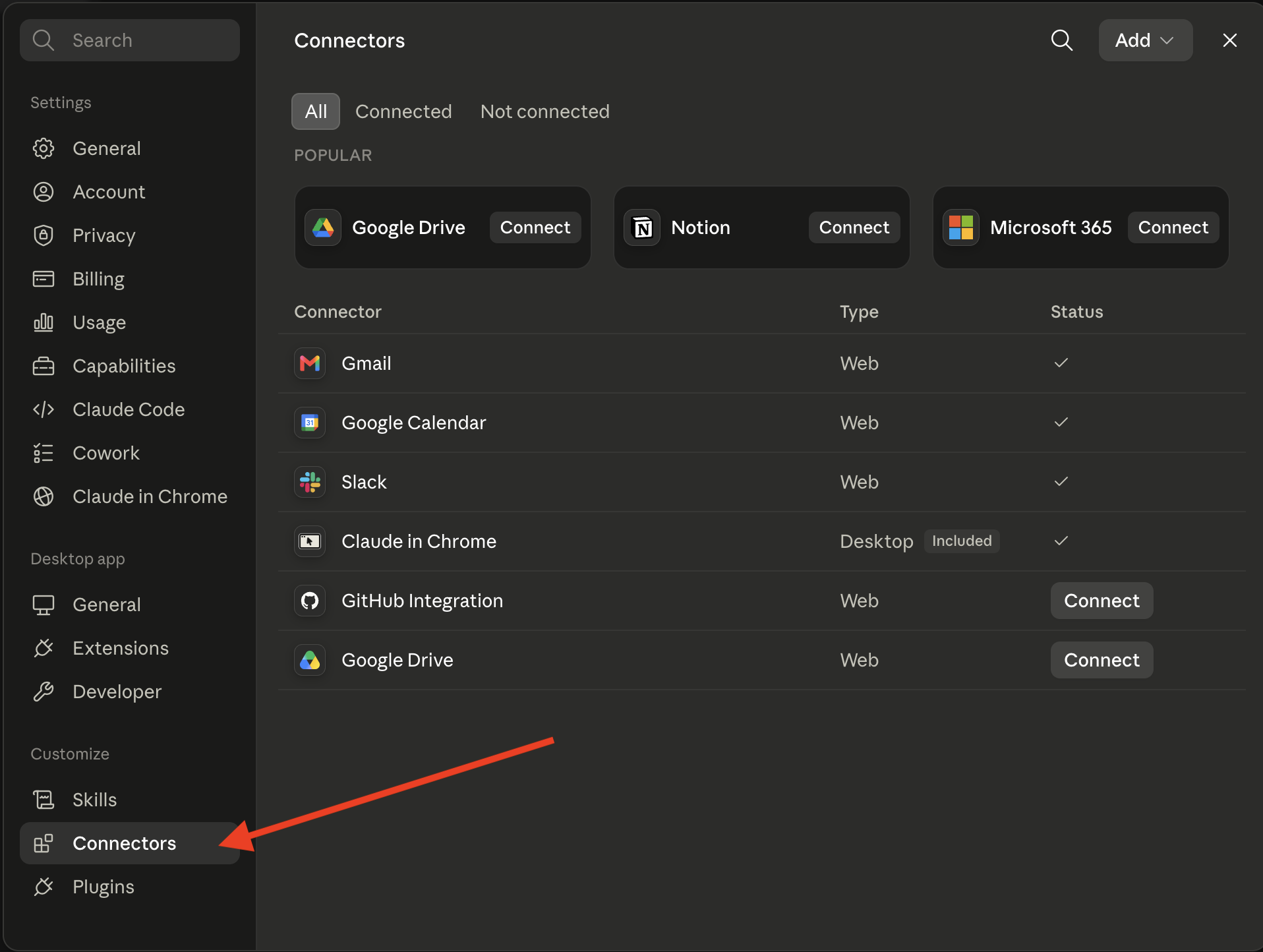
Go to the Connectors section.
-
Click Add custom connector.

-
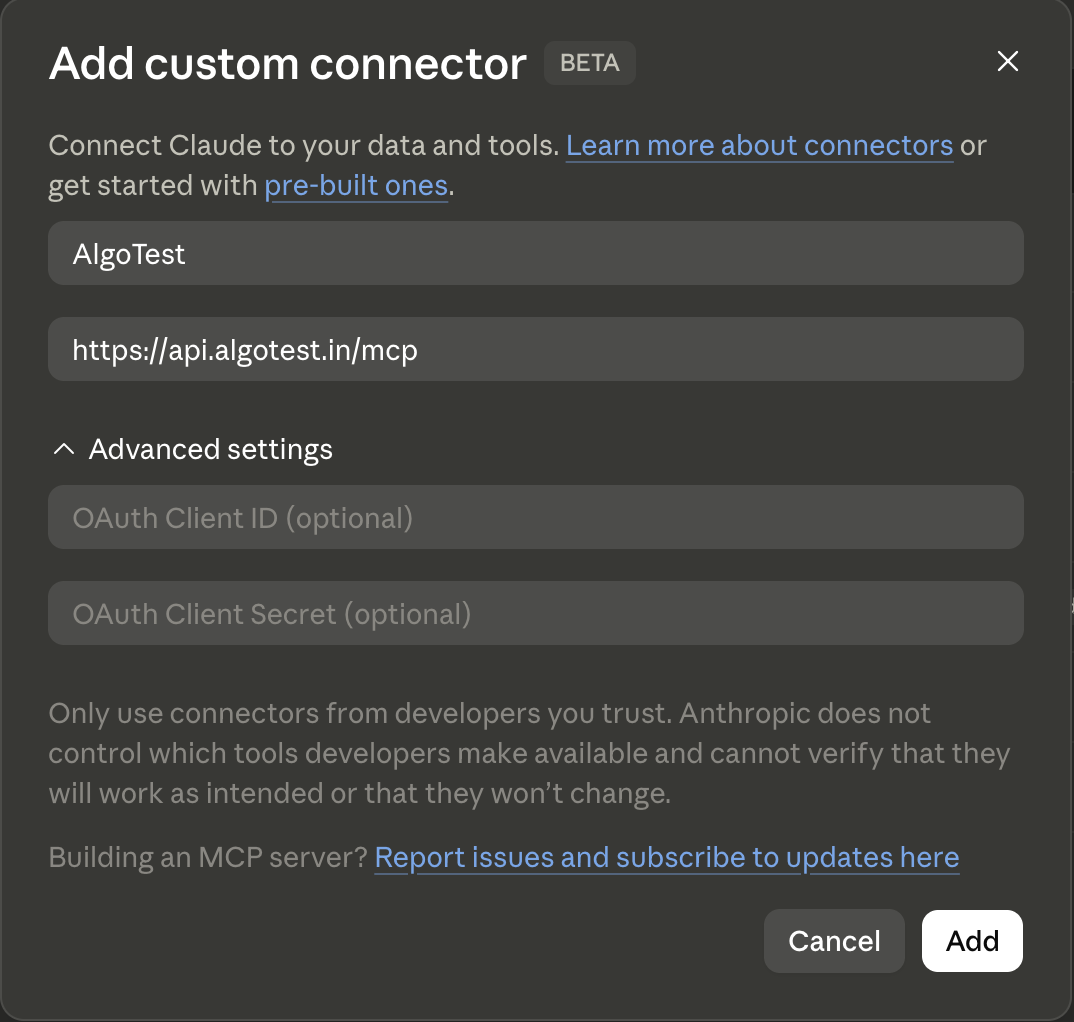
In Name, type
AlgoTest. -
In Remote MCP server URL, paste:
https://api.algotest.in/mcp -
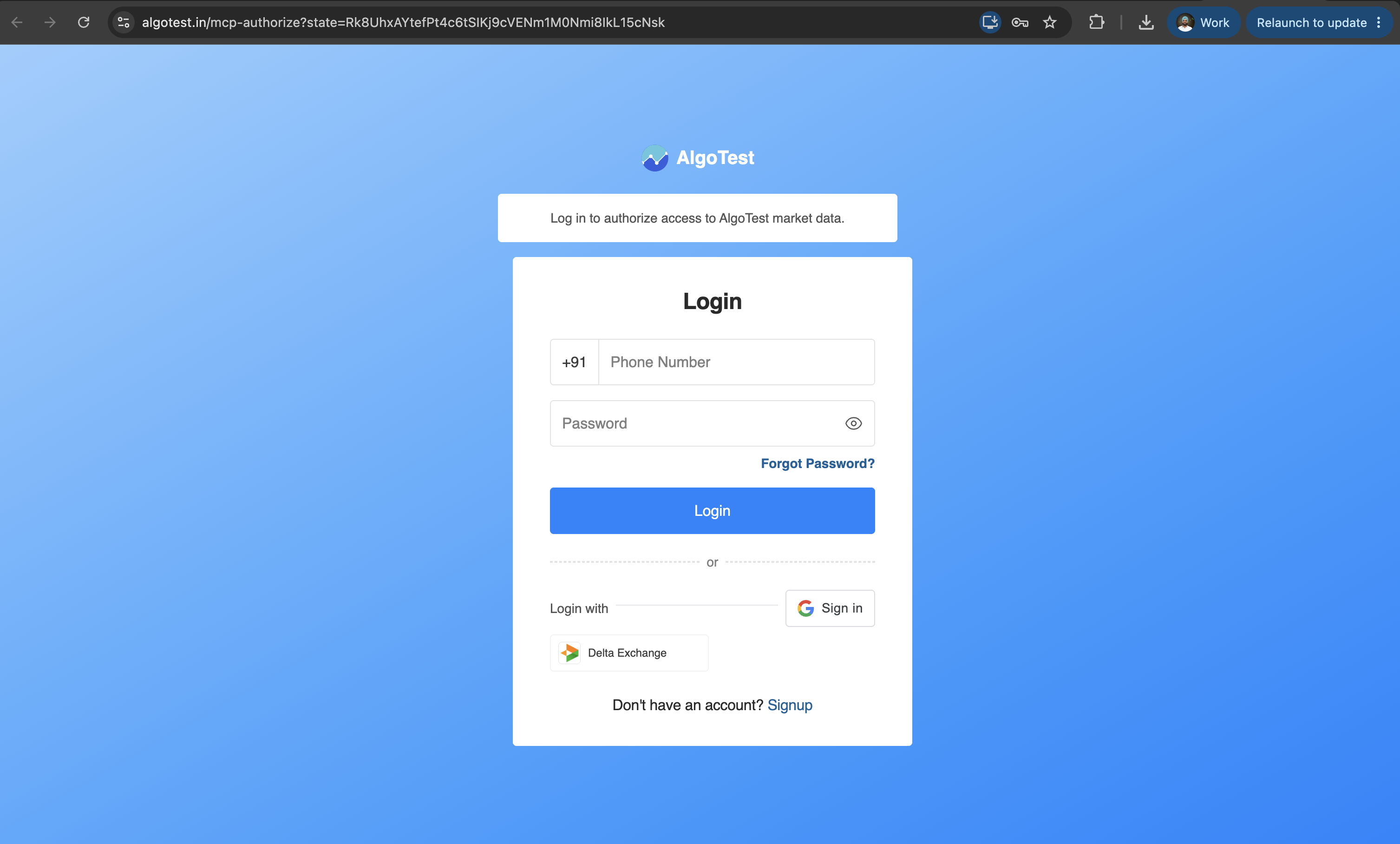
Click Add. You are redirected to the AlgoTest login page.
-
Log in to your AlgoTest account, or sign up if you don't have one yet.
-
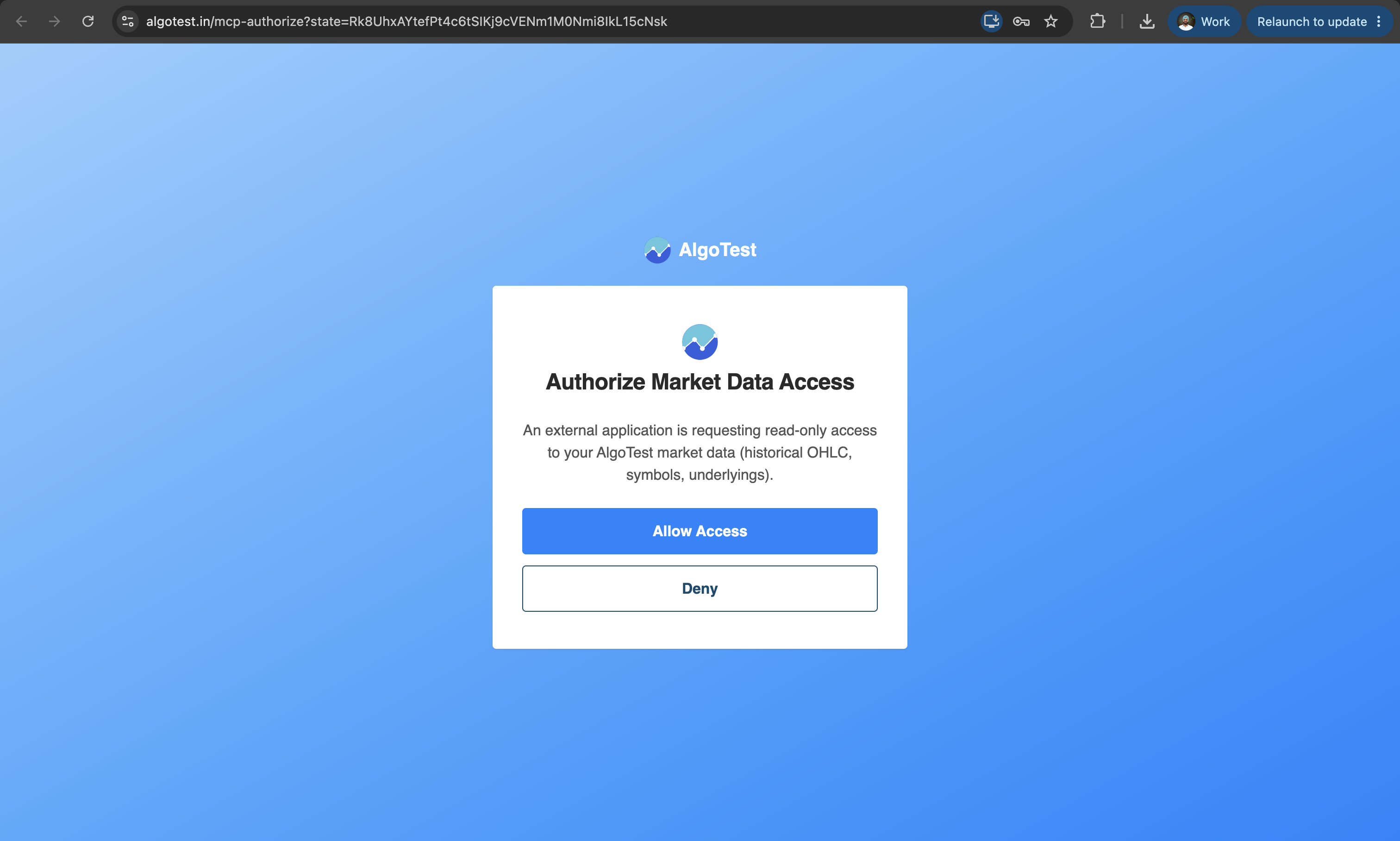
On the authorization screen, approve the request to share your market data with Claude.
-
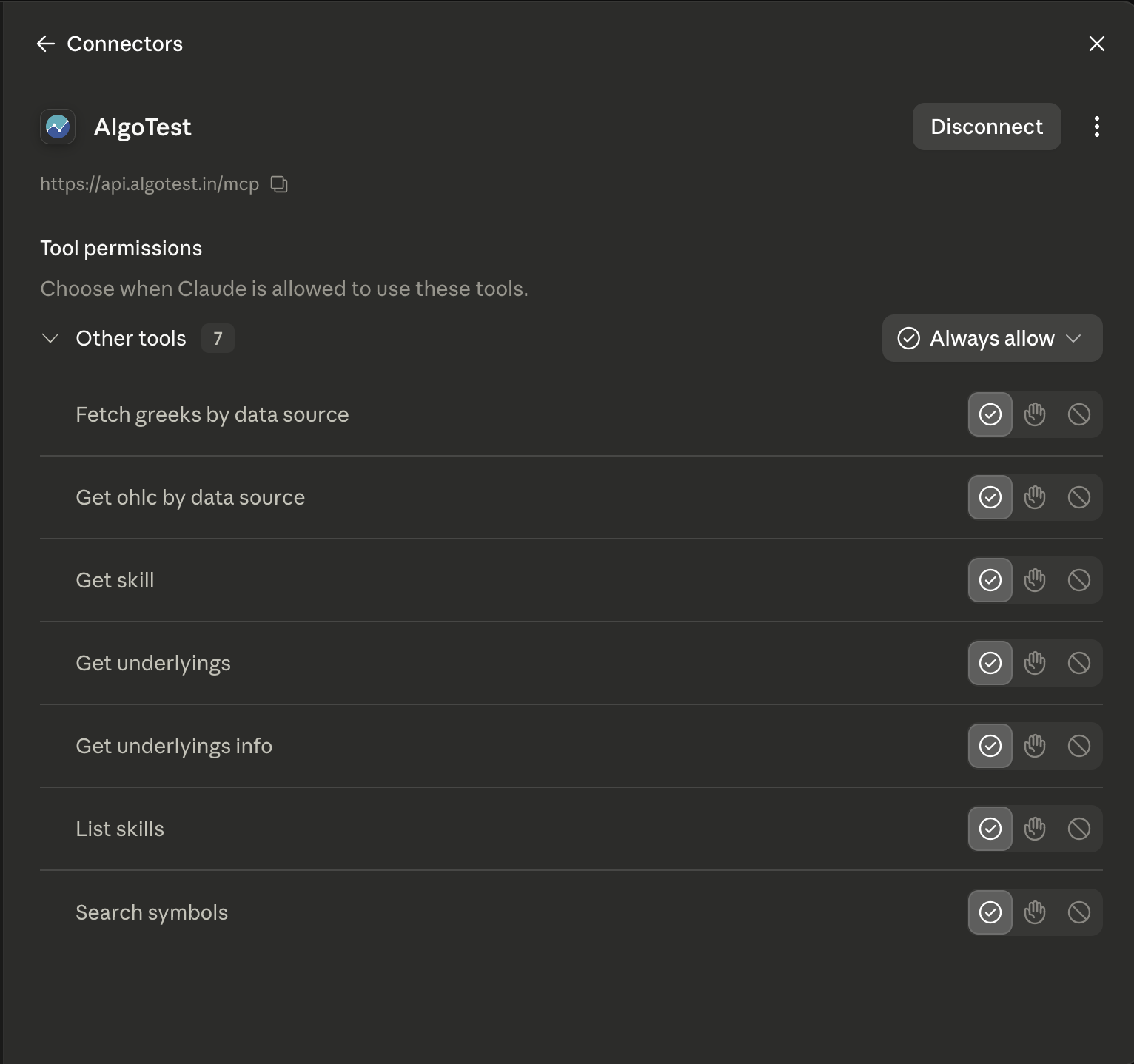
You are returned to Claude. In the Connectors list, confirm AlgoTest shows as connected.\
Approving the authorization only shares market data (candles, Greeks, instrument lists) with Claude. It does not share your broker credentials, positions, or strategies, and Claude cannot place orders or make changes in your AlgoTest account.
Test the connection
Start a new chat and ask:
List the underlyings available on AlgoTest.
Claude should ask for permission to use the AlgoTest tool the first time. Click Allow, and you should get back a list of underlyings. If you do, you are set.
Troubleshooting
| Problem | Fix |
|---|---|
| Claude says it has no AlgoTest tools in a chat | Check that the AlgoTest connector is toggled on for that chat (click the tools icon in the chat input to see active connectors). |
| The connector stops responding mid-conversation | The connection can drop silently. Go to Settings → Connectors, toggle AlgoTest off and back on, then retry your question in the same chat. |
| "start_date must be within the last 3 months" error | The MCP only serves the last 3 months of data. Move your date range forward, or use the backtester for older data. |
| A broad question fails or gets cut off | Narrow it. Ask for one underlying, one instrument type, and a specific date range rather than "all symbols". |
| The AlgoTest login or authorization step fails | Remove the connector from Settings → Connectors, add it again, and complete the login and authorization in one go. |