Strategy Builder Alerts
Strategy Builder Alerts let you create notifications for individual strategies or strategy groups. You can receive alerts via email, Telegram, or Web for important events such as MTM or Delta changes, helping you track strategy activity without constantly monitoring the screen.
Enabling Alerts on New Strategies
You can set up alerts while creating, forward testing and algo trading a new strategy.
-
Log in to your AlgoTest account.
-
Go to ClickTrade → Strategy Builder.
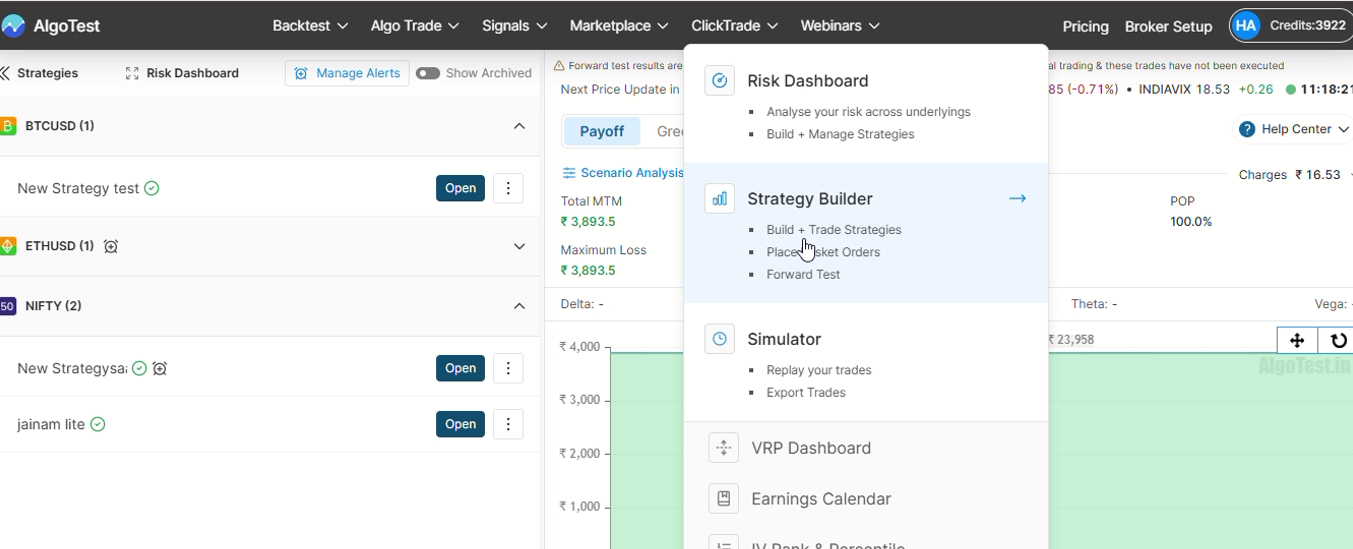
3. Create your own strategy or choose from our prebuilt templates.
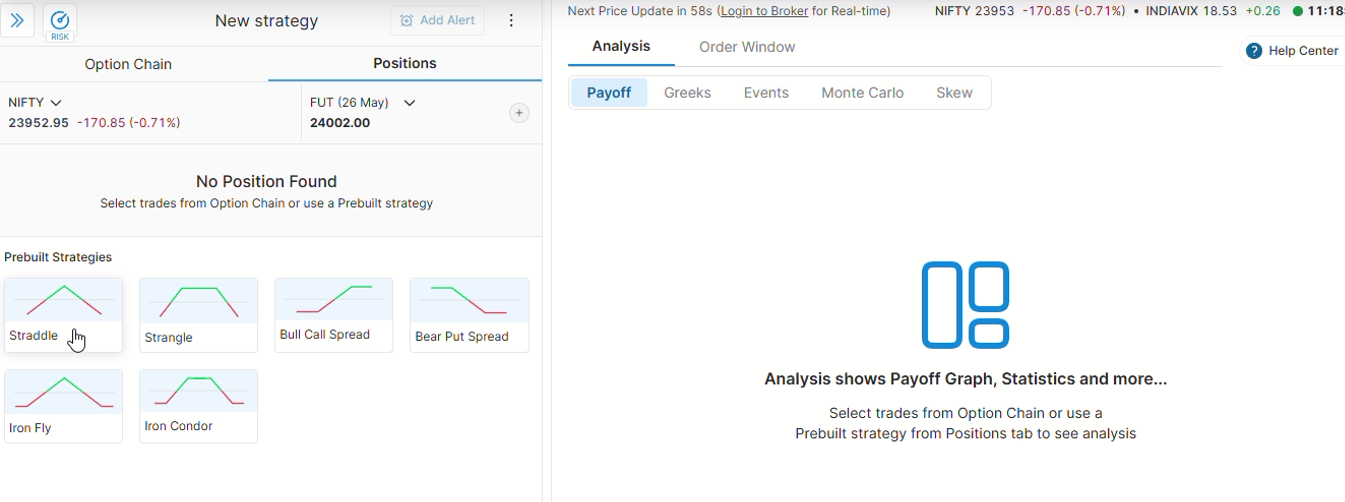
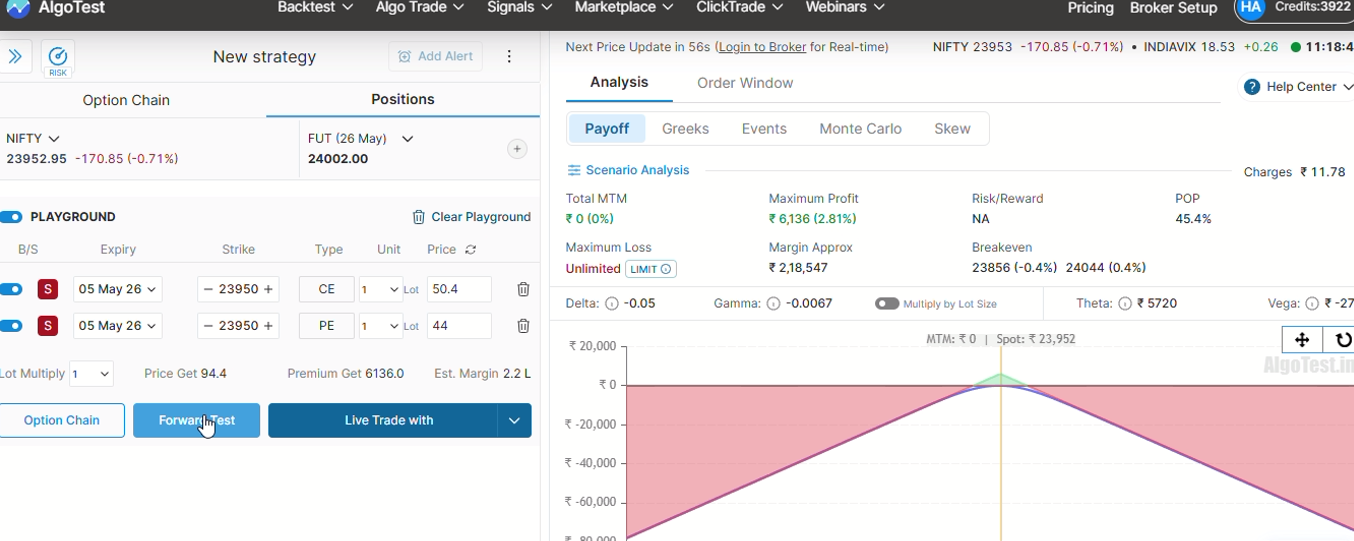
4.You can either forward test it or live trade. (You can set up alerts on both conditions)
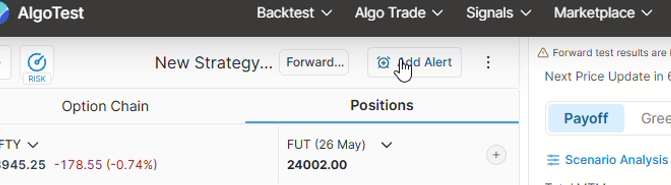
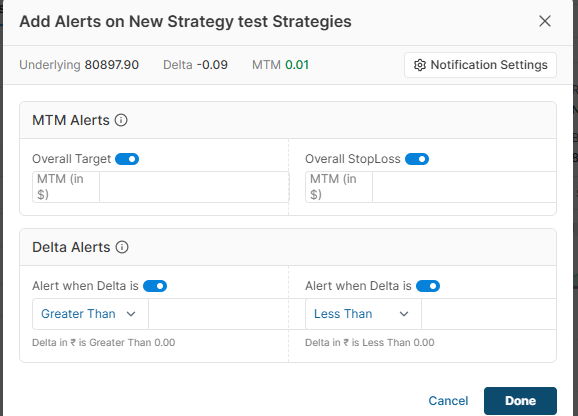
5. Click on Add Alert.
6. Select the parameters you want alerts for.
7. Connect your Email or Telegram to receive notifications.
Setting Alerts on Existing Strategies
You can edit or add alerts to strategies you’ve already created.
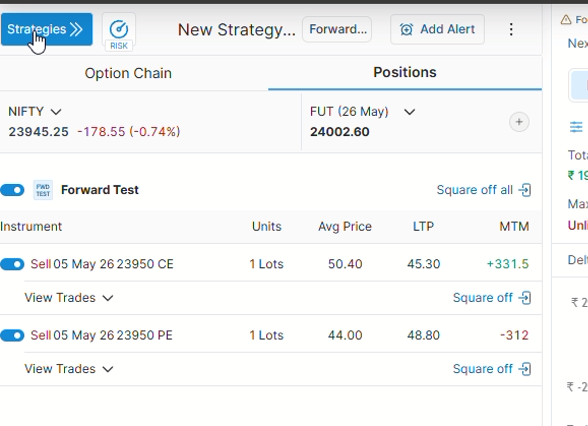
- Select a strategy from the top-left of the Strategy Builder dashboard.
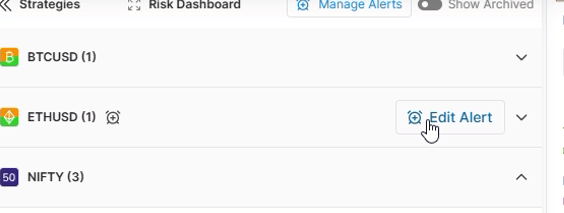
- Click on Edit Alerts.
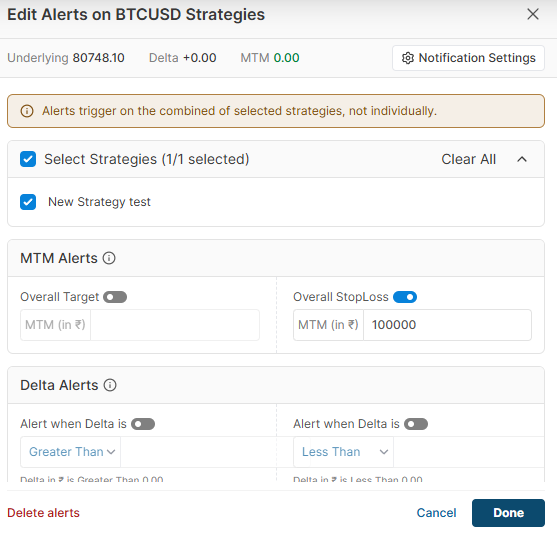
- Modify or delete alert parameters as needed.
Setting Alerts for a Group of Strategies
You can apply the same alert configuration to multiple strategies at once.
Group alerts and individual strategy alerts work independently.
Example for adding alerts to a group of strategies
-
Now the user can add alerts on a combination of strategies, which means the overall pnl and delta of the combined strategy will be monitored. The alert you are applying will not apply to the strategy individually.
-
For example, if you set an MTM target alert of 500rs, it will only trigger when the profit of all strategies selected in the group goes to 5000rs
The group alert will monitor all strategies together, while the individual alert will monitor only the selected strategy.
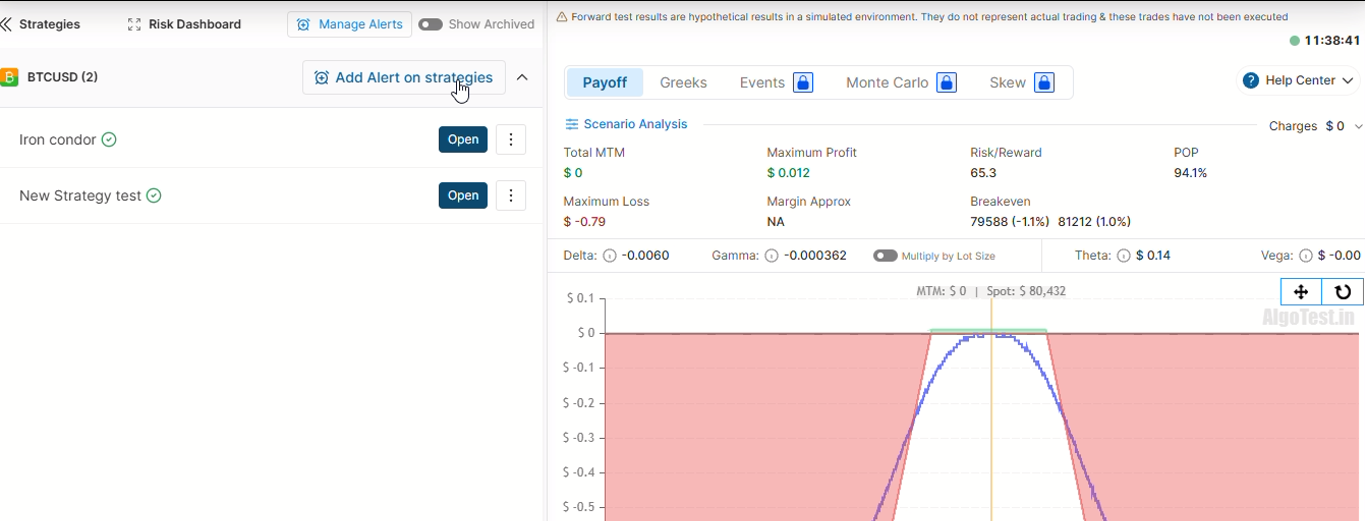
- Select multiple strategies from the Strategy Builder dashboard.
-
Click on Add Alerts on strategies.
-
Configure parameters and connect Email or Telegram just like on individual strategies.
Managing Alerts
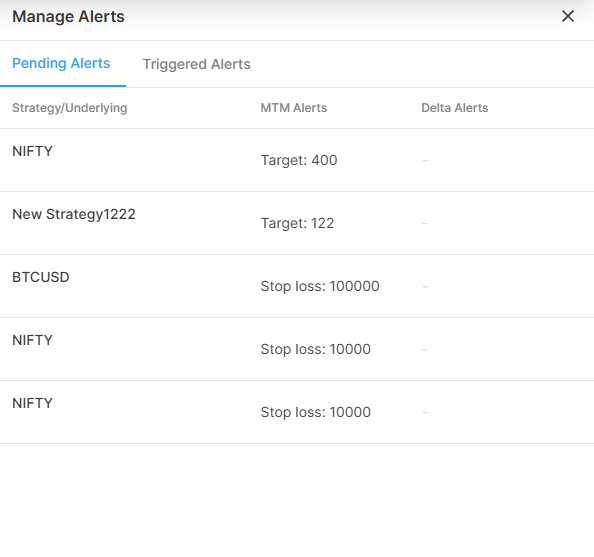
You can view, track, and manage all alerts from a single place, with two entry points to access them:
-
From the Strategy Sidebar: Click the Manage Alerts button available directly in the strategy sidebar.
-
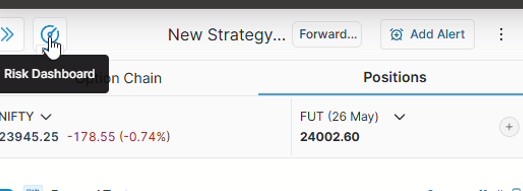
From the Risk Dashboard: Navigate to the Risk Dashboard from the Strategy Builder to add, edit, or monitor alerts.
From the Manage Alerts section, you can view:
-
Pending alerts
-
Triggered alerts
-
Alert details (instrument, strategy, timestamp, type, values)
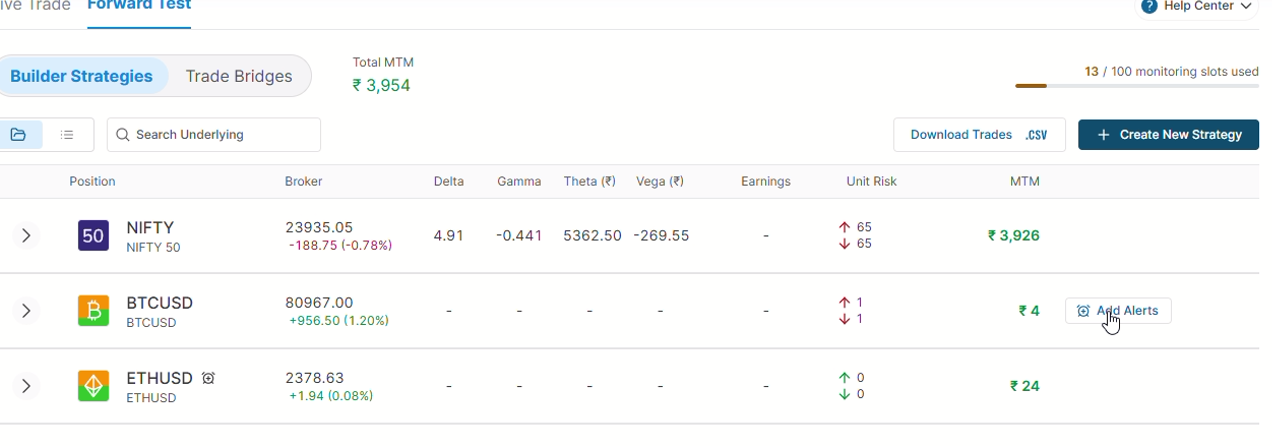
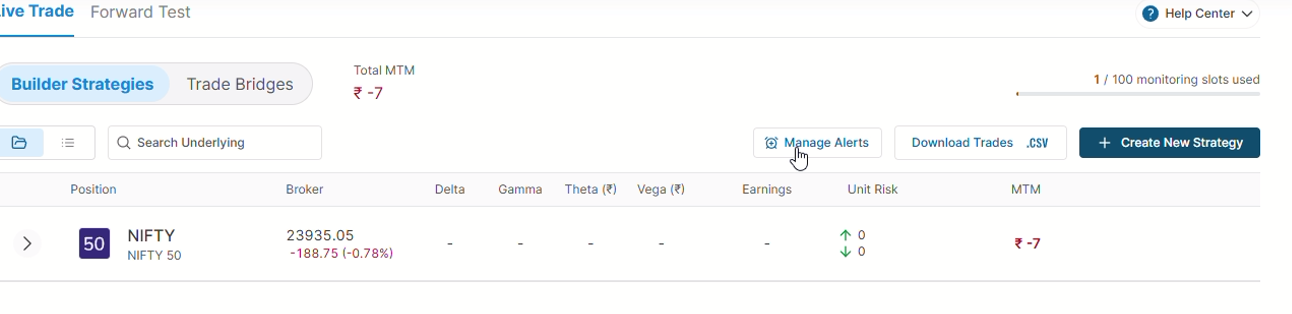
- You can go to Manage Alerts directly from 'group of strategies' as well.
For any queries, you can reach out to our Telegram support channels.