Strategy Import-Export
Strategy Import - Export
Are you tired of the hassle of inputting your strategy from one account to another manually?
AlgoTest's fantastic new Import-Export feature allows you to effortlessly export a strategy from one account and import it into another with just one click.
How to Use Import - Export Feature
Exporting a Strategy
To copy your strategy from one account to another account, follow these simple steps.
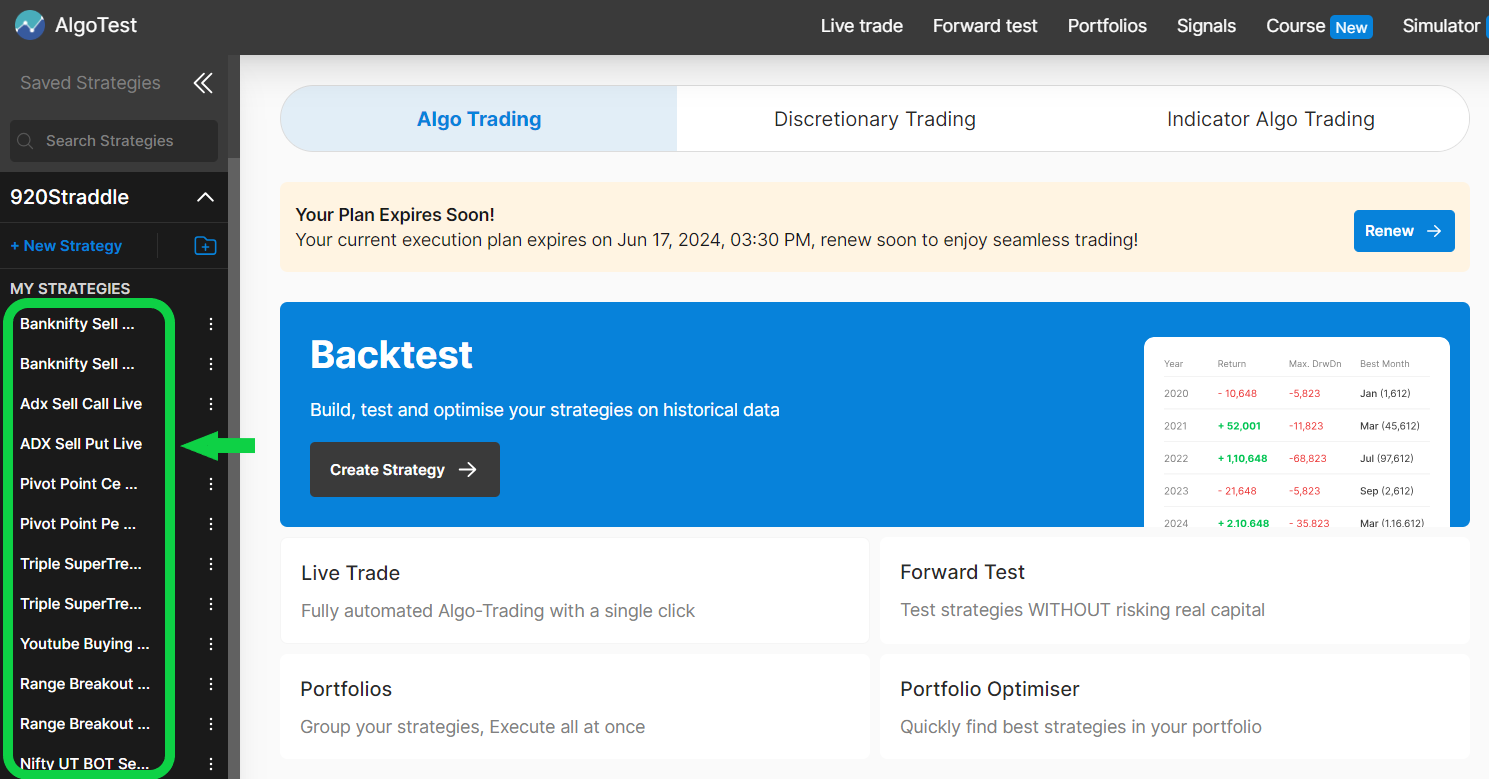
- Visit AlgoTest and log in to your account. Then, select the strategy you want to copy.
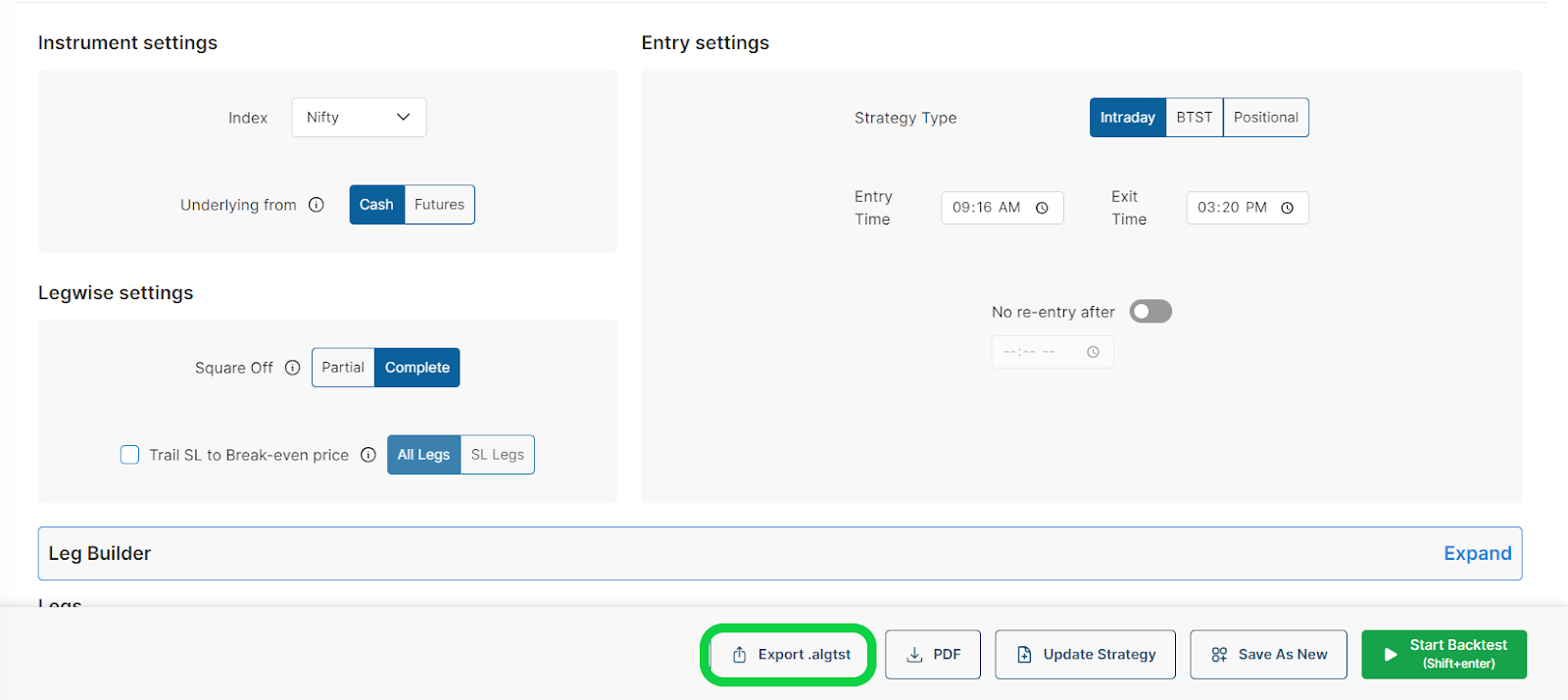
- To download the strategy file, click on the "Export .algtst" button.
- After downloading the file to your device, you can share it with the user you want to share this strategy with.
Importing a Strategy
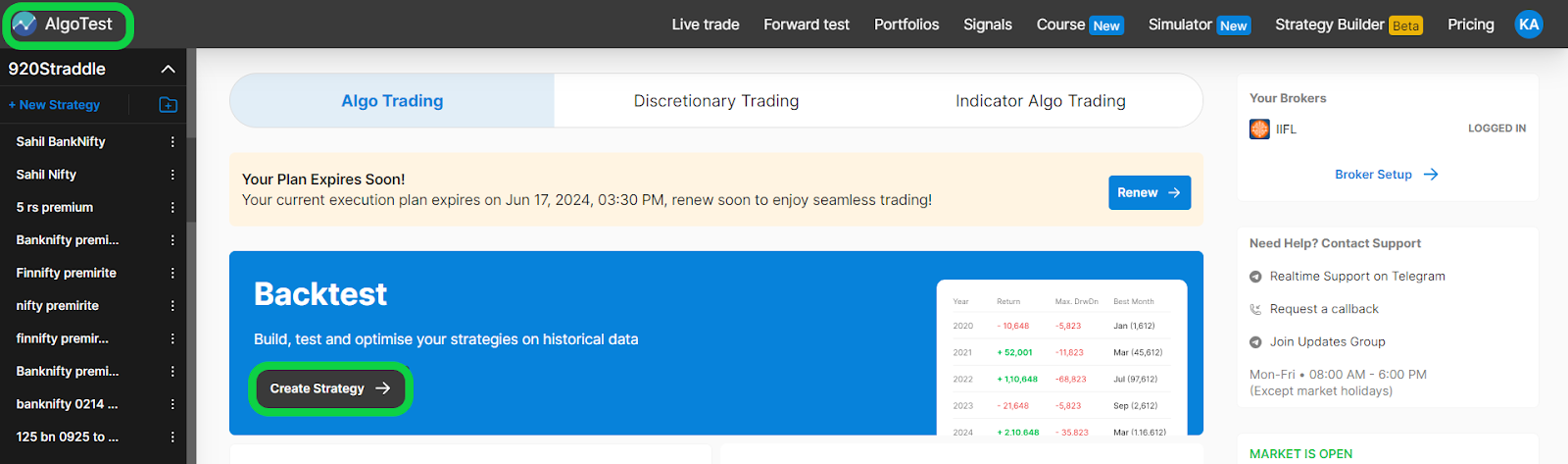
To copy this strategy to another account, log in to the account where you want to paste this strategy and click on the 'Create Strategy' button as shown in the image below.
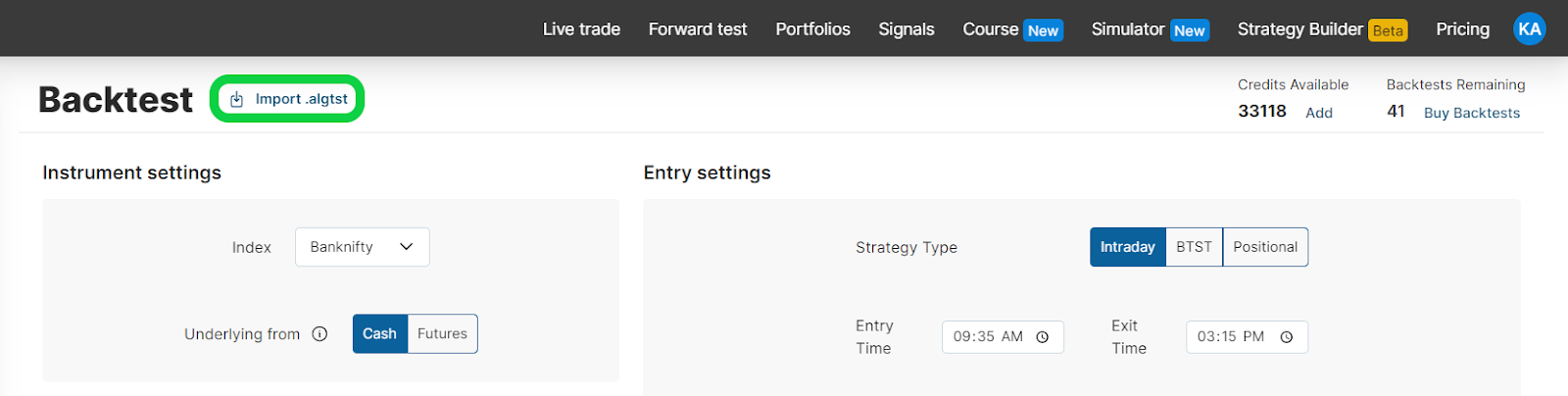
- Click on the Import .algtst button as shown in the image below.
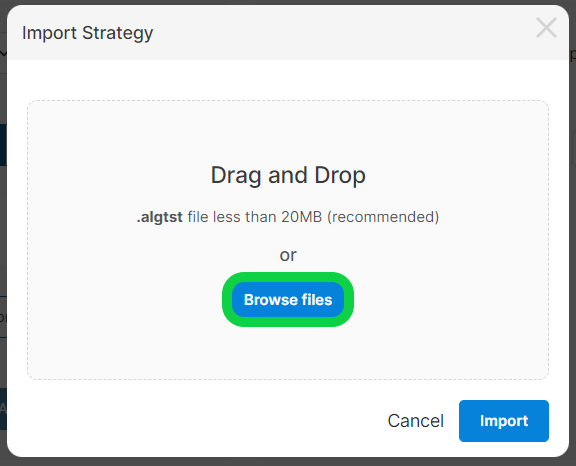
- Click on the browse button and select the file that we downloaded.
- Click on the "Import" button to import the strategy, just like it's shown in the image below.
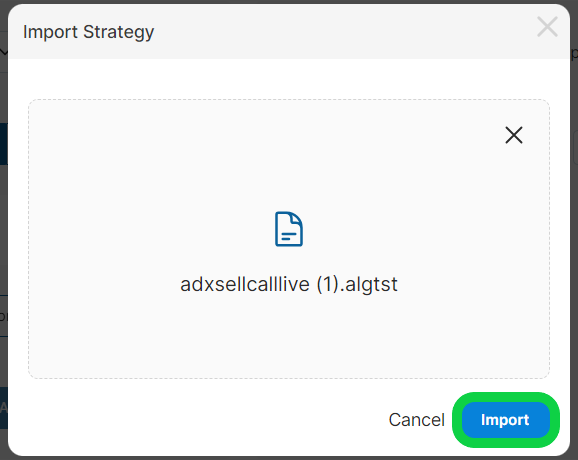
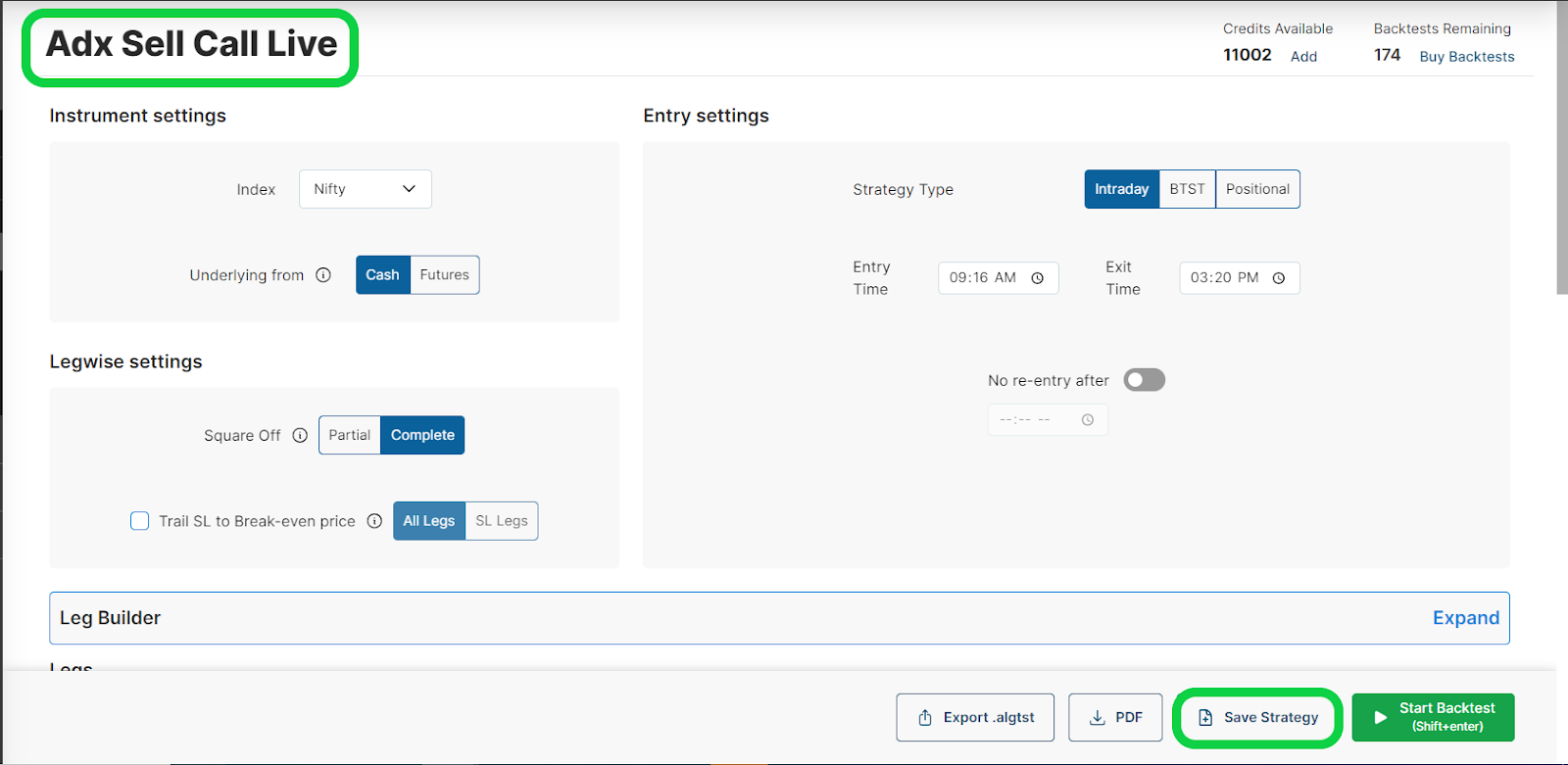
- It will import the strategy displayed in the image below. You can now save the strategy with your desired name.