HDFC Sky is FREE on AlgoTest
For any queries reach out to us!
Enjoy premium execution features absolutely free when trading via HDFC Sky with AlgoTest.
-
Execute 920 Strategies & Portfolios on AlgoTrade
-
FREE RA Algo execution on AlgoTrade
-
Free live algo execution on AlgoTrade (no AlgoTest credits needed)
-
Smooth & hassle-free portfolio transfer
note
Algo execution is free on AlgoTest for HDFC Sky users.
What You’ll Need For Algo Trading with HDFC Sky
AlgoTest Account
You need to have an AlgoTest account. If you don’t have an AlgoTest account, you can create it by clicking on this link.
HDFC Sky Account
You need to have a Demat account with HDFC Sky. If you don’t have an account, you can create one. Make sure to activate F&O on your account. Then follow these steps.
Connecting HDFC Sky with AlgoTest
Go to AlgoTest, log in to your account. Click on the Broker Setup at the top right.
You’ll see a dashboard as shown below. Put “HDFC Sky” in the search bar.
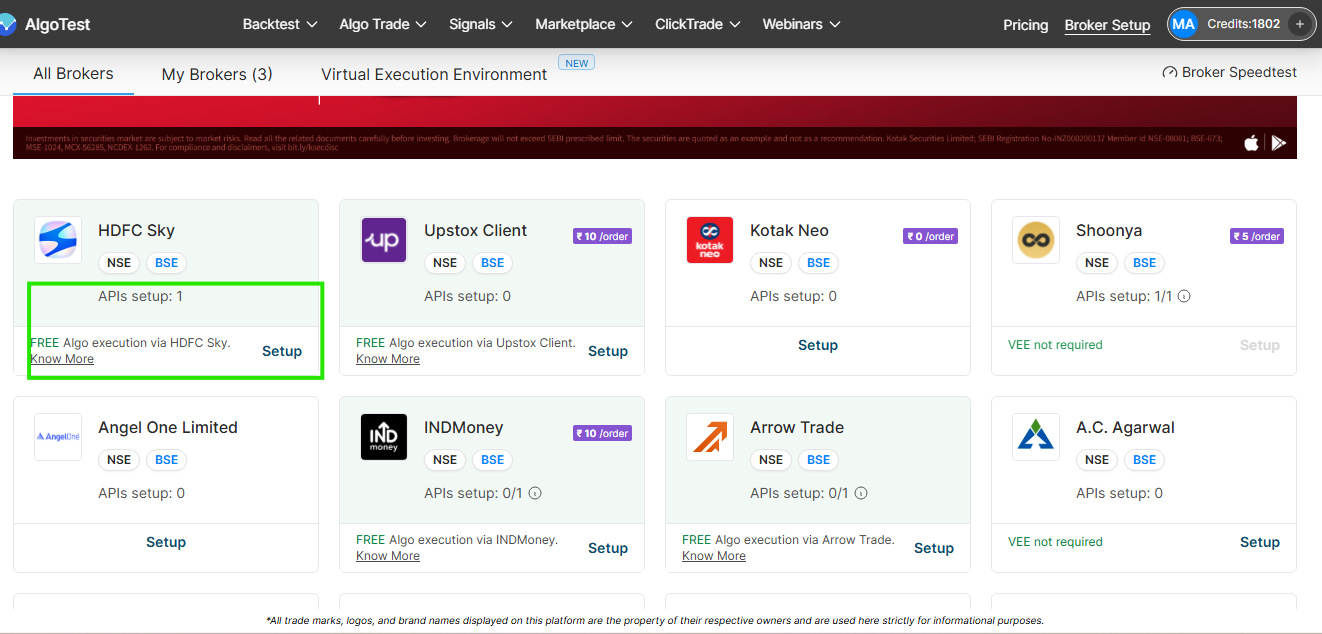
You will see the option to set up “HDFC Sky” as shown in the image. Click on the setup.
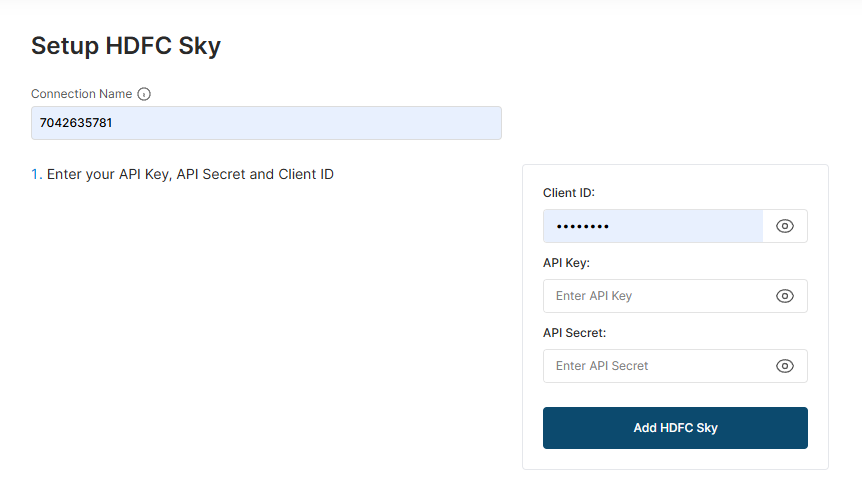
Follow the on-screen steps to complete the broker connection.
You have successfully added HDFC Sky broker to your AlgoTest Account.
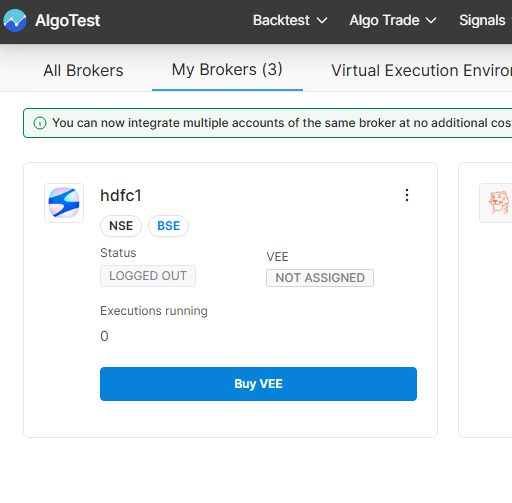
Buy a VEE Plan
After adding the connection, purchase a Virtual Execution Environment plan for live strategy execution.
Click Buy VEE, choose an available plan, and complete the payment.
AlgoTest’s VEE provides the dedicated cloud environment required to run your automated strategies.
You can refer to the VEE setup documentation for more details.
Check HDFC SKY Under My Brokers
Once the connection is added, open the My Brokers tab.
Your HDFC SKY account will appear here. You can check:
-
Connection name
-
Broker status
-
VEE status
-
Available margin
-
Number of running executions
Confirm that the broker connection and VEE are active before deploying a strategy.
Select and Deploy Your Strategy
Open Algo Trade and select the strategy you want to run.
Choose your connected HDFC SKY account and review:
-
Deployment quantity
-
Product type
-
Entry and exit order settings
-
Stop-loss and target
-
Entry and exit times
-
Strategy schedule
-
Available margin
Deploy the strategy only after confirming that HDFC SKY is connected, the VEE is active, and the execution settings are correct.\
info
Multi-API is supported.
What’s FREE (and What’s Not)
What’s Free
-
Live algo execution on AlgoTrade is free
-
No AlgoTest credits are required to run strategies
-
You can execute 920 strategies and portfolios via AlgoTrade
-
RA Algo execution on AlgoTrade is free
What’s Not Included
-
Forward Testing
-
Signals-based Algo Trading
-
ClickTrade Tools like Simulator & Strategy Builder
note
AlgoTest provides free execution access; however, broker-side charges are always applicable.
FAQs
1. Is HDFC Sky free on AlgoTest?
Yes. Live algo execution on AlgoTrade is free for HDFC Sky users on AlgoTest, and no AlgoTest credits are required.
2. Do I still pay brokerage on HDFC Sky?
Yes. You have to pay HDFC Sky brokerage along with statutory charges.
3. Can I run 920 / Time-based strategies on HDFC Sky?
Yes. Once your HDFC Sky account is connected, you can execute 920 strategies and portfolios using AlgoTrade.
4. Do I need to buy AlgoTest credits for HDFC Sky execution?
No. Execution is free on AlgoTrade, and no AlgoTest credits are needed.
5. Do I need to create a new AlgoTest account and log in via HDFC Sky, or is my existing AlgoTest account enough?
Your existing AlgoTest account is enough. You simply need to connect your HDFC Sky broker inside AlgoTest (via Broker Setup), and then you can execute strategies through AlgoTrade. No new AlgoTest account is required.
6. Can I execute RA Algos for free with HDFC Sky?
Yes. RA Algo execution on AlgoTrade is free for HDFC Sky users on AlgoTest.