Virtual Execution Environment (VEE)
Static IPs are now offered as Virtual Execution Environment (VEE), which includes a dedicated system to run your algo strategies.
Under the latest SEBI and NSE compliance guidelines, algo trading systems must ensure:
-
Order messages originate from broker-controlled infrastructure
-
Algo logic is hosted in a controlled and traceable environment
AlgoTest's VEE is designed to meet this requirement by providing a dedicated execution environment that is secure, compliant, and easy to use.
What is a Virtual Execution Environment?
A Virtual Execution Environment is:
-
A dedicated cloud machine running Linux Ubuntu
-
Preloaded with the AlgoTest platform
-
Equipped with a fixed static IP
-
Built to host and execute your algo strategies
Your strategy runs in a controlled environment instead of your personal system, while you retain full control over your logic and execution.
How to Set Up Your VEE (static IP)
Learn how to set up your environment and start running strategies:
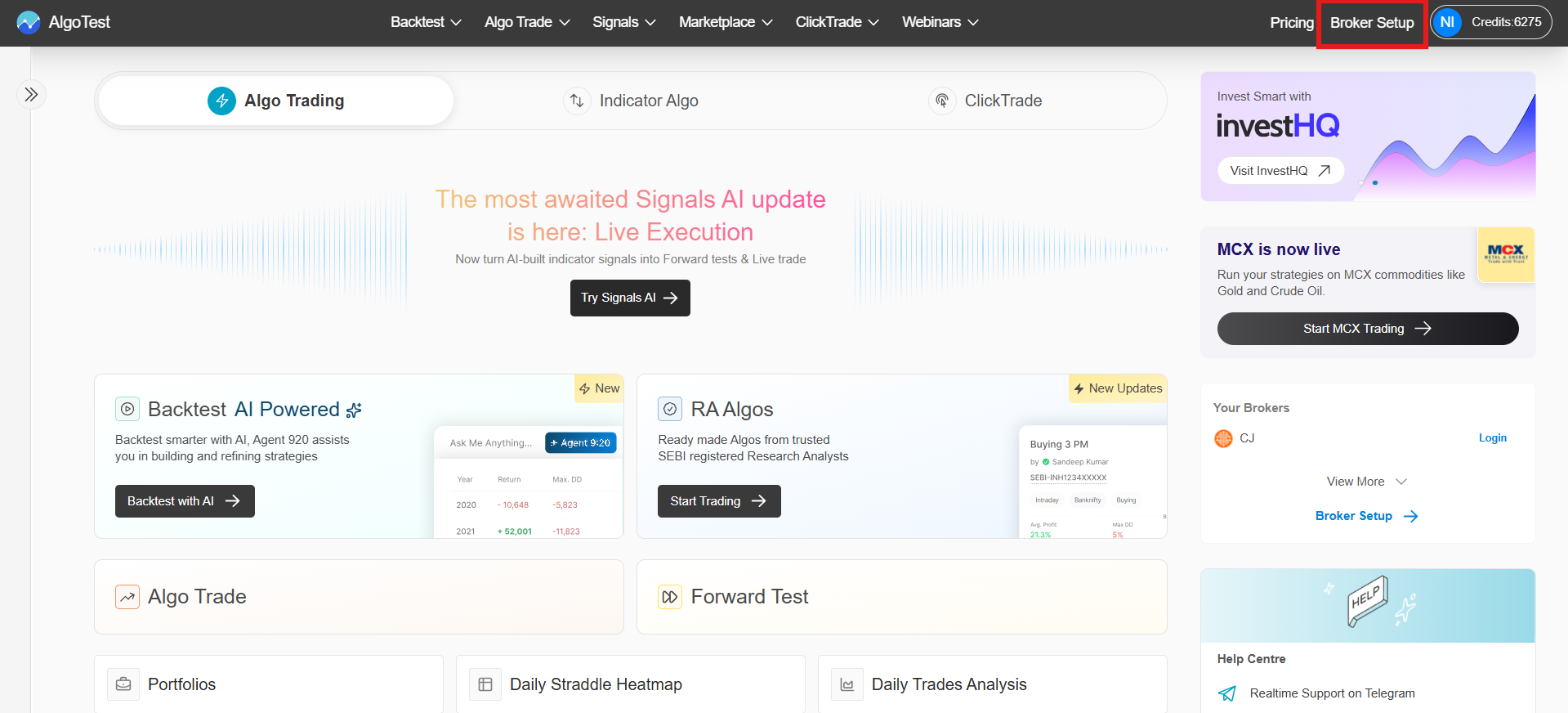
1. Go to Broker Setup
Click Broker Setup in the top navigation bar on AlgoTest.
2. Open the Virtual Execution Environment Tab
On the Broker Setup page, select the Virtual Execution Environment tab.
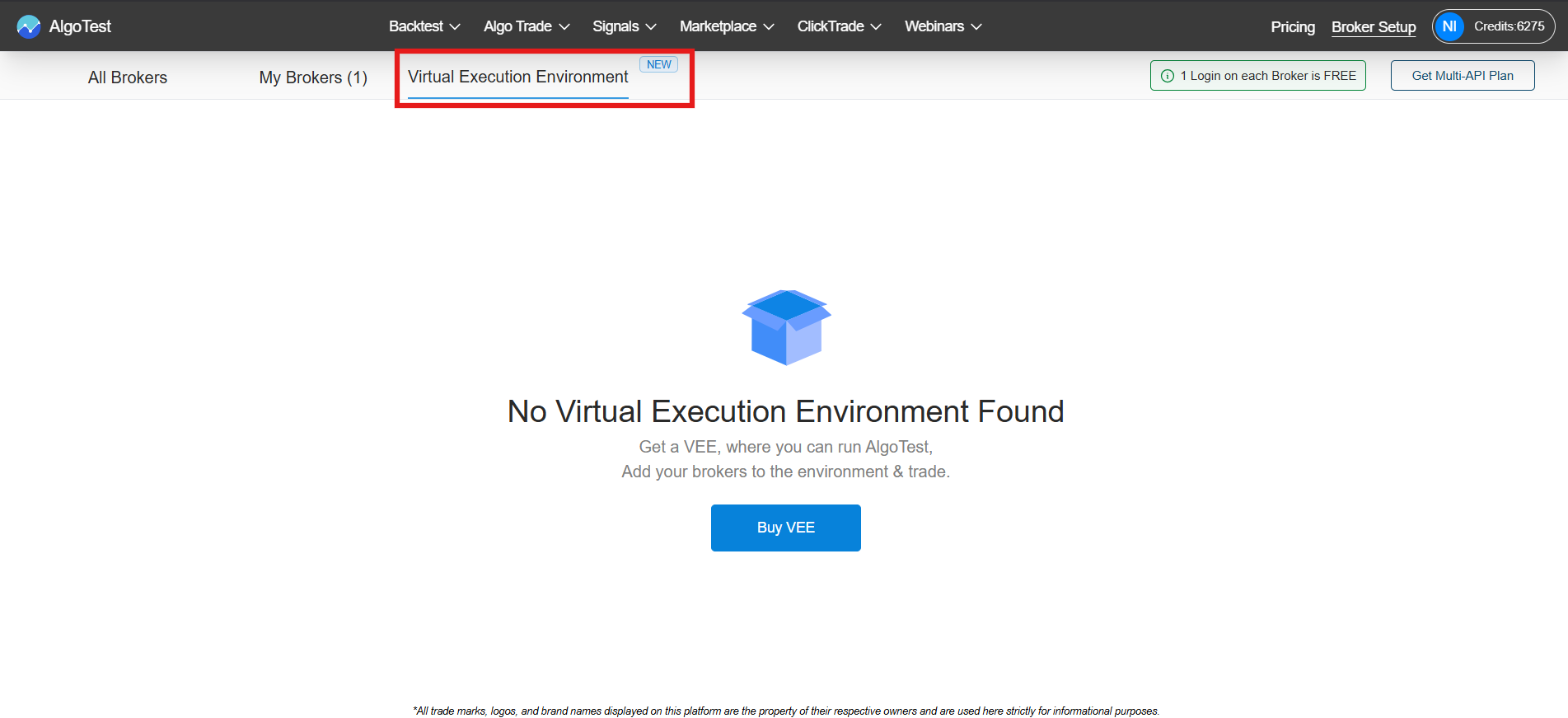
If you have not purchased a VEE yet, you will see an empty state with a Buy VEE button.
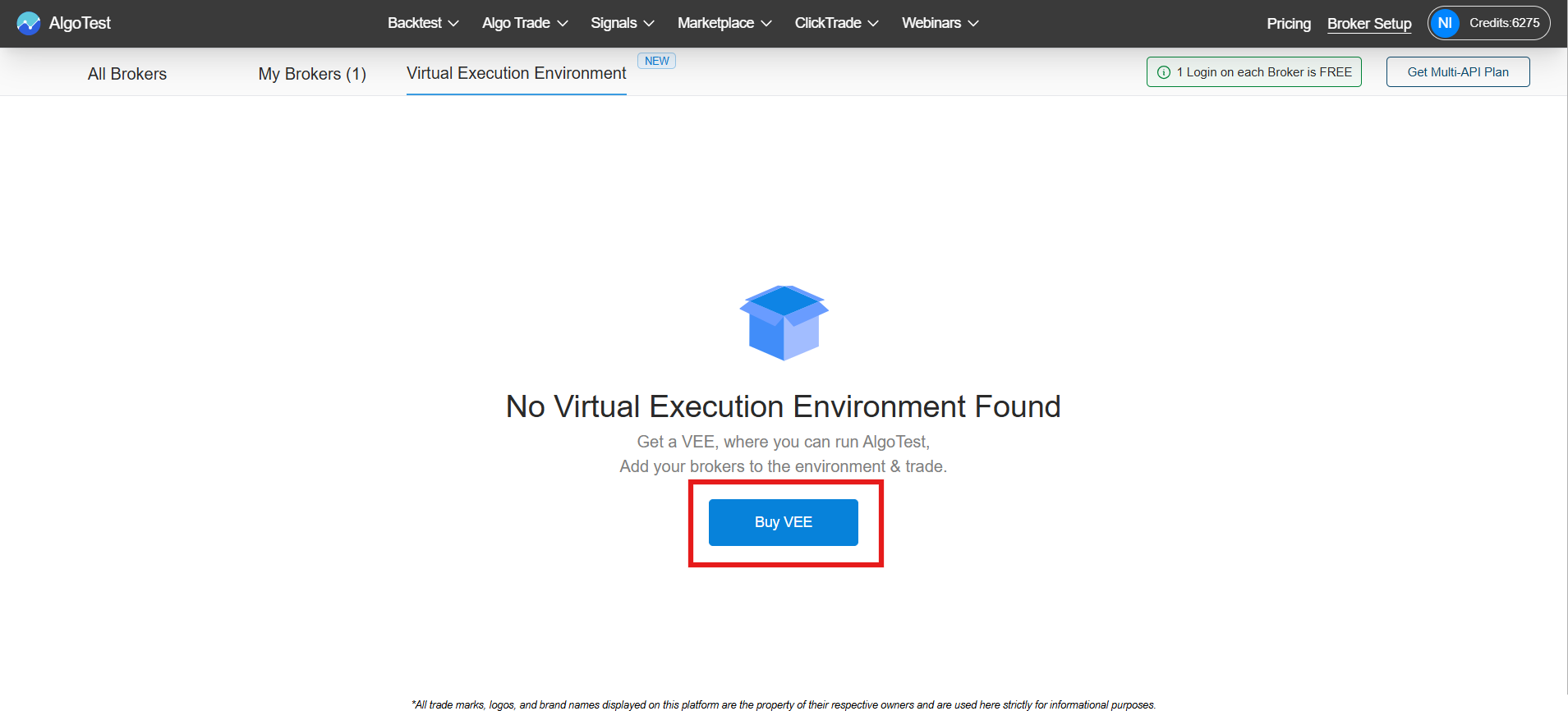
3. Select a Plan and Purchase
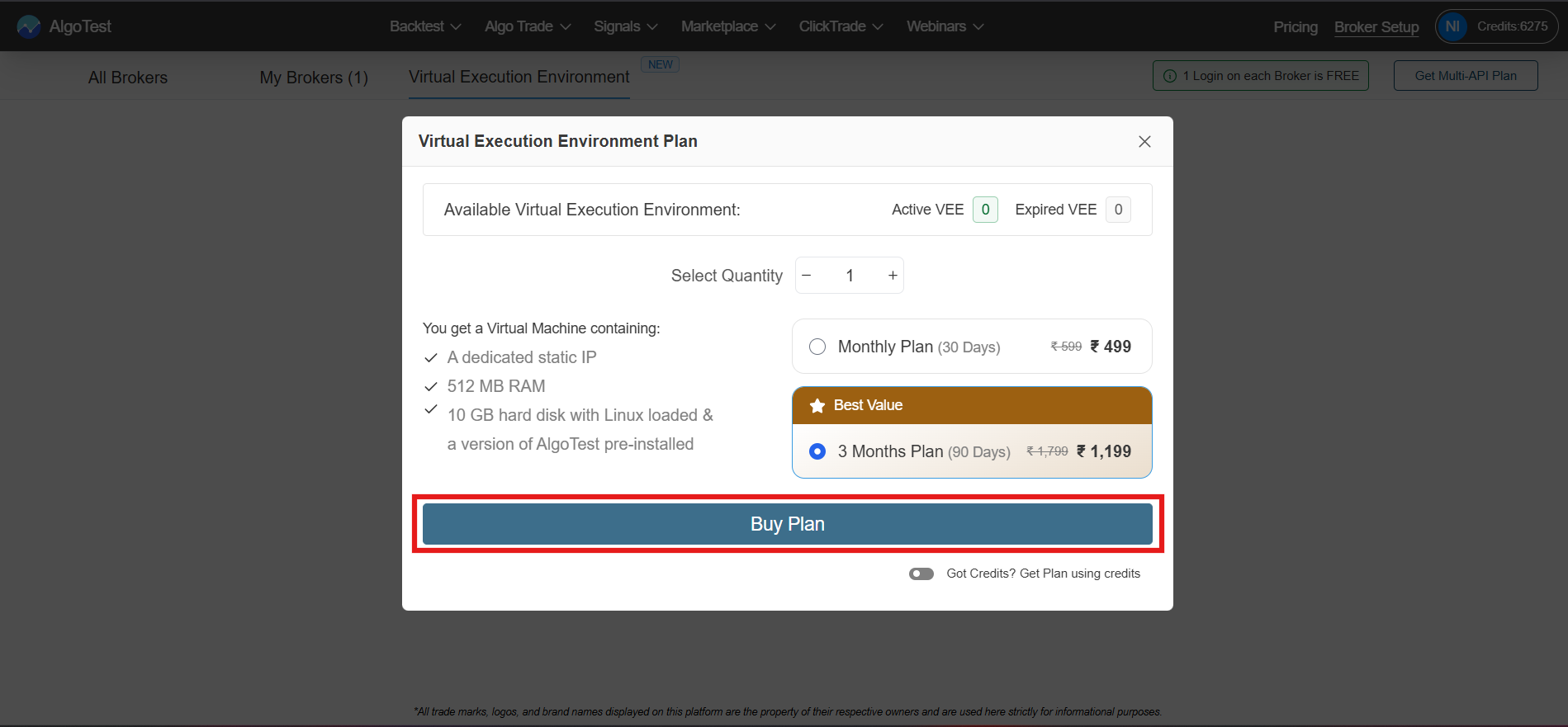
Click Buy VEE and choose a plan:
-
Monthly Plan (30 days)
-
3 Months Plan (90 days, best value)
Select the quantity and click Buy Plan. You can also pay using AlgoTest credits.
Each VEE includes:
-
Dedicated static IP
-
512 MB RAM
-
10 GB storage
-
Linux Ubuntu
-
AlgoTest pre-installed
4. Complete Payment
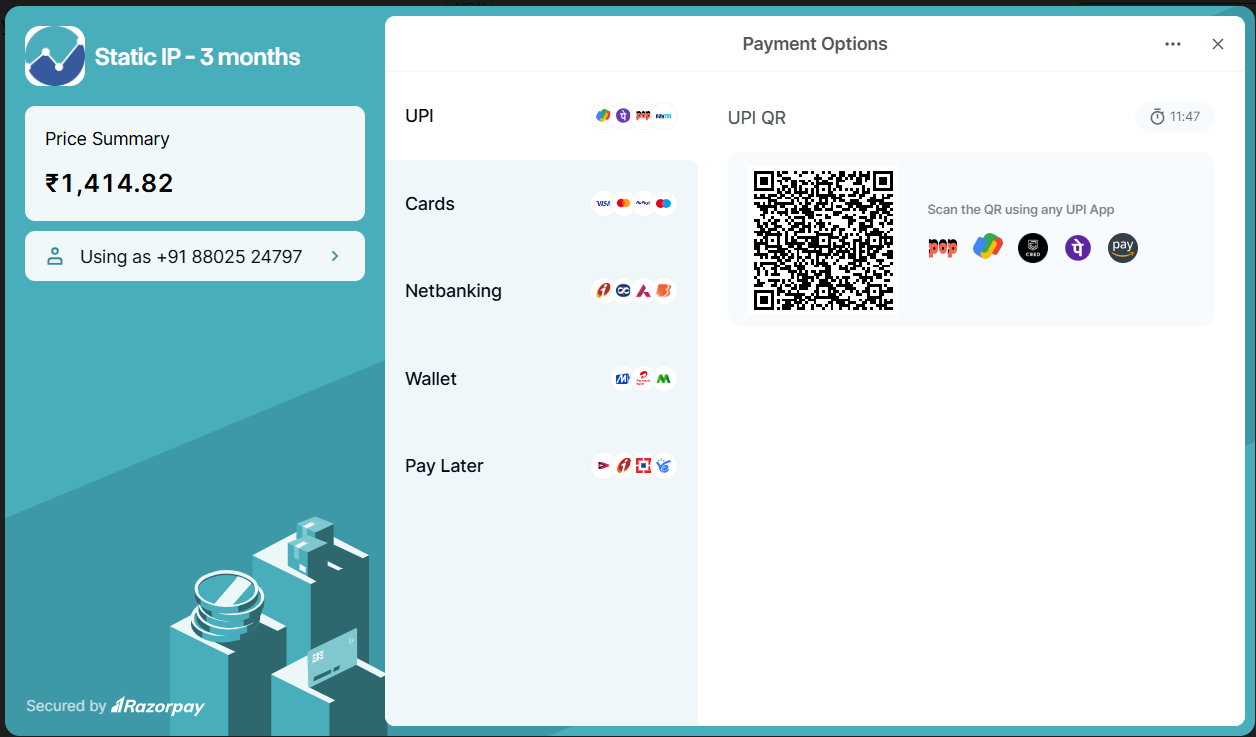
Proceed with payment via:
-
UPI
-
Card
-
Netbanking
-
Wallet
-
Pay Later (via Razorpay)
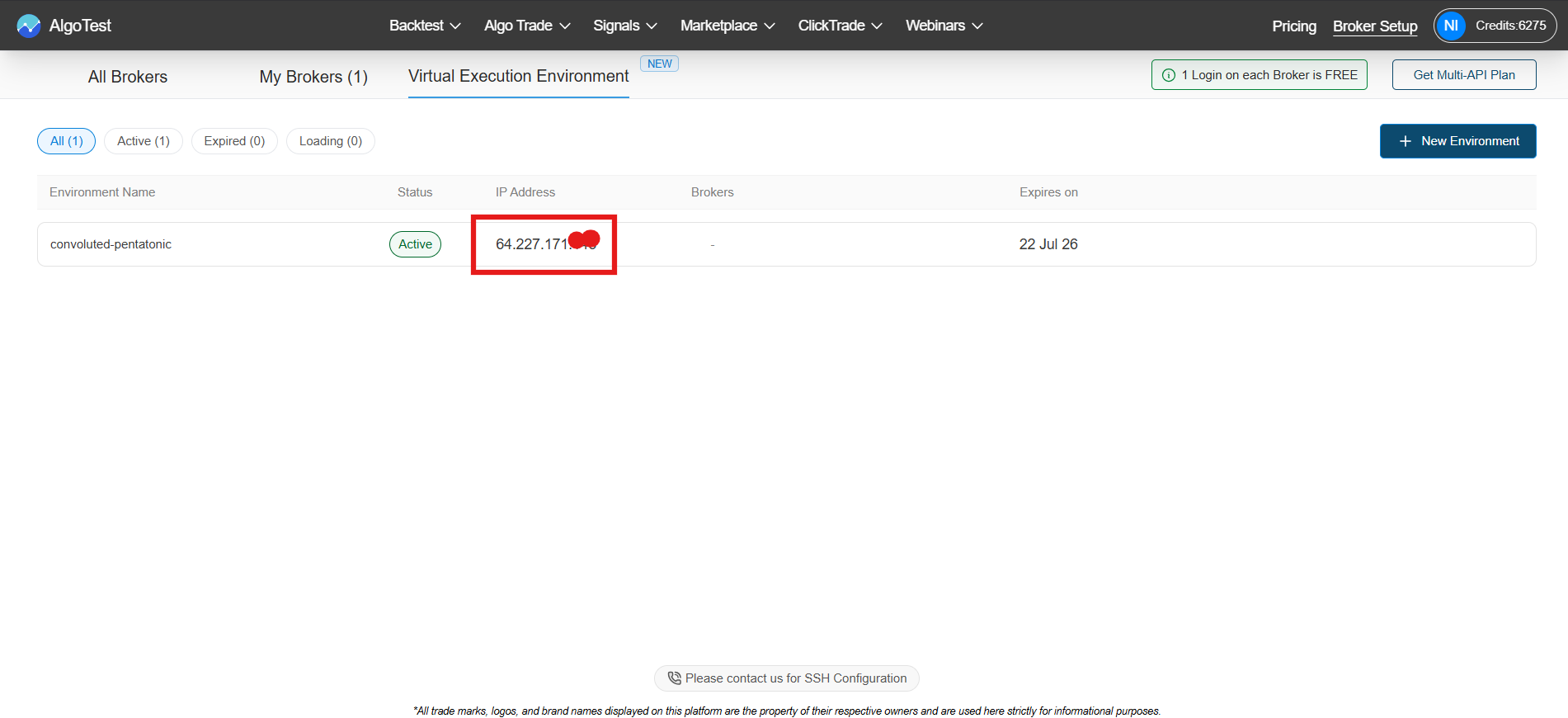
5. Your Environment is Ready
Once activated, your VEE will appear in the list with:
-
Name
-
Status
-
Static IP
-
Linked brokers
-
Expiry date
You can map your broker connections and start running strategies.
6. Edit and Run Strategies
You can manage strategies in two ways:
-
Use the AlgoTest UI
-
Click Edit .algtst to open the JSON text editor
Make changes and click Compile to validate and save.
Python support coming soon.
Managing Your VEE
All active environments are listed under the Virtual Execution Environment tab.
For each VEE, you can view:
-
Name
-
Status
-
Static IP
-
Linked brokers
-
Expiry date
You can assign or unassign broker connections at any time.
You can also purchase multiple VEEs to:
-
Run separate strategies
-
Manage family accounts
-
Maintain independent setups
Renewal and Expiry
-
VEEs are valid for 30 or 90 days from purchase
-
You will receive a reminder 2 days before expiry
-
AlgoTest reserves your environment for 3 days after expiry
-
You can renew at any time, even before expiry
Reach out to our customer support on Telegram!